A Muse invite code has to be entered in Settings after you join, and within the redemption window. The official redeem form states: redeem a friend's code within 48 hours of joining, and you will both get 1 billion Muse tokens. That is a license for additional Muse usage, not cash, and it cannot be transferred. The steps below follow the official Settings path, the form text, and Meta's token help. The amount, window and remaining invites shown on your account are what count.
Invite codes are not login codes
- Invite reward code: redeem it in Settings after you join Muse.
- Referral link: follow the landing page; opening the link is not the same as a successful redemption.
- Sign-in or email verification codes: use them only to sign in or verify the account. Do not enter them in the invite-code field.
Never give your password, login codes or recovery credentials to someone who shared an invite code. Meta Muse at muse.ai is also not the same product as MuseAI, the music tool; their codes are not interchangeable.
Where to redeem on web and in the app
Meta's help says that on the web you open Settings from the Menu in the lower left, where usage is listed; in the app you open Menu in the upper left, then Settings. The redeem entry sits near the usage information.
- Open muse.ai or the official Muse app and sign in to the account that has already joined Muse.
- Go to Settings, then General.
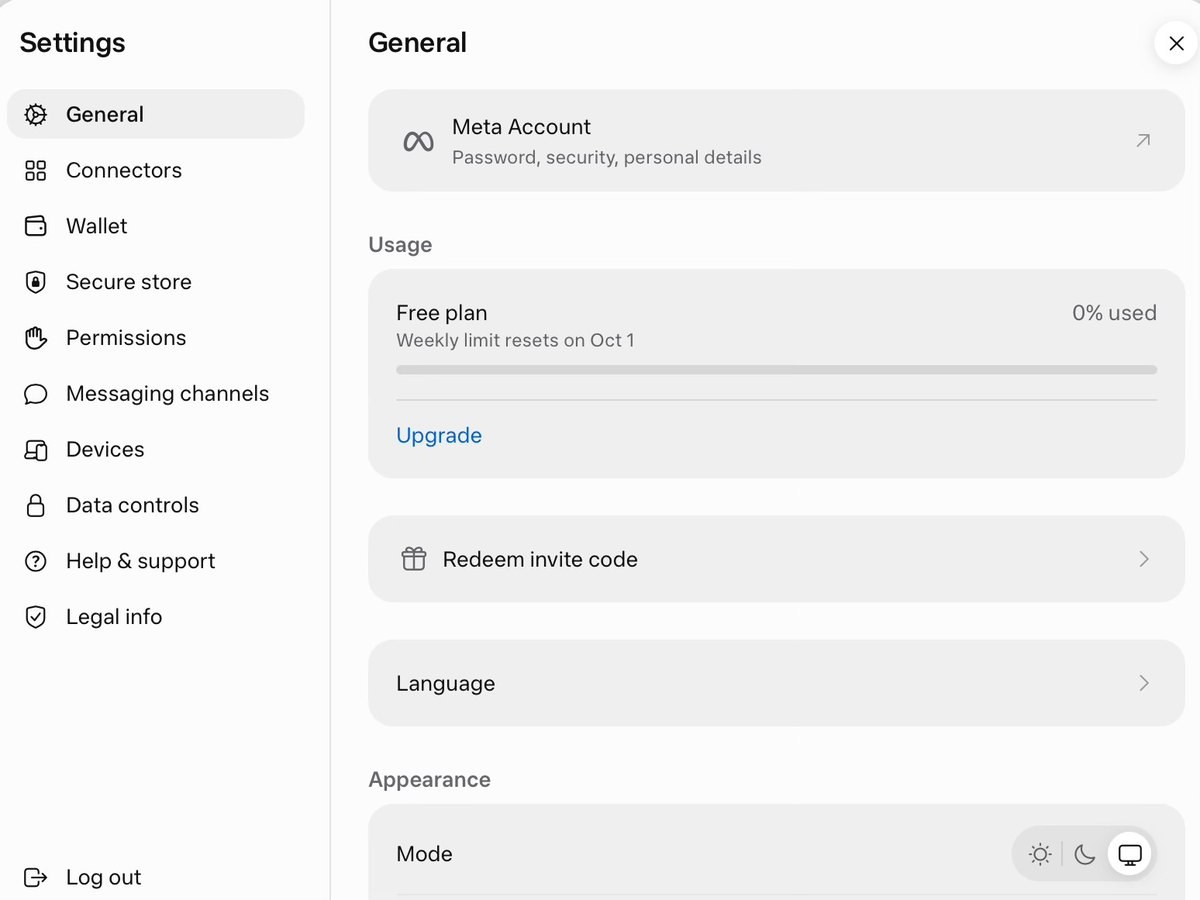
- Under Usage, open Redeem invite code. In the app the matching control is Redeem referral code.
- Enter the full code, select Confirm, and wait for a success message.
The screenshot below is a web Settings example, with Redeem invite code under Usage. It comes from a public tutorial and is not a test we ran on this site.
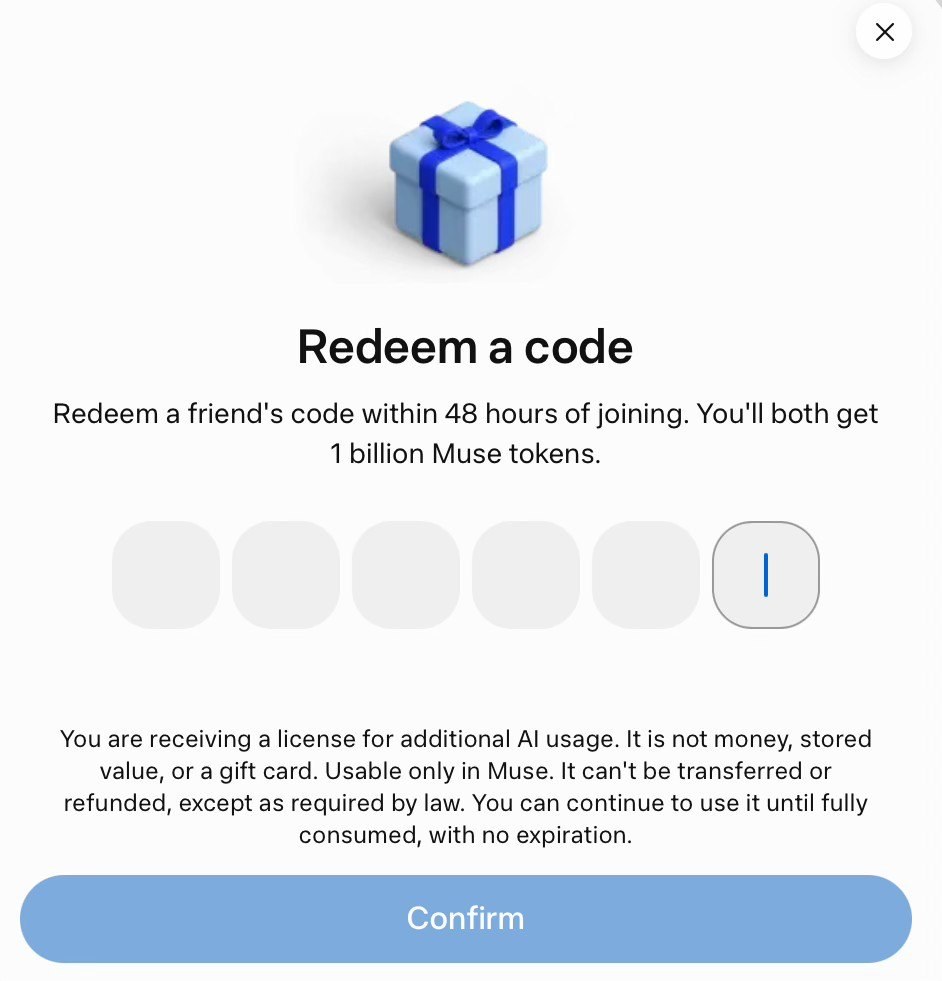
The official form text is: Redeem a friend's code within 48 hours of joining. You'll both get 1 billion Muse tokens. It also states that you are receiving a license for additional AI usage; it is not money, stored value or a gift card; it is usable only in Muse; it cannot be transferred or refunded except as required by law; and you can use it until it is fully consumed, with no expiration. We did not find a separate Meta Help Center article that lists the 48-hour window or the 1 billion figure, so treat the official form in your account as the source. If the offer changes, follow the page you see at the time.
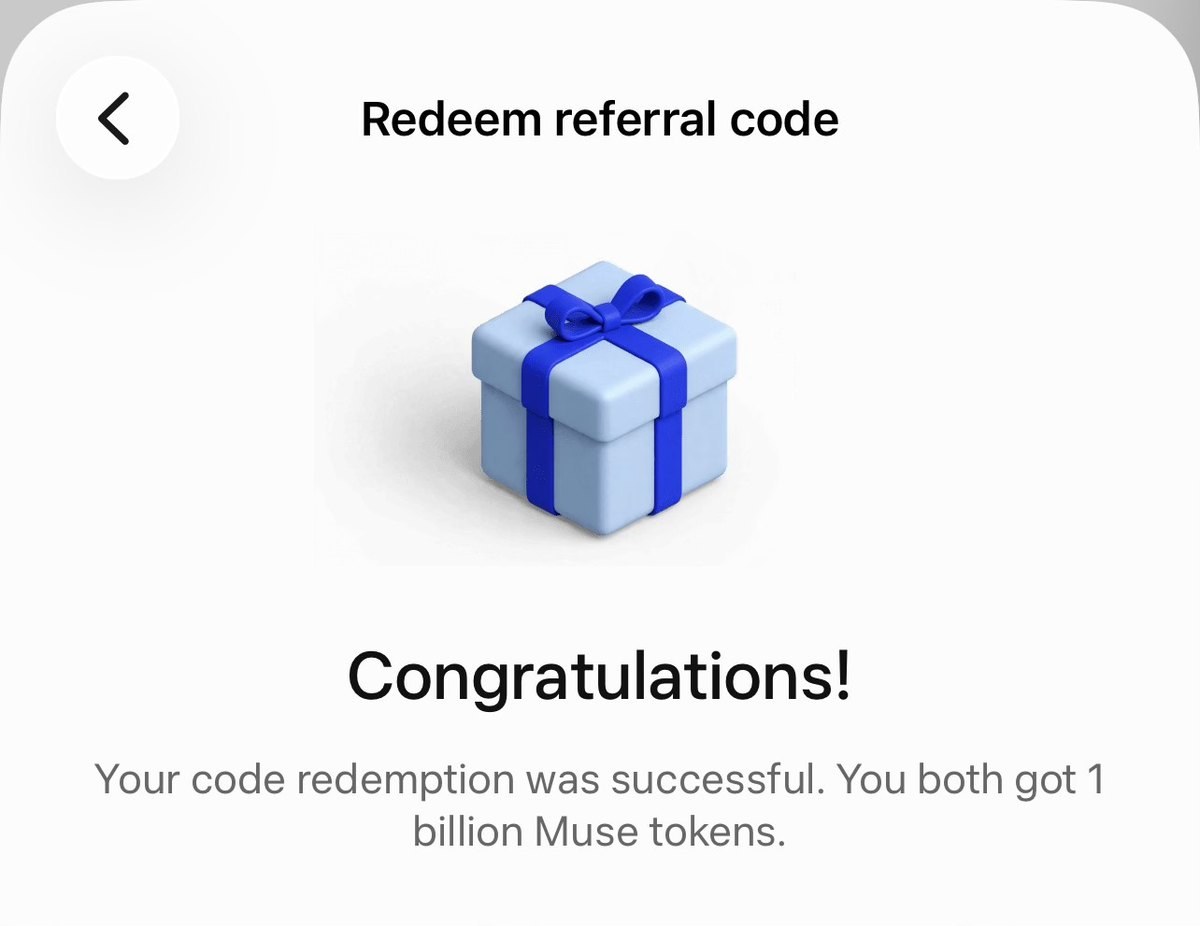
A completed redemption should show a clear confirmation. The next image is an iPhone success example that says you both received 1 billion Muse tokens.
Copying the code, opening a link or tapping Confirm is not the same as a success confirmation. A pending state means the redemption is still being confirmed. An existing token balance alone does not prove that this particular invite just completed.
How to confirm the tokens arrived
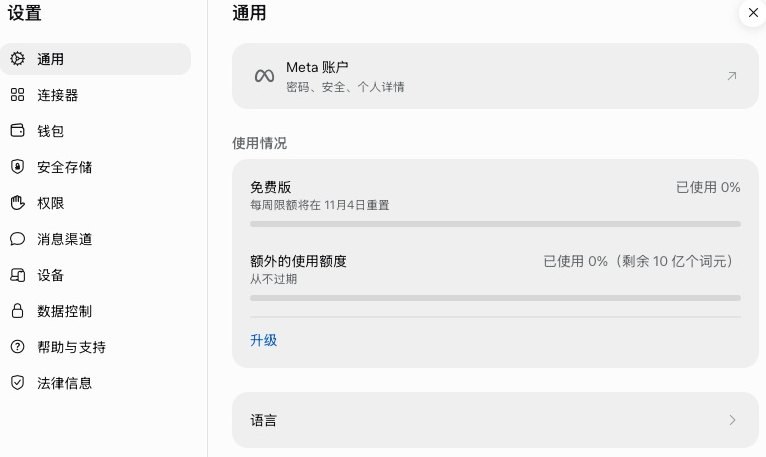
Return to Settings → General and check Usage for additional tokens. Meta's help states that promotional Muse tokens do not expire and remain available until they are used up, have no cash value, cannot be transferred to another account, and can be used only in Muse. Weekly subscription allowances do not roll over to the next cycle.
The Chinese Settings example below shows additional usage that never expires, with 1 billion tokens remaining on that account at the time. That is one account's balance, not a universal figure or proof of the source. If the number does not change right after you redeem, refresh or reopen Settings and check again.
If you are sharing your own code
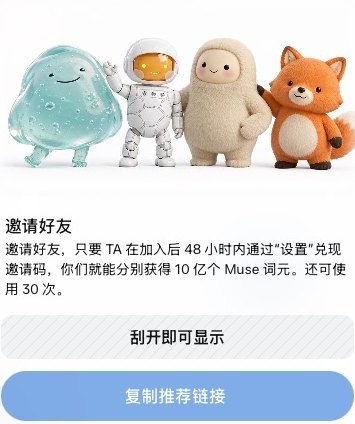
The Invite friends panel can reveal your code or copy a referral link, and it tells the other person to redeem it in Settings within the join window. The example below shows 30 uses remaining. That was this account's remaining count at the time, not a cap that applies to everyone, and not a live balance.
The more reliable source is a friend who already uses Muse, then confirm the result on your own redeem page. Codes in public posts may already have expired, run out or been turned off. Do not create multiple accounts on the same device and network just to invite yourself, and do not treat an invite code as a way to skip regional or age eligibility.
Common questions
- Messages such as invalid, expired, used up or turned off: check the characters, then ask the sender for another code that still works.
- Already redeemed: this account has already redeemed an invite reward. Another code usually will not grant the same reward again.
- Window ended, or more than the 48 hours stated on the form have passed since you joined: that is outside the normal window. We have not seen an official makeup path. Do not keep retrying codes or expect a network change to restore the offer.
- Too many attempts: pause and try again later.
- No redeem entry: the window may have closed, or the label may differ by language or version. Look under Usage in Settings for Redeem; if it is still missing, follow what your account actually shows.
If you need a Muse account or a subscription, see the product page on this site. Plans, allowances and delivery terms are listed there.