Verified on 2026-11-05: Based on Shadowrocket's official US App Store listing and Apple Support's "Change your Apple Account country or region". This covers buying with your own US Apple Account, not signing in to shared accounts. For signing in to the App Store, see our App Store login guide.
Shadowrocket is a paid utility on the US App Store and in other regions, not a free download. To install it you need an Apple Account in a region where it's listed and a payment method or balance valid there. Here's the official listing, two legitimate ways to get a US account, and what to know after buying.
1. Official listing details
| Item | US App Store listing |
|---|---|
| Name | Shadowrocket (Rule based proxy utility) |
| Developer | Shadow Launch Technology Limited |
| Price | $2.99, one-time |
| Requirements | iOS 13.0+ (iPhone, iPod touch); iPadOS 13.0+; macOS 10.15+; tvOS 17.0+ |
| Family Sharing | Yes, up to six family members |
The developer's release notes state that Shadowrocket is a standalone networking utility and does not include any proxy services or server resources; users provide their own configurations.
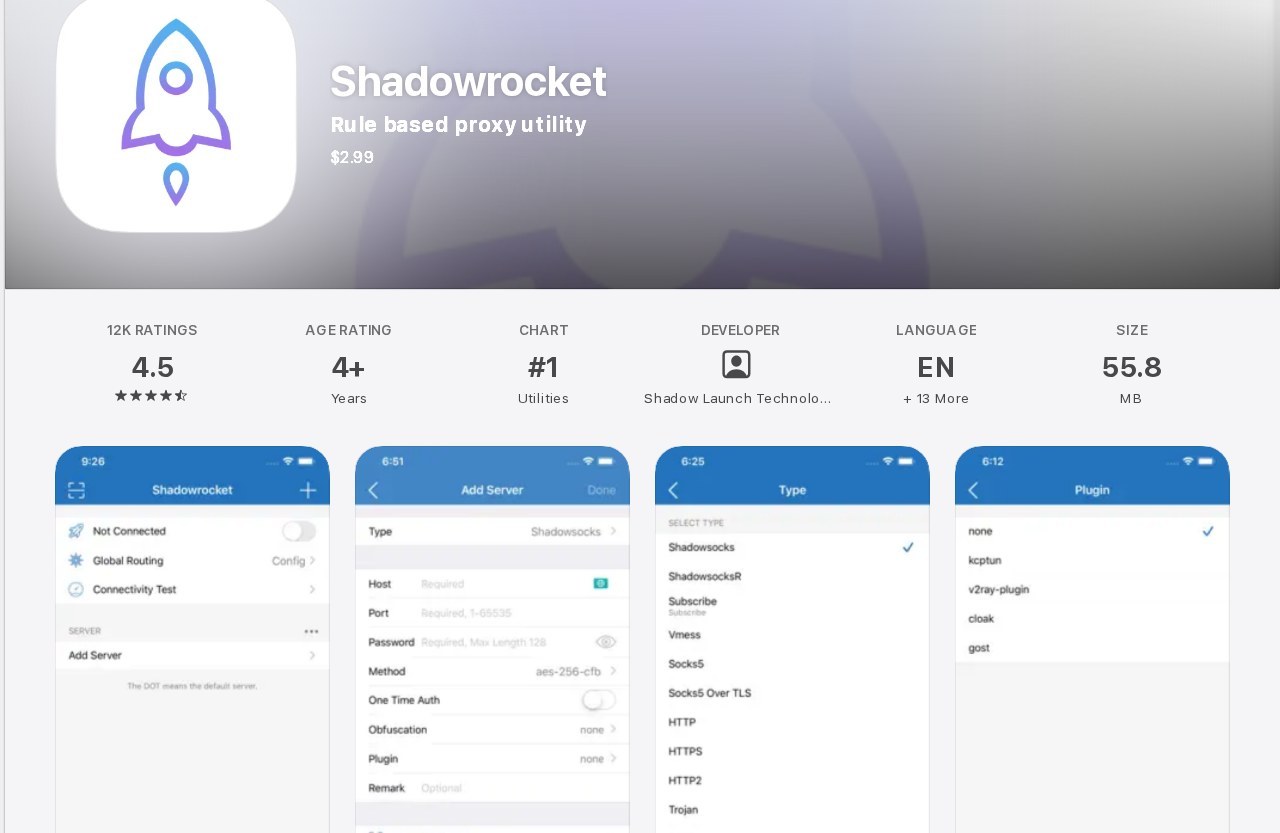
Shadowrocket official listing on the US App Store.
2. Two legitimate ways to get a US Apple Account
Option 1: move your own account to the US
Apple says to do this first:
- Spend any remaining balance, or clear a balance too small to buy anything.
- Cancel subscriptions that block a region change and wait for the period to end.
- Wait for memberships, pre-orders, rentals, Season Passes and pending refunds to clear.
- Leave Family Sharing if it prevents the change.
- Have a valid payment method and billing address for the new region.
On iPhone:
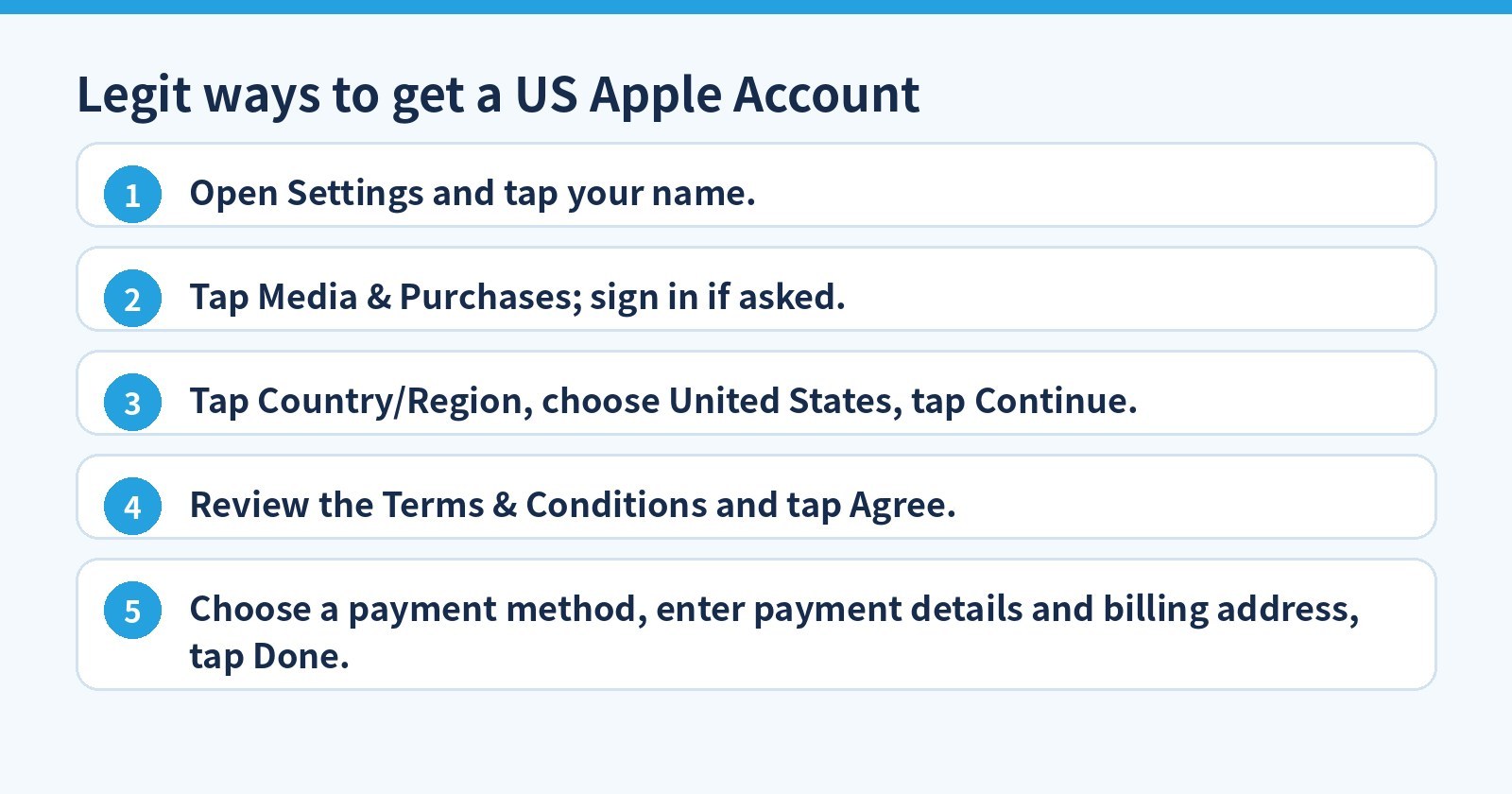
- Open Settings and tap your name.
- Tap Media & Purchases; sign in if asked.
- Tap Country/Region, choose United States, tap Continue.
- Review the Terms & Conditions and tap Agree.
- Choose a payment method, enter payment details and billing address, tap Done.
You can also change it at account.apple.com → Personal Information → Country/Region.
Option 2: a separate US account
Apple notes that if you don't want to enter a payment method for the new region, you can wait until you're physically there and create a new Apple Account. Alternatively, use a US account that's yours, signed in only in the App Store (not iCloud at the top of Settings), and pay with US gift-card balance.
3. Buying and downloading
- Tap your profile picture in the App Store and confirm the US account is signed in.
- Search "Shadowrocket" and check the developer is Shadow Launch Technology Limited.
- Tap the price and pay with a US payment method or balance.
- Already bought it? Redownload free from Account → Purchased.
Look-alike apps exist, so check the developer name. Use network tools only in line with your local laws and platform terms; this guide provides no configurations. Never sign in to a "shared Apple Account" from strangers: they can change the password at any time or turn on Find My, locking your device and exposing your data.
4. FAQ
Will my existing apps still work after changing region?
Apple warns some content may not be available in the new region, so redownload apps, music, films and books you'll need before switching.
What if I cancel iCloud+?
Cancelling Apple One or iCloud+ to change region drops iCloud storage to the free 5 GB. You can resubscribe in the new region if it's available there.
Official sources (verified 2026-11-05): US App Store: Shadowrocket, Apple Support: change your Apple Account country or region. Price as shown in the App Store; tax may apply.
No US account or payment method? 5buyai.com offers password-changeable US Apple accounts, US gift cards and a Shadowrocket purchase service. Change the password first and sign in only in the App Store. See product pages for current prices.