Product Name: Spotify Account or Membership (Official)

Product Login Tutorial:
①Login URL: http://www.spotify.com. You can also use the APP. Apple users please switch the country in the AppStore to the US region or another region to download (if you do not have a US region Apple account, please click here to purchase). Android users can purchase the modified version of the APP on this site and then download and install it directly without an account (it comes with Premium membership), click here to purchase!
②Choose to log in. You can log in via Google authorization, or log in via email!
③Please click for the Gmail email login tutorial
【Spotify Windows Client】
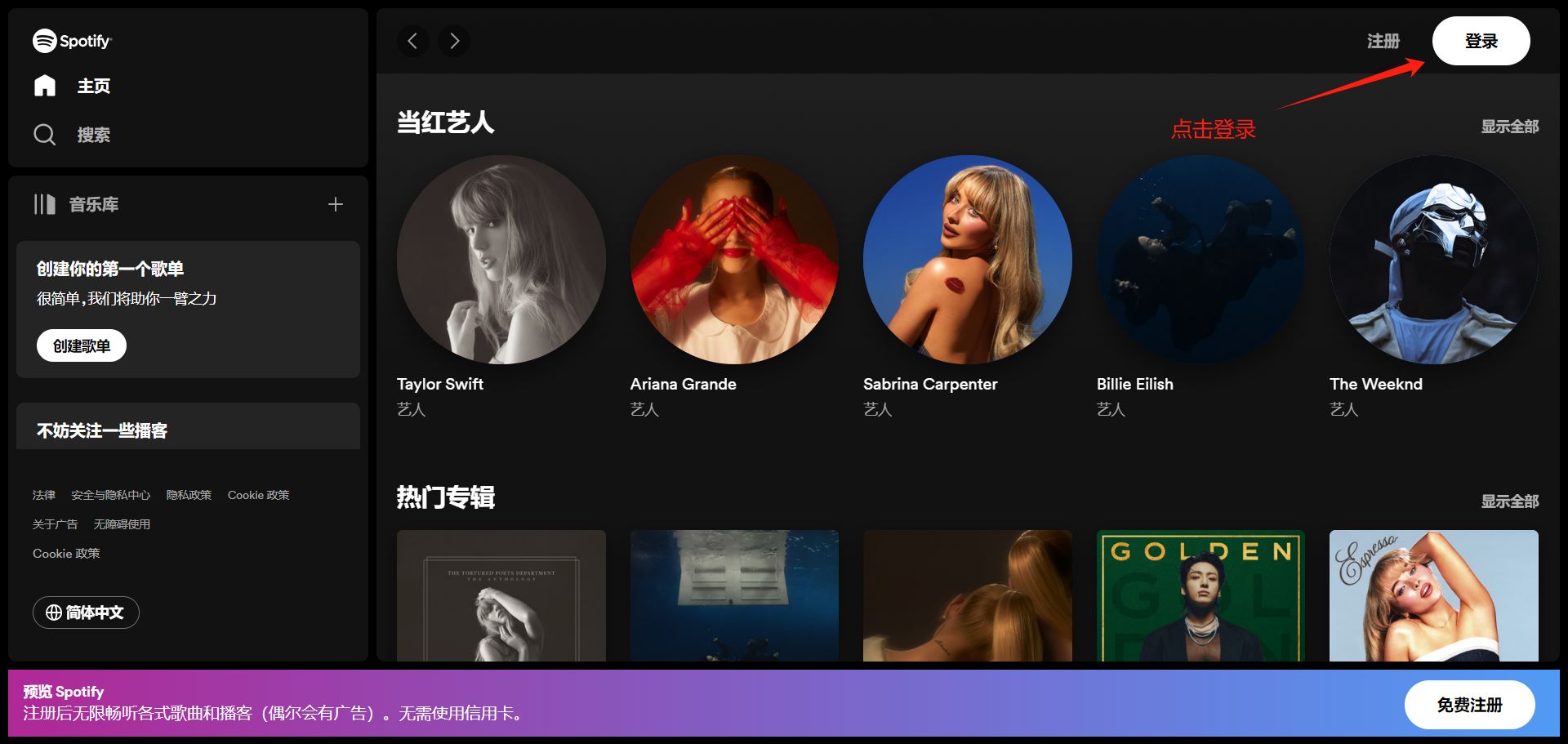
【Spotify Login Page】

 to chat with the AIFUNS team (bottom-right corner).
Frequently Asked Questions
AIFUNS 支持哪些 AI 服务?
支持 ChatGPT、Claude、Midjourney、Gemini、Grok 等主流 AI 工具的账号、订阅与充值。
购买后如何收货?
人工手动发货,支付成功后会在工作时间内向你的下单邮箱发放账号或卡密。可在「订单查询」页面凭订单号、邮箱或浏览器缓存随时查看。
支持哪些支付方式?
支持支付宝、微信,以及 USDT 、信用卡支付。
必须注册账号才能购买吗?
不需要,可游客下单并填写邮箱接收卡密;注册后可在个人中心统一管理订单、余额与发票。
价格是人民币吗?
商品标价均为人民币(¥)。使用 USDT 支付时会按实时汇率自动换算。
购买后有售后保障吗?
部分提供售后支持,可通过在线客服或订单申报页面处理问题。账号为虚拟产品,一经发出后无售后问题不提供退款。
我是企业买家,需要大额采购,怎么联系?
请点击右下角聊天部件,与我们联系,留下你的邮箱或者其他联系方式,我们会尽快与你沟通。