
As the number of domestic Amazon OA sellers keeps growing, Amazon has at the same time tightened the permissions for domestic Amazon accounts to sell branded products. Under these circumstances, Amazon accounts owned by US companies have been almost unaffected. Therefore, if you want to keep deeply pursuing the Amazon OA model over the long term, owning an Amazon store under a US company is a good choice. Today I'll introduce how to spend no more than 150 US dollars and complete the registration of a US company within 7 days (including notarization of the company address and the EIN application).
First, to register a US company, you need to prepare the following 3 documents:
1. A personal passport (must be within its validity period)
2. A personal international driver's license (must be within its validity period; you can search for “personal international driver's license” on Alipay to apply for free)
3. A Visa or Mastercard credit card that can be used to pay for cross-border purchases (basically everyone doing OA already has one)
Here I'll use the registration of an LLC-type company in Wyoming, USA, as an example. (Why choose an LLC-type company? Let me ramble a bit. First, the LLC type is the choice of 80% of company founders. Also, LLC is the abbreviation for Limited Liability Company, which means a company with limited liability. If the company goes bankrupt and is liquidated, you only bear economic responsibility up to the amount you invested. In other words, creditors cannot claim against the shareholders' personal assets; if the company goes bankrupt, you as an individual will not go bankrupt~) Let me introduce the registration steps one by one:

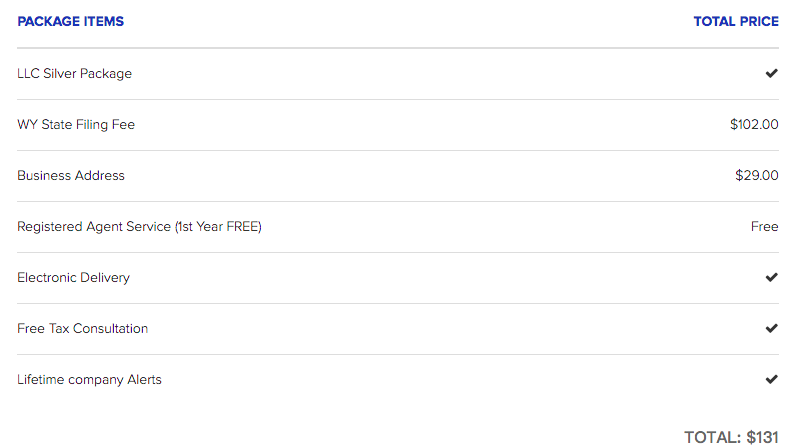
The screenshot above is an order I placed on August 16; the order was completed on August 20, and the company registration was finished. The costs incurred by the order are as follows (this is for the company registration and does not include the EIN cost; the EIN can be handled on Fiverr for 15 US dollars in 2 days, or you can apply for it yourself for free):
Now let's officially begin. The steps to register a US company in Wyoming are as follows (registering in other states is roughly the same few steps):
Step 1: Choose a name for your company
Step 2: Select a registered agent and complete the company registration
Step 3: Complete the notarization of the company's registered address
Step 4: Apply for an EIN
First, Step 1, choose a name for your company. Here are a few suggestions and things to note.
Regarding naming the company, you can use the same name as your Amazon store, or the brand name of your product, or simply name it after yourself — that's OK too. In short, it's best to pick a company name that is easy to remember and relatively easy to recognize. By the way, you can also continue to use the brand-naming method that classmate Harley introduced earlier to name your company. Prepare several candidate names; the company name should preferably end with LLC, i.e., register it as an LLC-type company.
You can also refer to this link, which is the Wyoming state government's instructions and notes on naming a company:
http://sos.wyo.gov/Business/Docs/HowToChooseACompanyName.pdf
After choosing a name, you can first use the following link to check whether the name is available, i.e., check whether the company name duplicates a company that has already been established. The following link is a free company-name lookup tool provided by the Wyoming state government website~
Step 2, select a Registered Agent and complete the company registration
Let me briefly explain why you should register the company through an agent rather than handling the registration yourself.
In fact, anyone who is at least 18 years old and has a real address in Wyoming can become the Registered Agent for your registered company. Of course, we won't consider an individual agent; we'll directly find a professional registration company to act as our agent — after all, we're not physically in the US, and there may be other company-related matters that need an agent to handle later.
In addition, choosing an agent has the following benefits (I'll just list a few benefits we might care about):
1. Ensures the compliance and validity of your registered company
Because you're not in the US and don't understand local company policies and laws, finding a professional and reliable agent company means they can remind you in a timely manner to do the annual review or other related matters, and they can directly help you complete these tasks, scan the relevant results or documents, and send them to you — this saves a lot of hassle and is much more convenient~
2. Protects your privacy
If you use your own address as the company address (assuming, of course, that you have a valid, real Wyoming address), then this address has to be published in the state government's company database, which is publicly searchable — this is essentially exposing your home address. But if you use an agent, they will provide a company address, so you won't have to expose your real address.
3. Stores company-related documents online
As the owner of a US company who isn't physically in the US, a good agent will scan and upload all materials and documents into your order account, meaning there will be electronic archives and backups of all documents online — you'll never have to worry about not being able to find a document again, and if you need to retrieve these materials, you can access them very conveniently.
OK, having finished talking about the benefits of registering a company through an agent, let me now introduce the agent fees for an agent registering a US company (note: the agent fee here refers to the service fee paid to the agent company). It is basically divided into several tiers: 0 (i.e., free), $39, $99, $125, etc. — the fee varies by agent. After registering the US company, an annual review is required every year, i.e., matters such as submitting an annual report. From the second year on, this service costs $119 per year and up; this fee varies depending on the state of the company.
Below I'll use Incfile, the agent company I used, as an example to introduce how to register a US company. I chose them because this agent is a very long-established and professional US company-registration provider, founded in 2004, that has already served over 500,000 small and medium-sized enterprise users. It has over 20,000 reviews on the third-party review site ShopperApproved, with a rating as high as 4.8. Most importantly, registering a company through them directly waives the first year's agent registration fee, i.e., they provide the registration service fee for free, saving us a registration service fee.
OK, having said so much above, how do you register a US company through Incfile?
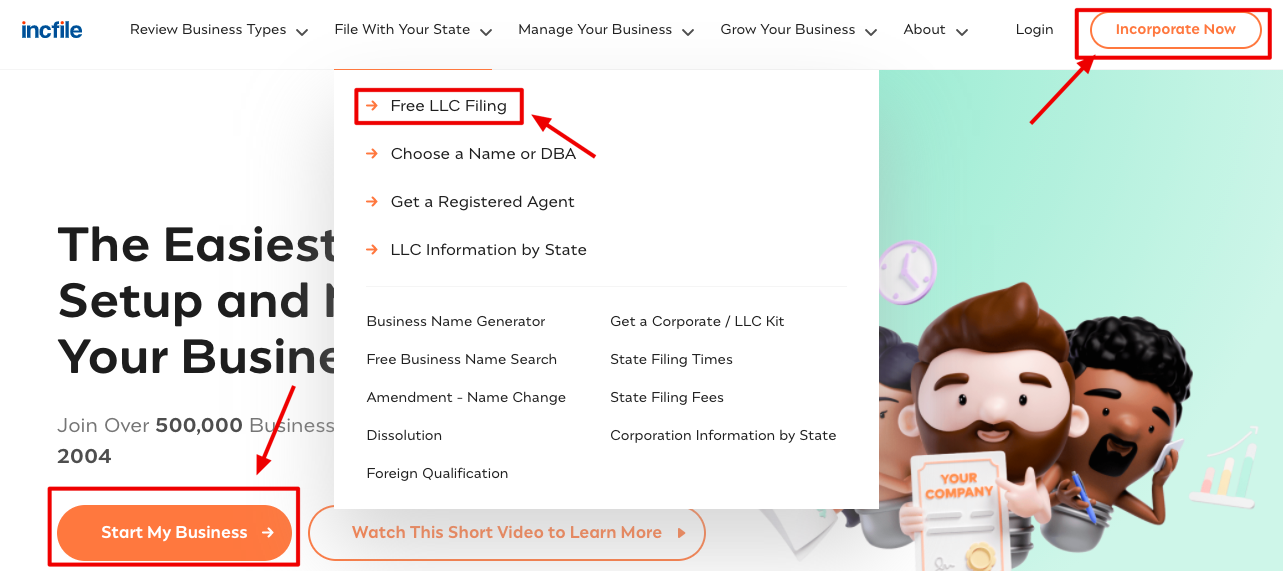
First, open Incfile's official website: https://www.incfile.com/ On the homepage, find the "start my business" button to begin the registration process. The 3 spots marked in the image below are all registration entry points; feel free to choose any one~
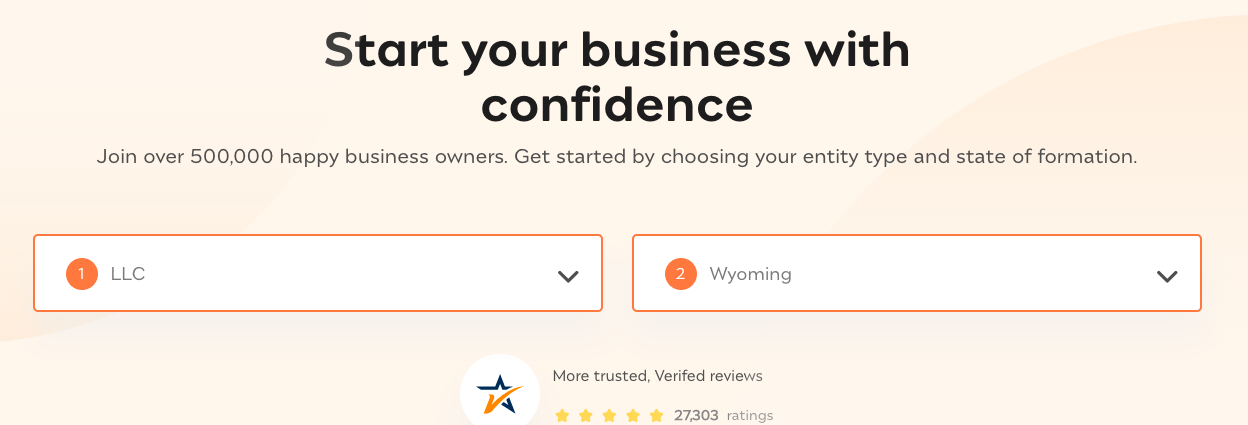
After clicking to enter the registration process, you'll arrive at the page below. On the left, select LLC; on the right, select the state where your company will be registered — here we select WY, as shown in the image below. After selecting, the page will automatically scroll to the pricing section below;
We select the first silver package, i.e., the $102 option:
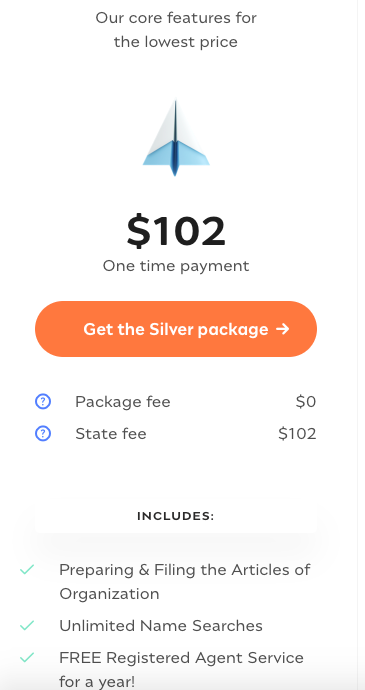
The $102 here is actually the company registration fee charged by the state government, which amounts to the agent registering the company for you for free — isn't that great~
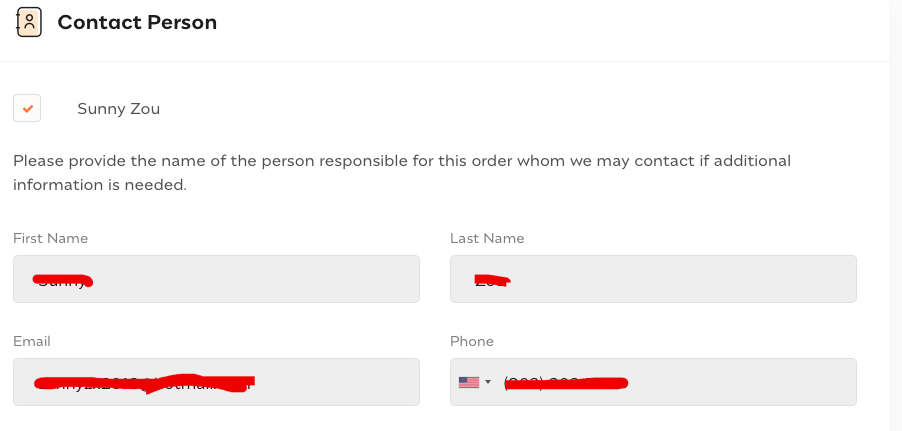
Click the "Get the silver package" button to proceed to the next step. On this step's page, you need to fill in some of your own information; for "Contact person," enter your own information;
Name: just write your name in pinyin
Email: write your everyday email, used to receive order-related information and possibly later notification emails, so leave a valid email you use often
Phone: just leave a GV number
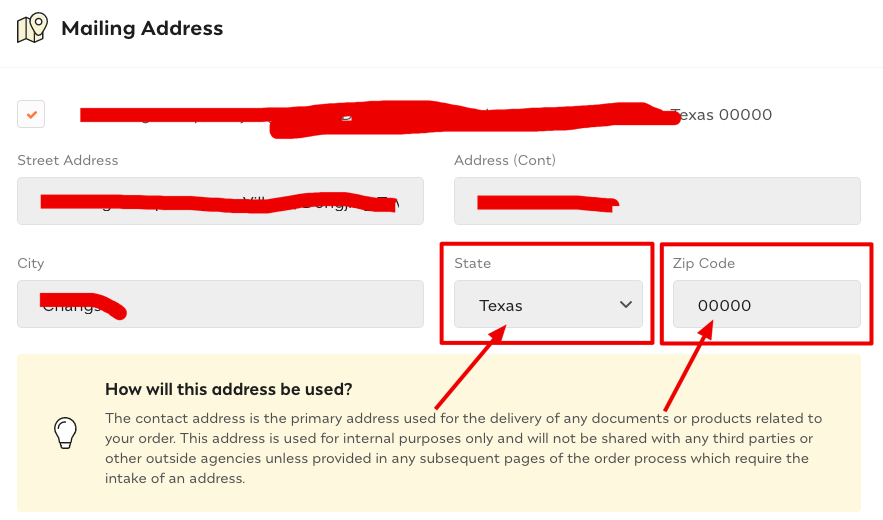
Next is the mailing address. Note for this address: it's best to write the same address as the one on your international driver's license (a domestic address), so that it can be kept consistent on the address notarization form later. It's basically just for recording purposes and isn't actually used during the company registration process.
Also, note the state and zip code: with a domestic address you won't be able to select a correct corresponding state, so here just fill in Texas and write 00000 for the zip code (this is mentioned in Incfile's FAQ).
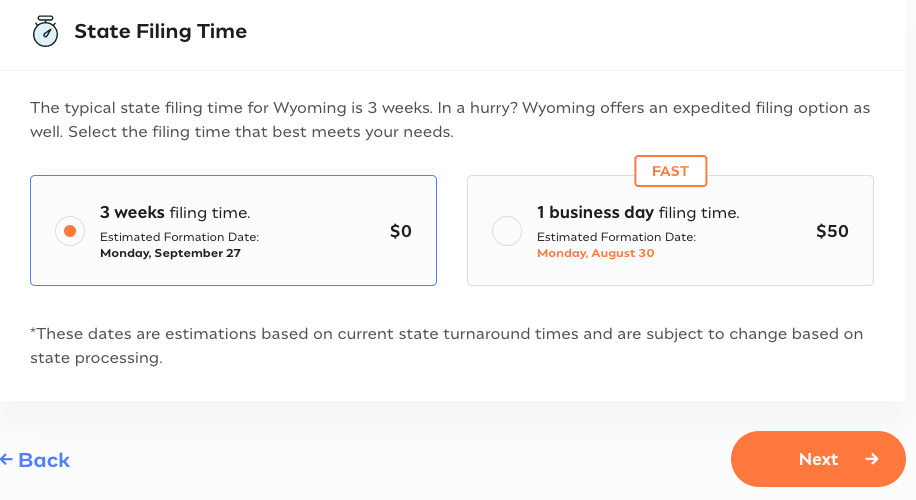
Then, click the "next" button to go to the next page, the registration time; just select 3 weeks on the left — it actually takes only a few days for the registration to come through;
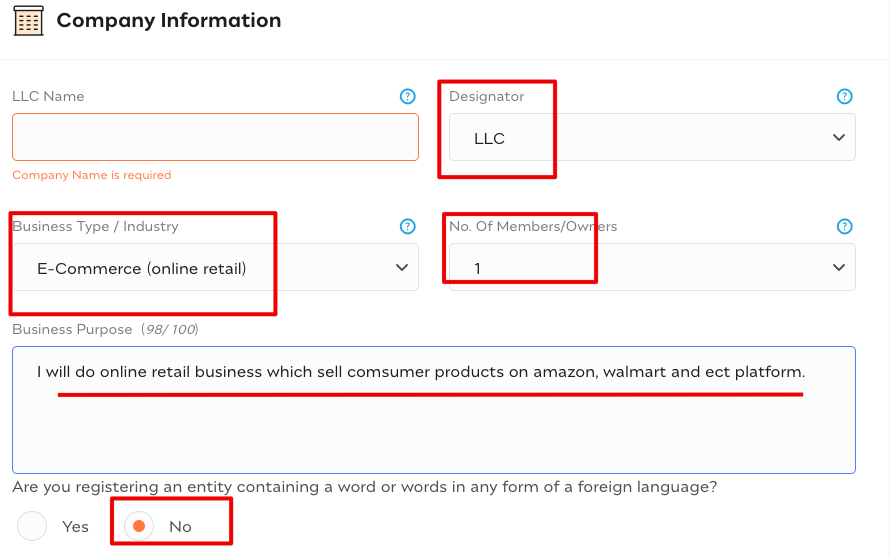
Click "next" to go to the next page and fill in your company name. Please first check using the first step above that there is no duplicate before filling it in, so as to avoid repeated changes and wasted time. For the other information, fill it in as shown in the image below:
For the business purpose part, here's a reference for you, meaning that you'll be doing retail business in consumer goods on e-commerce platforms such as Amazon and Walmart:
I will do online retail business which sell comsumer products on Amazon, Walmart and other e-commerce platforms.
Next, keep the default options. For the company address, select the $29/month address service that Incfile provides for you. This fee is an additional address fee; compared with other rented addresses (hundreds of dollars a month), this price is quite nice, so just select it without hesitation.
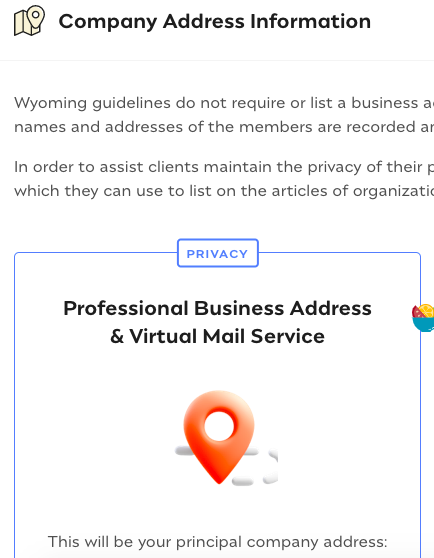
On the next step, the page will guide you to upgrade to the premium package. We don't need it; just scroll to the bottom of the page and select
No thanks, I will pass on this opportunity.

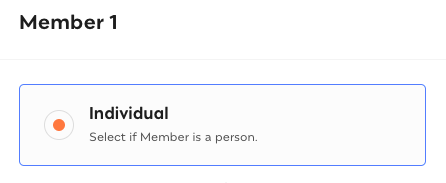
On the next page, member1, select "Individual" here, then write your name, keeping it consistent with the earlier entries.

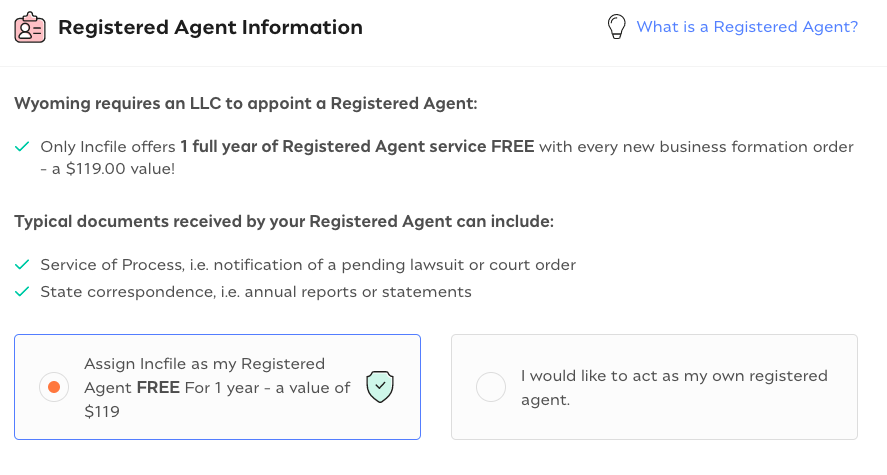
The next step is to choose the registered agent information. We select Incfile as our agent; just keep the default option and click next. One thing to note here: the first year of company registration waives the $119 agent fee, but from the second year on it's $119 every year. In the second year you can switch to another agent — https://www.wyomingagents.com/registered-agent this one is recommended at only $25 a year; the cost to switch agents is roughly $5. Of course, you can also submit the materials yourself.
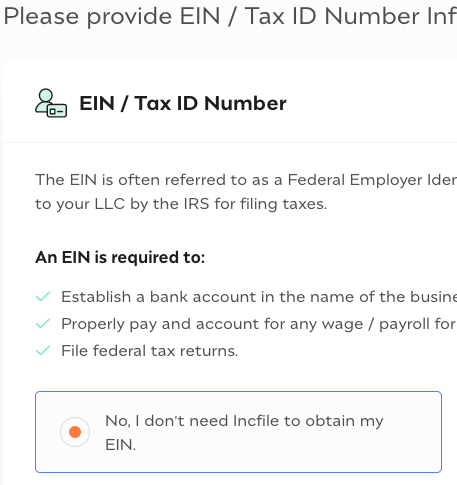
On the next step, whether you want Incfile to handle the EIN for you, select NO on the left and you're done. Once the company registration comes through, we can go to Fiverr and find someone to apply for the EIN for you for 15 US dollars. Of course, you can also just fill out the form and fax it to the designated number to obtain it yourself — none of this is complicated.
Then you reach the "set up business bank" page; we don't need this, so select "no".

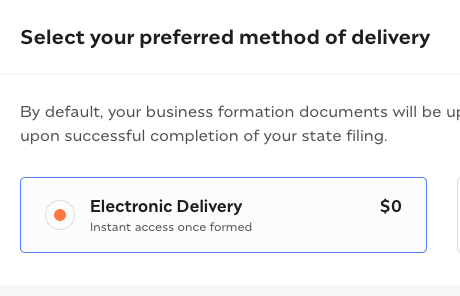
Next, for the documents that come through once the company is registered — for example, the business license (equivalent to a business license/营业执照) — these documents can either be archived electronically in your Incfile account or mailed to you. Here we'll just choose the electronic version.
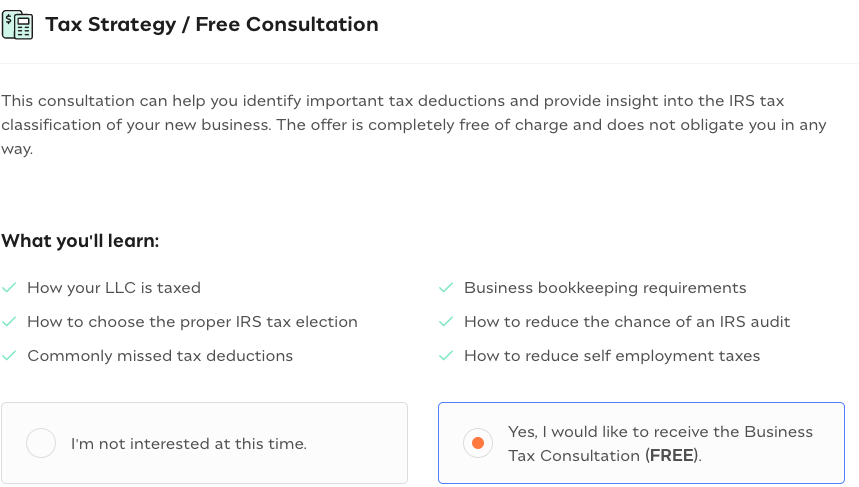
Then comes the tax consultation; you can select the left option, but since it's free anyway, selecting the right option is also OK. If you select the free consultation on the right, they'll confirm the time for a phone conversation with you by sending GV text messages and emails. Of course, the entire conversation is in English; interested folks can select the right option~.
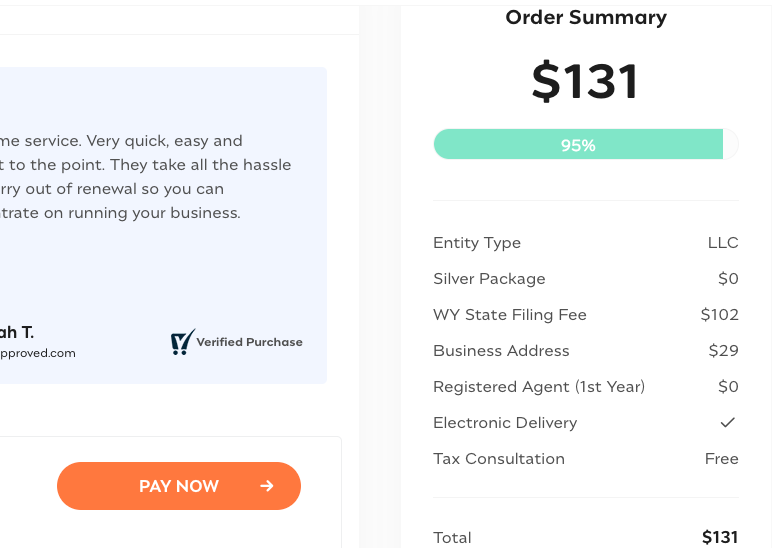
Finally, you'll arrive at an order information review page, which is a summary page of all the information submitted earlier. Check again whether the information you filled in is correct; if it's incorrect, you can click "edit" to modify it, and if it's correct, then proceed to the next step, the payment stage. At this point, your order progress has reached 95%. The total of all fees is $131; just pay with a credit card.

After completing the payment, you still need to fill in some more information. I didn't take screenshots here; just fill it in according to the page prompts and according to your real situation — it's not hard or complicated. Once you've finished filling it all in, just wait for Incfile to register your company on your behalf.
After payment, you'll receive an order confirmation email from Incfile, and you can also view your order in the backend of their website. At this point, the website operation steps for registering the company are complete.
Congratulations — you've now completed 70% of the steps to register a US company!
Having placed the order on the Incfile website and waiting for Incfile to register the US company for us, there are now 2 more steps to perform (one is to verify the company address, the other is to apply for the EIN) before the complete company registration process is finished.
Step 3: Complete the notarization of the company's registered address
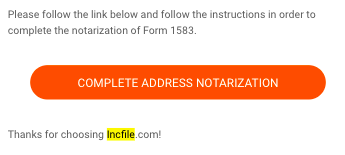
Once the company registration comes through, generally in about 3-5 days, Incfile will notify you by email of the next action you need to take, namely notarizing the company's address. You'll receive an email with the following subject (the numbers in the subject are the order number); click the button in the email to enter Incfile's backend and perform the address verification step;
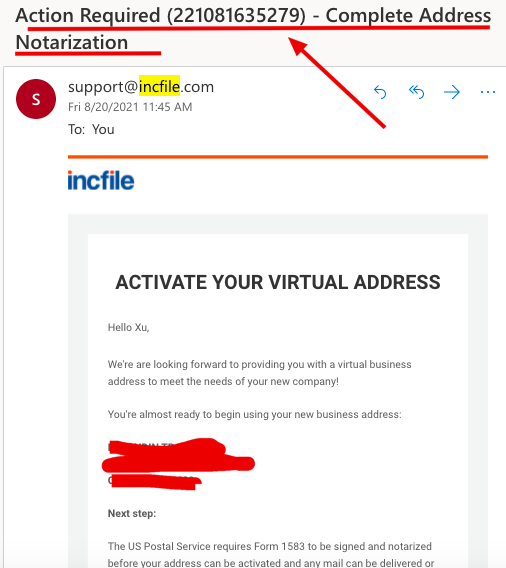
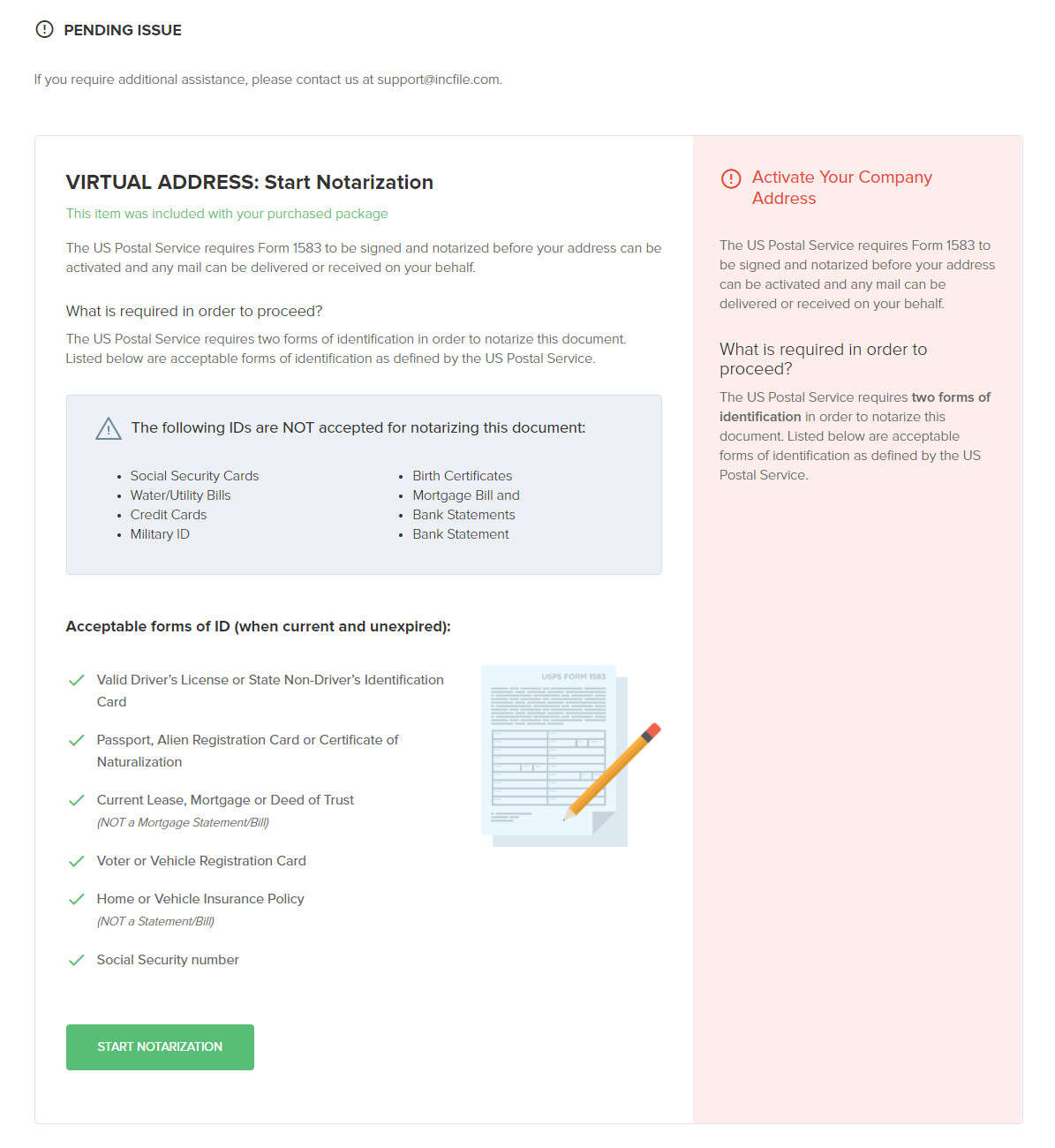
After clicking the orange button, you'll enter your Incfile account backend, the operation page for notarizing the company's registered address:
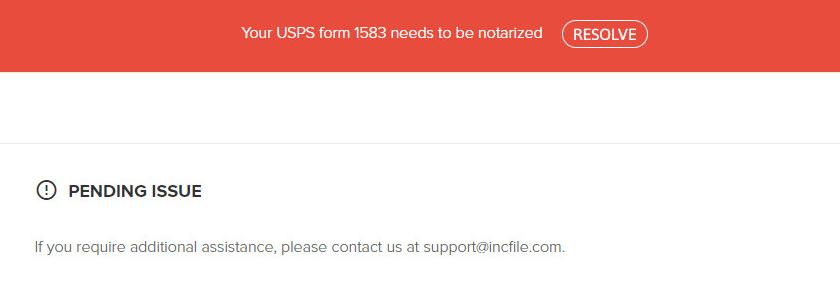
Alternatively, you can directly log in to your account backend, where you'll see a very conspicuous red reminder banner at the top:
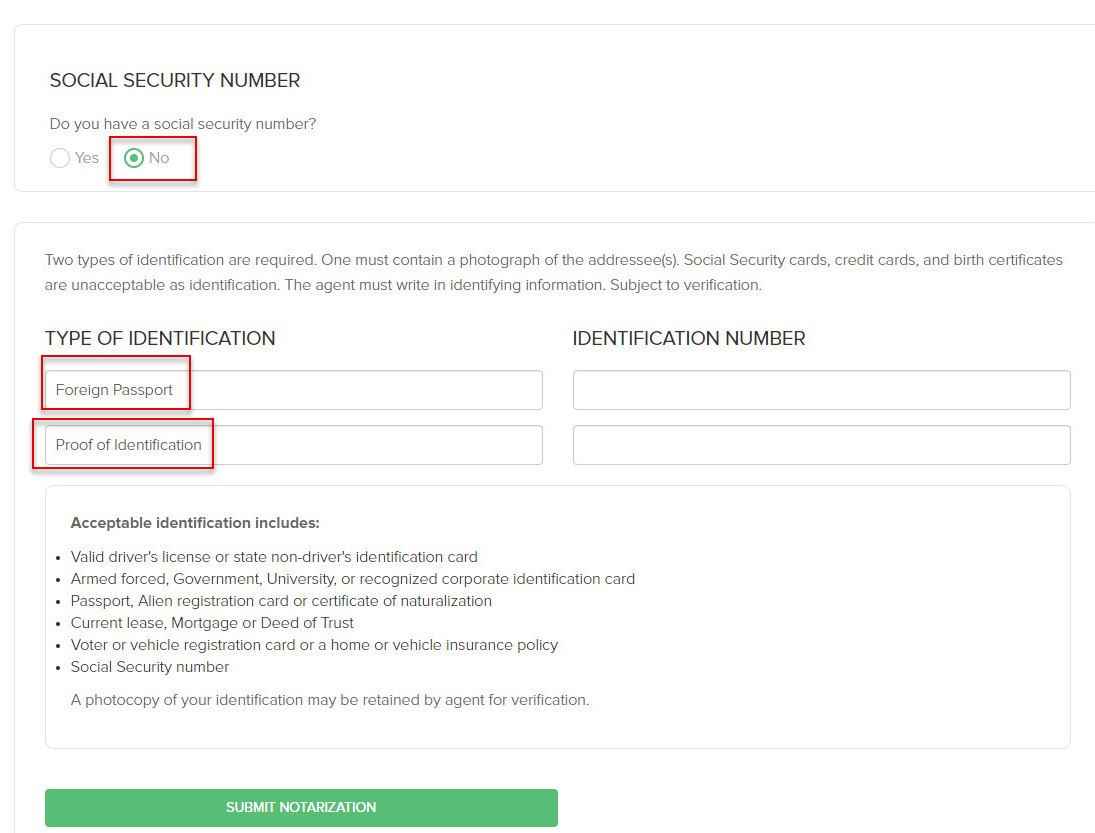
Click the "Start Notarization" button above, and you'll enter the verification document submission page. This is where the personal passport and international driver's license mentioned at the very beginning come into play.
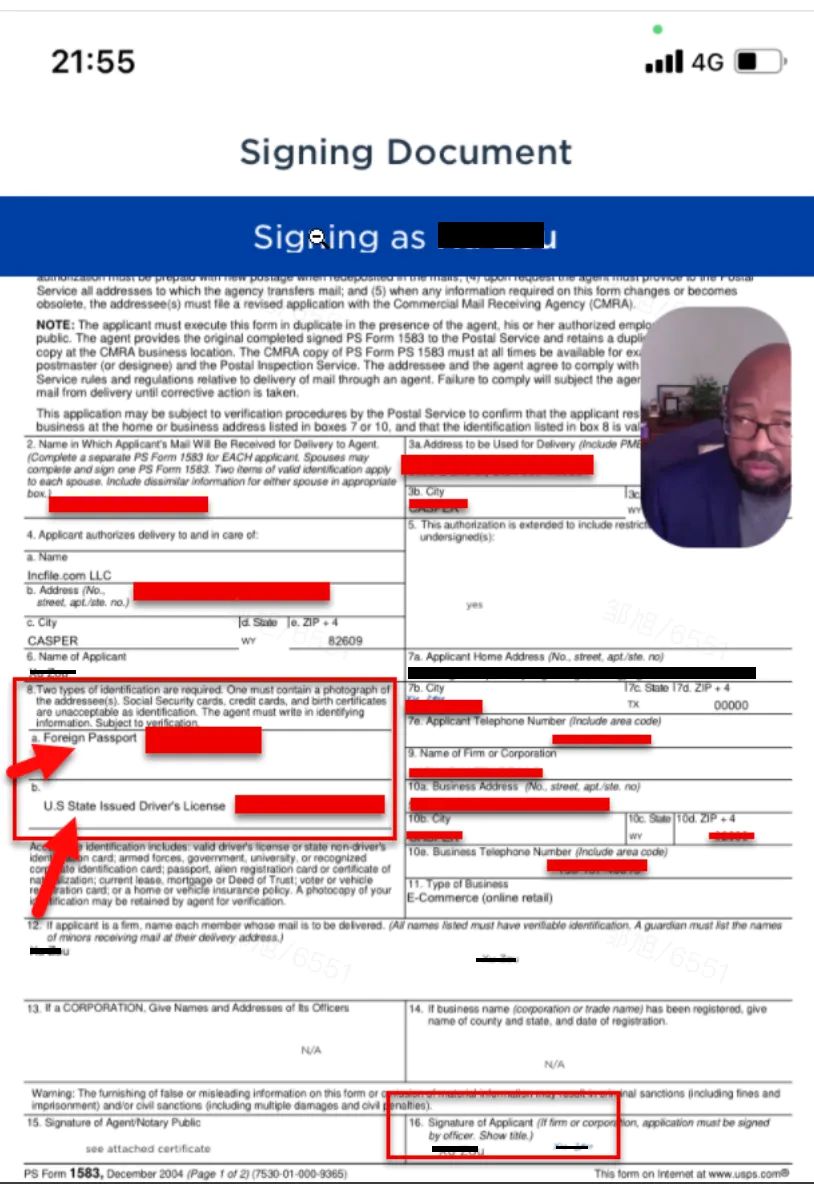
Next you need to provide 2 identity verification documents. For one, we select "Foreign Passport," and on the right fill in your passport number for "number".
For the other, select "US State Issued Driver's License" (even though our driver's license isn't US-issued, it's fine — just select this one), and on the right in the "number" field fill in your ID card number, then click submit.
After submitting, you'll immediately receive the following email. Click the button to enter the page of Notarize, the professional address verification agency; register there and proceed to the next page.
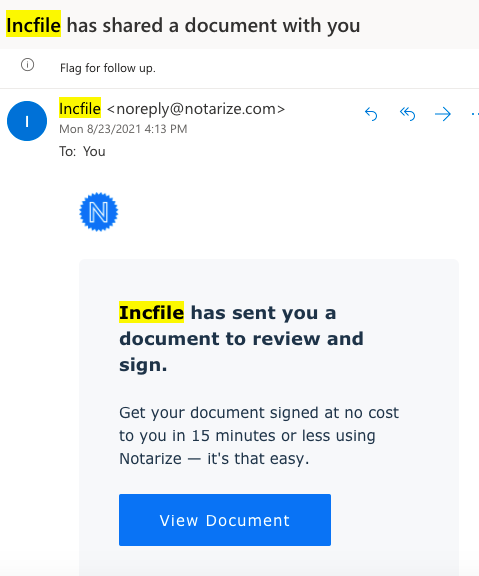
When entering the website for the first time, you need to complete registration as prompted by the page (one point to mention here: you must enter the third-party verification agency through the link in the email. The package we purchased includes the fee for this address verification service; for some agents this address verification service costs extra, paid to this third-party address verifier, roughly 70-100 US dollars, so here we've saved another sum~)
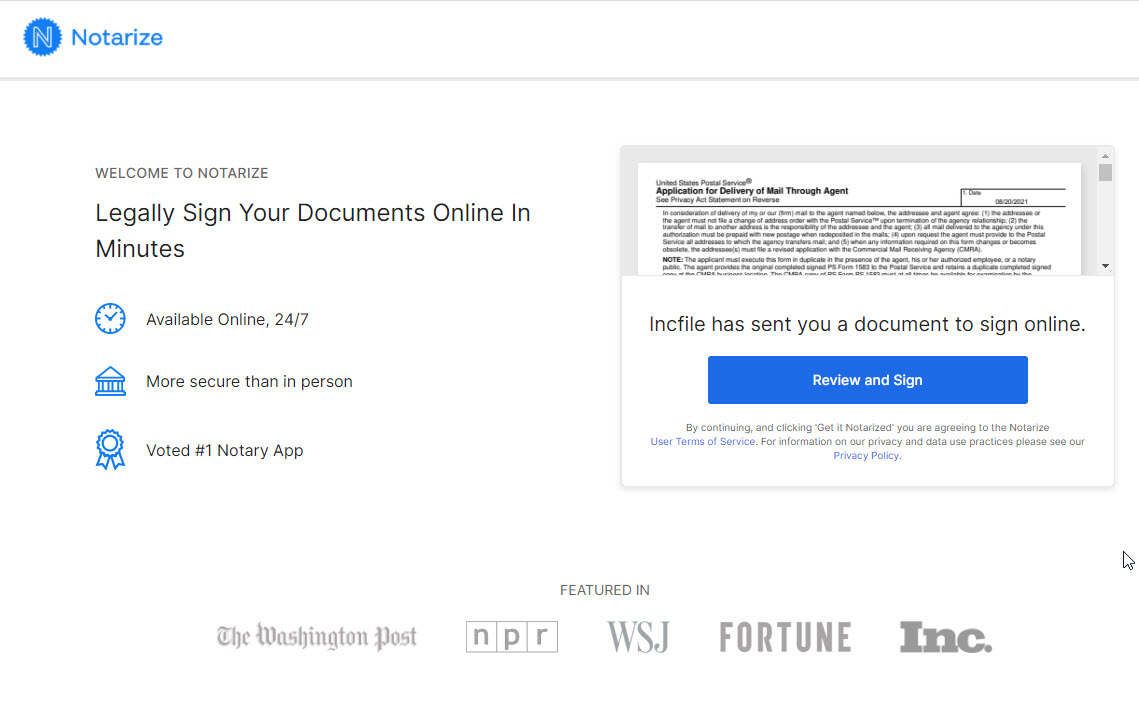
After completing registration, you'll arrive at the address notarization form review page, which is a PDF file — it's the file whose page partially shows in the upper-right corner of the screenshot above. Check the information filled in the file, focusing on whether the numbers of the two verification documents you submitted in the earlier step are written correctly — one is your passport number, the other is the ID card number on the international driver's license.
If you confirm there are no problems, click "next" to enter the video verification stage. Here you can choose to do it on the desktop web version, or you can download the Notarize APP and verify on your phone. The recommendation is to download the Notarize mobile APP (just search for Notarize in the App Store to download), which saves you the steps of adjusting the camera, audio, etc. — after all, these phone settings are already ready to use directly~. The App or web version will have a confirmation page to check your video verification environment: whether the microphone has sound, whether the video camera is OK, and whether the network environment is stable, etc. If everything is fine, click "next" and it will have you take a photo or upload photos of your passport and international driver's license.
For the passport, photograph the page that has your portrait and signature; for the international driver's license, the page that has your license address, ID card number, and photo.
After taking the photos or submitting as required, you'll enter the video verification queue. The interface will indicate how many people are ahead of you, or that all staff are currently busy and to try again later. If it shows that there are xx people ahead of you, then just wait — don't close the app or web interface, and after a while it'll be your turn and the video verification will begin. If it prompts that all staff are busy and to try again later, then switch to a different time; generally there are more staff at night (i.e., daytime for them).
The video verification process goes like this:
1. The verifier will greet you warmly; just reply to them normally~ something like "Fine, thank you" and the like.
2. The verifier will check whether the documents you provided are within their validity period; they look at the images and verify it themselves.
3. Then they'll ask you whether it's a sole business company, i.e., whether it's a sole proprietorship; just answer "Yes";
4. Next they'll have you sign the document — it's actually an electronic signature. On the App or web page, you'll see a "Signature" button below; clicking it enters the electronic signature page, where you just sign your Chinese name in pinyin, and after signing, click confirm.
5. Then your signature will appear at items 7b and 16 of the document. After the video verifier sees that the signature is OK — there may be a bit of delay in between due to network issues, don't worry, just wait, or redo the signing — that's fine.
6. At this point the address verification is complete. The verifier will continue to greet you kindly, then say the verification is complete and the materials have been sent to the agent, i.e., Incfile, and you'll also receive an email confirming the verification passed.
Step 4: Apply for the EIN
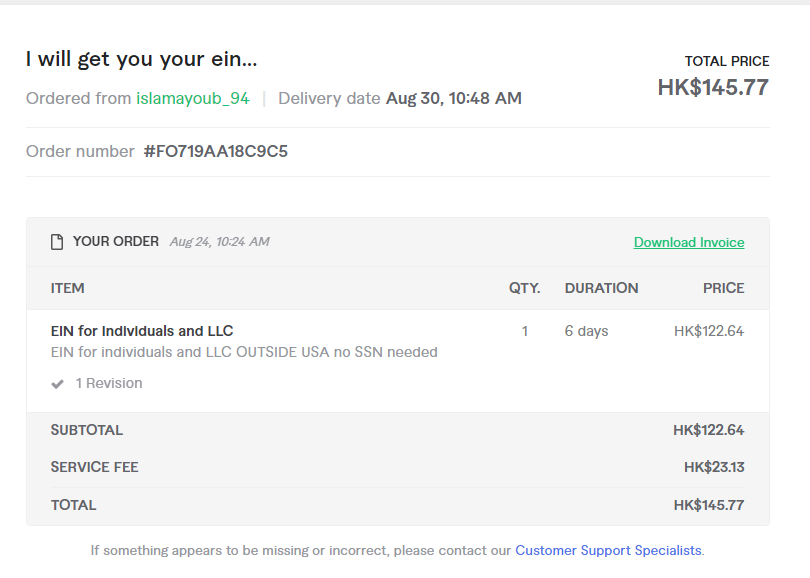
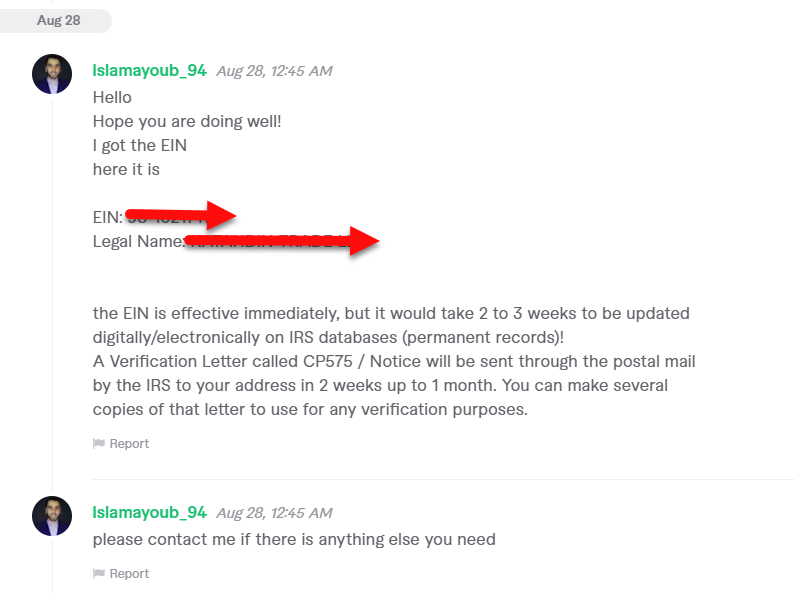
I got the EIN application done through Fiverr, costing a total of HK$145.77 (maybe I was using a Hong Kong VPN when I placed the order, so it turned into Hong Kong dollars). I placed the order on August 24, and got my EIN on the 28th — the speed was quite fast.
If you also need this service, you can first register on Fiverr using the following invitation link, and your first order can enjoy a 10% off discount;
http://www.fiverr.com/s2/cdfe753e03
Then, for the guy who applies for the EIN, I just searched for "EIN apply" on Fiverr, and among the search results found the one with the highest and most numerous reviews and the lowest price — I also recommend it to everyone: https://www.fiverr.com/share/27W5kq
After placing the order following the process, you'll need to fill in some relevant information so he can apply for the EIN. I'll paste my answers here for everyone's reference, specifically as follows:
Kindly visit: https://www.irs.gov/pub/irs-pdf/fss4.pdf (actually applying for the EIN just means filling out this form, so you can also fill out the application yourself and then fax the application form to the designated number, which makes it free)
Page 2 got some explanations, you may check it out.
The following questions are based on that form, I will be using your answers to fill it out to apply for the EIN. Message me if you have questions.
What country are you running your business from?
Here's my answer for your reference:
My company name is xxx (write your company name), which is a company established up at Wyoming, USA (if you're in another state, then write the name of the other state). I will do online retail business in USA, I will do business on Amazon,walmart ,esty and other ecommerce platform in USA.
Is this EIN request for a business outside USA?
YES
What is the Legal name of entity (or individual) for whom the EIN is being requested?
EIN is for the following company:
company name:xx (write your company name)
company registe at Wyoming, USA (if you're in another state, then write the name of the other state)
What is the mailing address? (Room no, Apartment no, Suite No, Floor No, bldg name/number, street name, area/city/county, country, zip code)
where you want the documents to be sent to (can be a USA or your country address or both)
This address is where the EIN documents are sent after the application succeeds; here I directly provided the company's registered verified address, which can be found in Incfile's backend.
What is the name of the responsible party? (It may be the same as the entity/individual's name)
company name:xx (write your company name)
Is this application for a limited liability company (LLC) ?
YES
What is the type of entity?
Sole proprietor (individual business "such as selling good online")
What is the reason for applying?
Started new business
When did this business start? (month, day, year)
My company is just set up several days ago, all the business is not start yet.
What is the principal activity of the business? (Retail? Yes/no. What do you sell/buy/do, please explain)
(For this last question, which is a bit like the business scope when registering a company, I just picked some categories I might sell from the Amazon catalog)
I will do online retail business. I will sell consumer goods like home, kitchen and garden tools, clothing,shoes, pet supplies, toys,sports, automative accessories and ect.
The above questions are filled in on the order page after placing the order on Fiverr. After filling them in and submitting, he'll generally start processing and applying for the EIN the next day, and you can usually get the EIN in about 2 days.
After getting the EIN, he'll send the EIN to you through Fiverr, which is equivalent to the order being shipped. The EIN number you receive takes effect immediately, but the related EIN document will take 2 weeks to 1 month to be mailed to the address you filled in above. I had it mailed directly to the company address provided by Incfile, and when they receive it they'll scan and upload it into my account for later use as needed.
OK, at this point all the processes for registering a US company are complete~ The total cost was 131 US dollars + 148 Hong Kong dollars, less than 1,000 RMB. If you need it, then get to work yourself~
If you have any questions during the process of registering a US company, feel free to follow my X account https://x.com/zouxulucky and DM me directly — I'll surely tell you everything I know~