Since October 12, 2026, Grok's subscription has completely changed: new customers can no longer buy SuperGrok on its own. Instead, everyone buys The X Subscription — one plan that bundles Grok chat, the Grok Bot agent, the Cursor coding tool, and X Premium benefits. This guide compares the Free, Plus, Premium, Super, and Ultra tiers against xAI's official pricing page and announcement, and adds sign-up steps and recommendations.
Fact-check date: November 28, 2026 (Singapore time), based on xAI's official pricing page (x.ai/pricing) and the official announcement "Introducing The X Subscription" (October 12, 2026). Prices and benefits are as shown on the official website / subscription page on the day you check.
Caption: The Grok logo, in use since February 2025. Image: Wikimedia Commons (original from grok.com).

1. How Much Does Grok Cost Now? All Five Tiers at a Glance
The X Subscription has five tiers. All tiers share one Grok usage pool, with usage measured as a multiple of the Plus tier:
| Tier | Monthly | Annual | Relative usage | Best for |
|---|---|---|---|---|
| Free | $0 | $0 | Limited | Trying it out occasionally |
| Plus | $8 | $80 | Base | Light daily use |
| Premium | $30 | $300 | 4x Plus | The first choice for most people |
| Super | $100 | $1,000 | 15x Plus | Heavy use and video creation |
| Ultra | $200 | $2,000 | 50x Plus | Extremely heavy use |
Monthly prices are from the official pricing page; annual totals are from the official documentation pages. Prices exclude taxes and fees. The subscription page currently also shows a Black Friday offer (a discounted price for the first two months of Premium, returning to $30/month after that); the exact discount is as shown on the page when you order.
2. What Does Each Tier Include?
Free ($0): Daily Grok chat and a small number of agent requests — enough to look things up occasionally and try the model. Usage is limited, and voice, image, and video generation are restricted.
Plus ($8/month): Adds a shared AI usage pool on top of Free, with Grok Chat, Voice, Imagine images, and Build, plus Grok API access and Cursor. On X you get the Premium checkmark, fewer timeline ads, creator tools, and Advanced Analytics. Best for light daily use and anyone who also wants the X checkmark.
Premium ($30/month, marked "Most popular" on the official site): Four times the usage of Plus, unlocking Grok Bot, the latest Grok models, faster chat replies, image and video generation, code hosting and AI code reviews, and cloud agents and automations. On X, most surfaces are ad-free, you can claim a preferred @handle, and your replies get a higher boost. According to the official announcement, this tier combines the benefits of SuperGrok, Cursor Pro, and X Premium+, which previously cost $90/month together. Best for most people who use Grok every day.
Super ($100/month): Fifteen times the usage of Plus, with significantly higher allowances across Chat, Imagine, Voice, and Build, 1080p 15-second videos, priority model access at peak times, and faster replies and generations. Best for heavy users and video creators.
Ultra ($200/month): Fifty times the usage of Plus, with the most powerful chat models, the earliest access to all new products and models, and the fastest replies and generations. Best for extremely heavy users who rely on Grok as their main productivity tool.
3. How to Subscribe in Six Steps
New customers subscribe to The X Subscription on the Grok website:
- Open grok.com and sign in with your X account. If you do not have an X account, create one for free first.
- Open the Plans page to see the current prices and limited-time offers for each tier.
- Compare the tiers in the table above and pick one based on how often you use Grok and whether you need Grok Bot and Cursor.
- Click the subscribe button for your chosen tier to reach checkout.
- Enter your payment method and confirm the order. Prices exclude taxes and fees; the amount actually charged is as shown on the checkout page.
- After subscribing, view and manage your subscription in your billing settings. To cancel, do so at least 24 hours before renewal, or it will renew automatically.
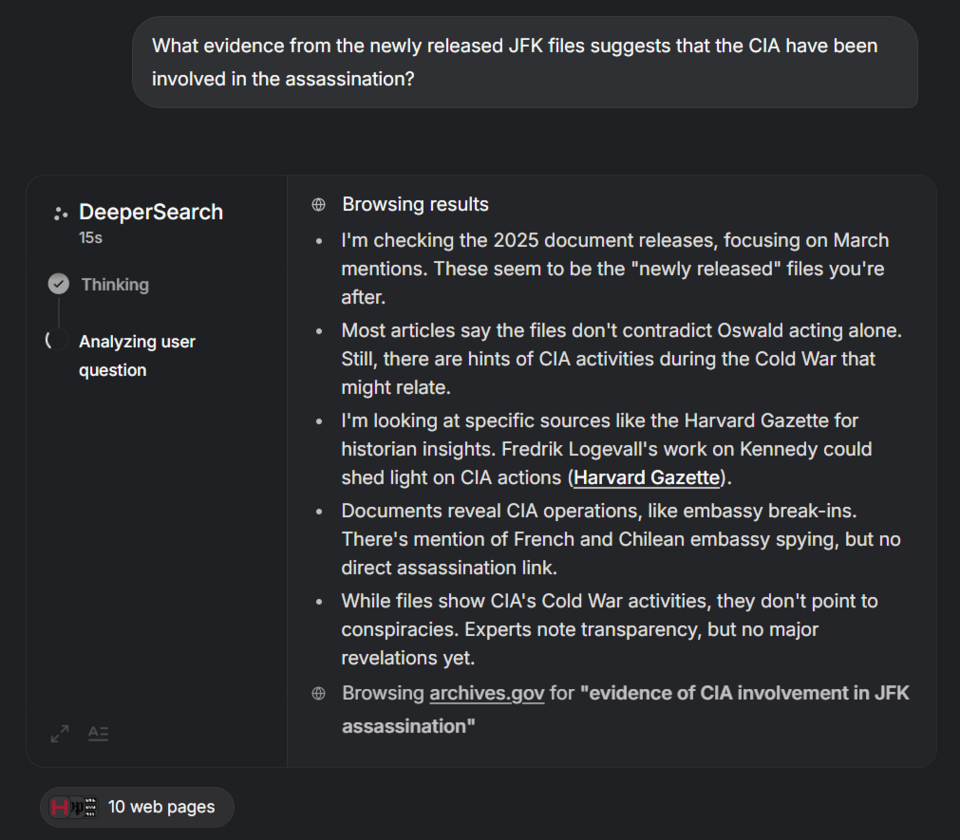
Caption: An example of Grok's DeepSearch feature: it reasons and searches multiple sources before answering. Image: Wikimedia Commons.

Existing subscribers, take note: if you already pay for SuperGrok, X Premium+, or a similar legacy plan, nothing changes. You can keep your current plan and price, or check your billing settings to see whether you can switch to The X Subscription — switching comes with a prorated refund for your old plan.
4. Which Tier Should You Choose? Three Recommendations
Just trying it out or using it occasionally — pick Free: experience Grok's real-time search and chat first, then decide whether to pay.
Most people should pick Premium: at $30/month it is the entry point to Grok Bot and the latest models, and the best balance of usage and features. If you also write code with Cursor or use X every day, this tier's bundle is worth the most.
Light users should pick Plus; heavy users can upgrade later: Plus at $8/month suits anyone who uses Grok a few times a week and wants the checkmark and fewer ads. If you keep running out of Premium usage, consider Super ($100/month) or Ultra ($200/month) — but do not start with the most expensive tier.
One more thing to keep in mind: if all you need is an AI chat assistant and you do not use Cursor or care about X benefits, the bundle value of Grok Premium counts for less. Compare it with a chat-only subscription in the $20/month range first — see our related guide linked below — before you decide.
Related reading: ChatGPT Go, Plus, or Pro: How to Choose; for more AI memberships, see the 5buyai product list.