Product Name: Grok (X AI) Account or Monthly Membership Subscription

Product Introduction:
Grok is a family of large language models (LLMs) and an AI chat assistant developed by xAI, the artificial intelligence company founded by Elon Musk. It is both a family of AI models for building applications and an intelligent assistant that talks directly with users.
The name “Grok” comes from the science fiction novel The Hitchhiker’s Guide to the Galaxy, and means to understand a concept thoroughly, even to become one with it.
Grok also has a spin-off: Grokipedia . It is an AI-powered online encyclopedia project launched by xAI, and it is closely linked to xAI's language model Grok.
Login Tutorial:
① Please log in via the mobile app or the Grok website . Apple users should switch their App Store country to the US region or another region to download it (if you don't have a US-region Apple account, please click here to purchase); Android users need to install it through the Google Play Store!
② Enter purchased account to log in.
Email login address: Microsoft email login can be used to receive emails and change the password.
③ To top up a SuperGrok membership, please click  to chat with the AIFUNS team (bottom right corner).
[Grok Website Membership Pricing Page]
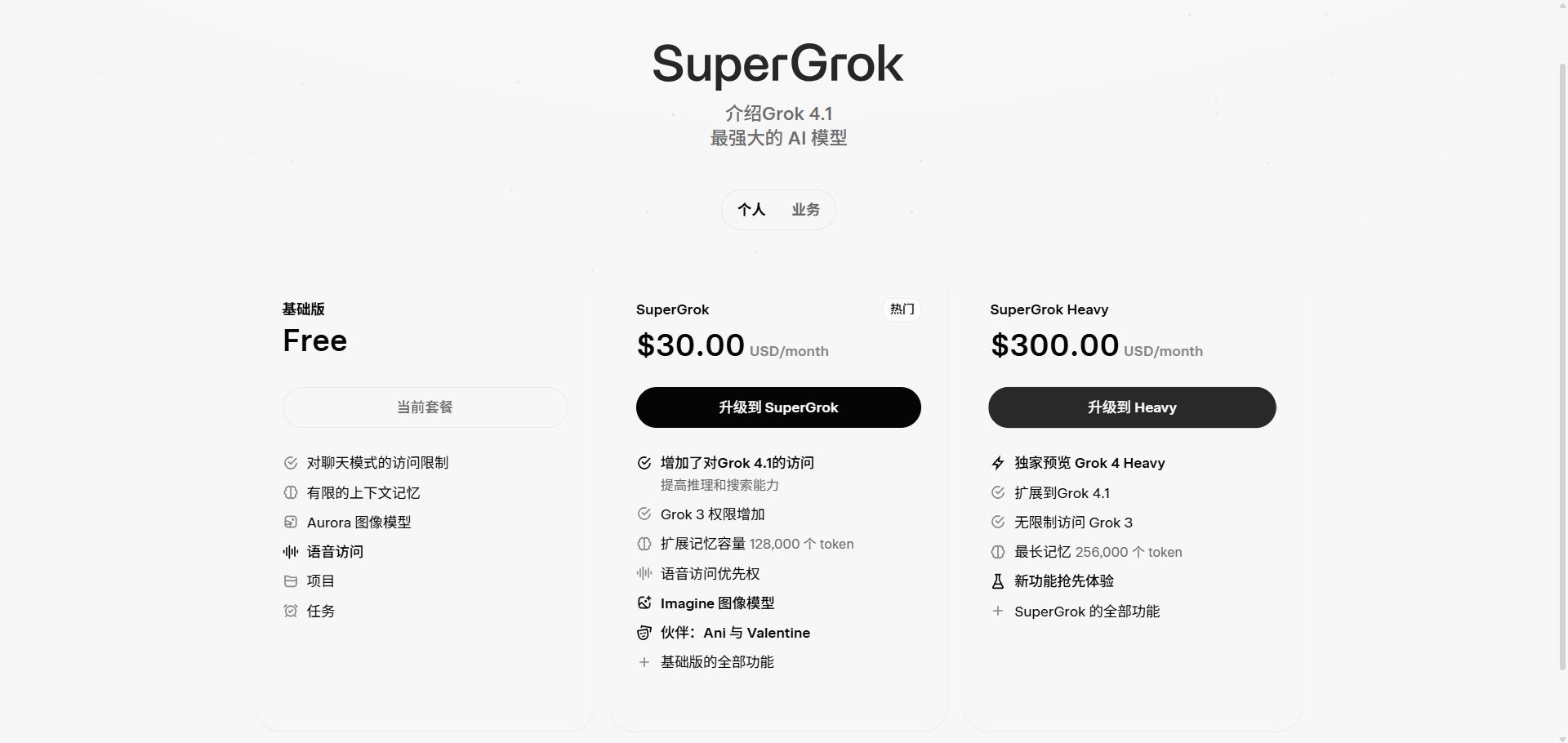
④ Regarding the education discount: due to changes in Grok's policy, we do not provide the email password required for additional password-change services. However, we promise not to sell that email to anyone else, and we will not view users' privacy. Grok also does not require verification to log in, so you can add an authenticator yourself to prevent others from logging in. You can manage this in Grok's settings.
[User Management Page]
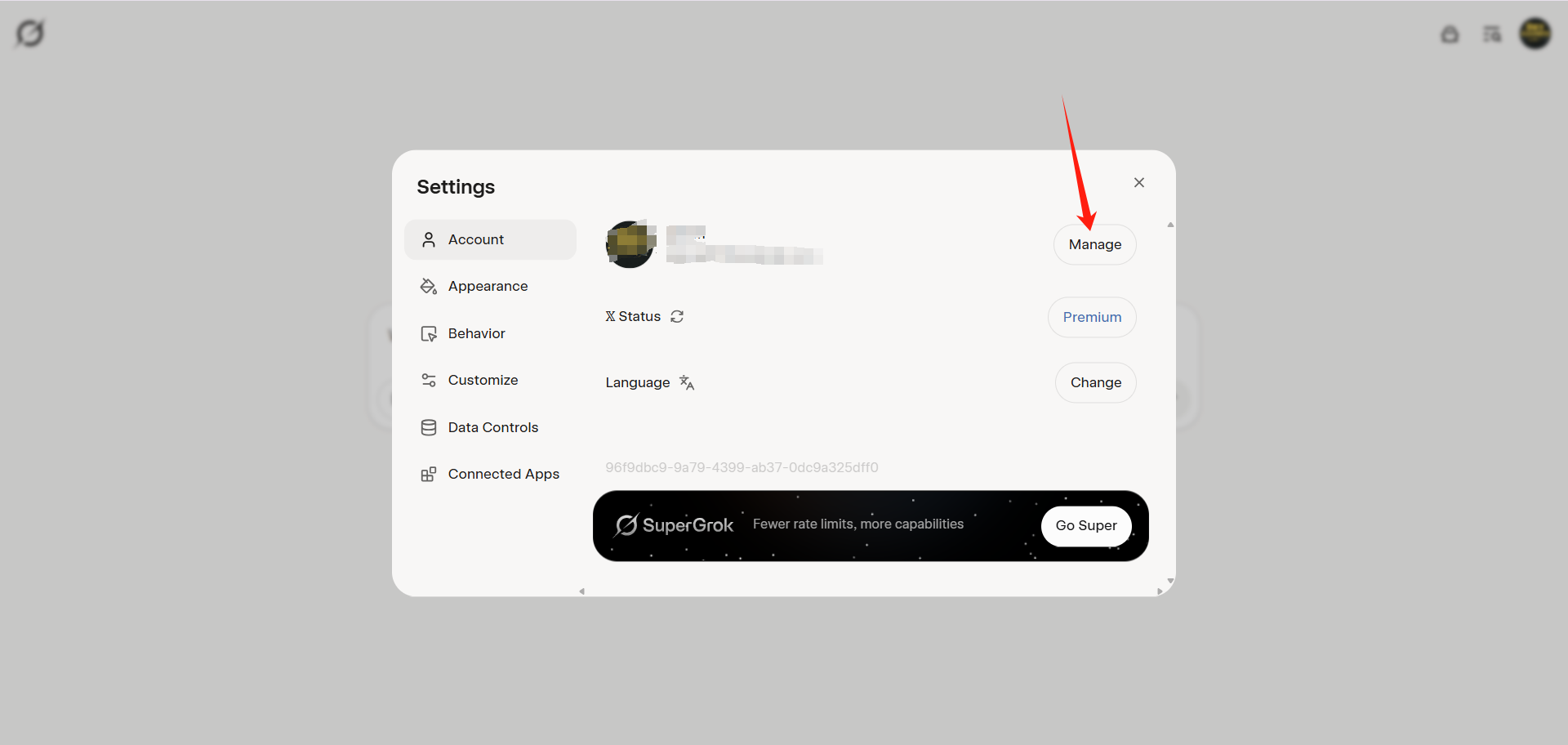
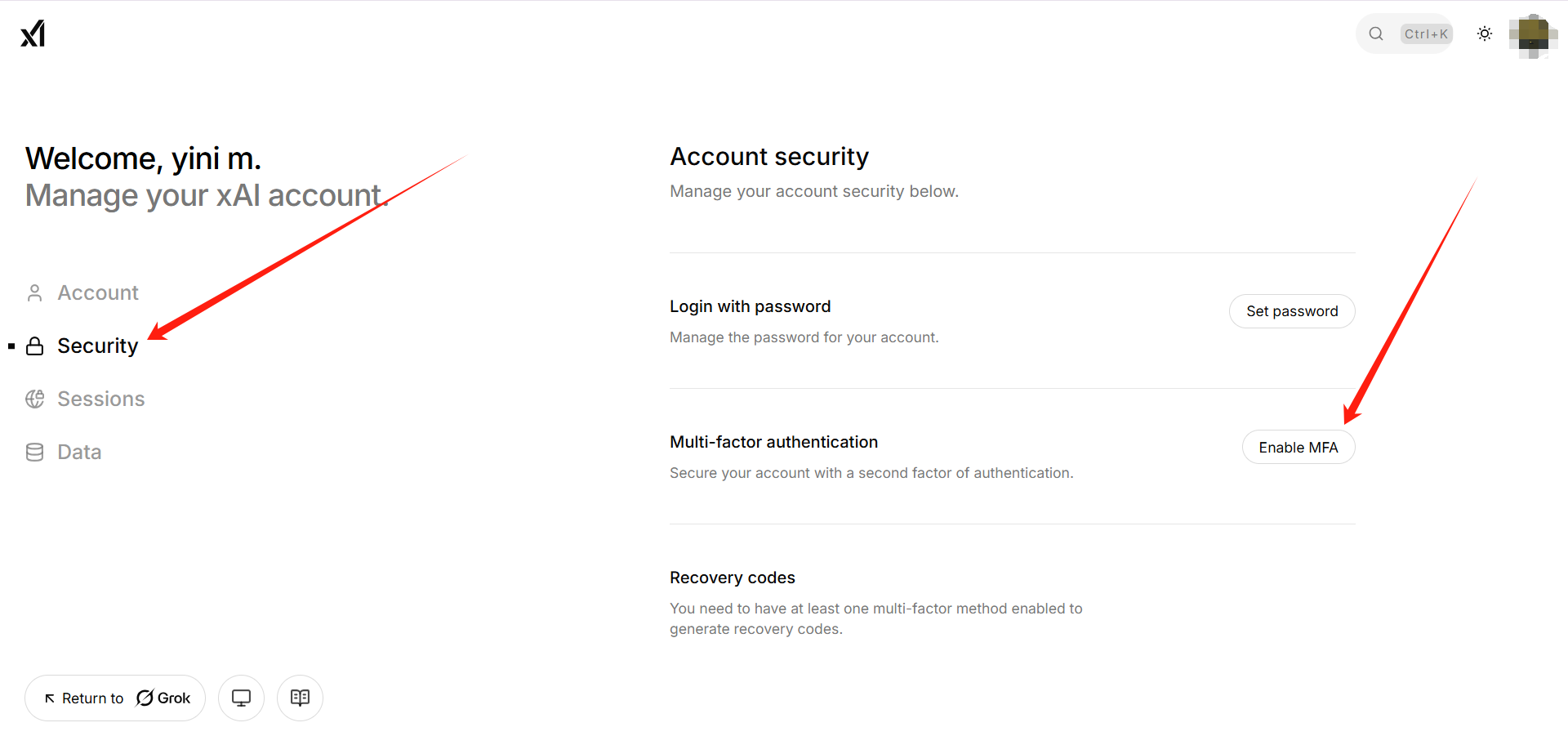
⑤ Click Security, then add two-step verification (afterwards, please follow the process).
[Add Two-Step Verification Page]
Accounts, subscriptions and top-ups for ChatGPT, Claude, Midjourney, Gemini, Grok and other major AI tools.
The product will be shipped manually. After successful payment, the account or card code will be sent to your order email address during working hours.You can view them anytime on the order lookup page by order number, email or browser cache.
Alipay, WeChat Pay, USDT, and Credit Card payments. Credit card payments require first topping up your balance, and then using the balance to purchase products.
No. You can check out as a guest and receive items by email; registering lets you manage orders, balance and invoices in one place.
All prices are listed in Chinese Yuan (¥). When paying with USDT the amount is converted automatically at the live rate.
Yes. After-sales help is available via live chat or the order dispute page.
Please click the chat widget at the bottom-right corner to reach us and leave your email or other contact details. We will get back to you as soon as possible.
Important notice: Due to attacks on this site, to protect your interests and those of AIFUNS, please verify the payment merchant is:宇柒云阁 (Yuqi Yunge)
Note: If you find the payment processing fee high, you can contact the AIFUNS team directly and pay the original price via an Alipay password red packet. When paying with Alipay, please turn off your VPN and stay on a domestic (China) network. If you cannot complete the payment, you can click to chat with the AIFUNS team (bottom-right corner).
If you have a credit card, you can register an account on this site, use your credit card to top up your balance in the personal center, and then use the balance to pay for purchasing our products or services.