Product Name: Telegram Account or Premium

Product Introduction:
Telegram, also known as TG, is an instant messaging application renowned for being secure, fast, and versatile.It supports text, voice, and video chat, and offers an end-to-end encrypted “Secret Chat” feature to protect user privacy. Telegram allows the creation of large groups (up to 200,000 members) and broadcast channels, supports file sharing up to 2GB, and enables cross-device synchronization through cloud storage. Users can use it for free via phone, computer, or web version. It is widely used for personal communication, community management, and content distribution, and is especially popular among privacy-conscious users.
Login Tutorial:
① Open the Telegram website in your browser, or open the app on your smartphone.
1. Apple device users can download it from the App Store (outside mainland China)! (Click here to purchase an Apple (Turkey) region account)
2. Android devices can download it from Google Play if available! (If your device does not have Google Play, you can purchase the modified version of the app on this site and then download and install it directly to use, please click here to purchase)
② After placing your order and paying, please click  to chat with the AIFUNS team (bottom right corner) to get in touch with us! We will assist you in logging into your Telegram account!
④ Click “LOG IN BY PHONE NUMBER” and enter your phone number!
Phone number format:
+X (country code)----87XXXX07 (number)
⑤ Click Next, enter the SMS verification code and the 2FA code (commonly known as the secondary password) to complete the login! Note: The SMS verification code and 2FA code are provided by this website. Please log in and request them from our customer service.
[Telegram Website Login Page]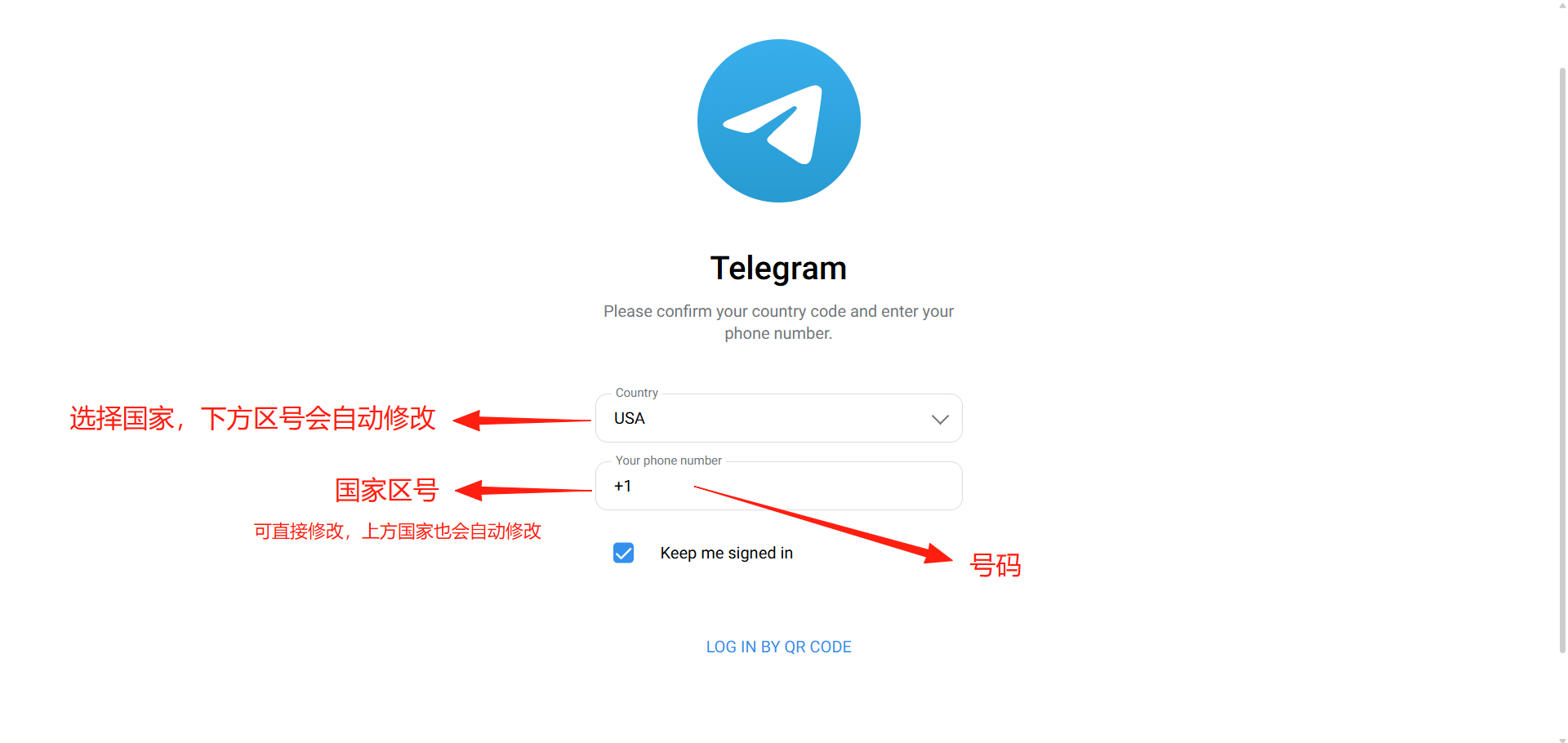
Notes:
① We recommend logging in with an iPhone. If you log in with other devices, you may encounter situations where you cannot log in.
② Three steps you must take after getting your account (do not operate within the first 24 hours after logging in, as the account is easily banned):
1. Kick out all other logged-in devices. Steps: Settings ===> Devices ===> Terminate All Other Sessions (Note: kicking out other devices means you will no longer be able to use this card key API for receiving codes)
2. Enable two-step verification to add an extra password to the login process, so that even if someone has your phone number they cannot log in. Steps: Settings ===> Privacy and Security ===> Two-Step Verification
3. To prevent being unable to log in on other devices if your only login device is lost, please bind an email (We recommend international top-brand email such as Gmail (available on this site, click to go directly)). Steps: Settings ===> Privacy and Security ===> Login Email
4. To transfer devices or log into other devices with the same account, please refer to the login tutorial.
③ Detailed Explanation of Telegram Two-Way Restrictions: Causes, Effects, and How to Remove Them
Accounts, subscriptions and top-ups for ChatGPT, Claude, Midjourney, Gemini, Grok and other major AI tools.
The product will be shipped manually. After successful payment, the account or card code will be sent to your order email address during working hours.You can view them anytime on the order lookup page by order number, email or browser cache.
Alipay, WeChat Pay, USDT, and Credit Card payments. Credit card payments require first topping up your balance, and then using the balance to purchase products.
No. You can check out as a guest and receive items by email; registering lets you manage orders, balance and invoices in one place.
All prices are listed in Chinese Yuan (¥). When paying with USDT the amount is converted automatically at the live rate.
Yes. After-sales help is available via live chat or the order dispute page.
Please click the chat widget at the bottom-right corner to reach us and leave your email or other contact details. We will get back to you as soon as possible.
Important notice: Due to attacks on this site, to protect your interests and those of AIFUNS, please verify the payment merchant is:宇柒云阁 (Yuqi Yunge)
Note: When paying with Alipay you may need to turn off your VPN and stay on a domestic (China) network. If you cannot complete the payment, you can click to get in touch with the AIFUNS team (bottom-right corner).
If you have a credit card, you can register an account on this site, use your credit card to top up your balance in the personal center, and then use the balance to pay for purchasing our products or services.