5buyai × AIFUNS
Promoted
Official membership info
Official plan
Official price
Highlights
Our options
Pro
$60/mo
400 credits a month, unlimited projects, BIM mode, exports, drawing PDFs, design options, daylight analysis
Pro
$600/yr
Same as Pro, billed yearly ($50 a month)
Organization
$125/mo
800 credits per seat a month, everything in Pro, teams, license management, BIM library, 3 license transfers a year
Organization
$1,200/yr
Same as Organization, billed yearly ($100 per seat a month)

Official prices are list prices in USD published by each brand (before tax), for reference only; checked on 2026-11-05. We are not affiliated with these brands.

Snaptrude account / subscription
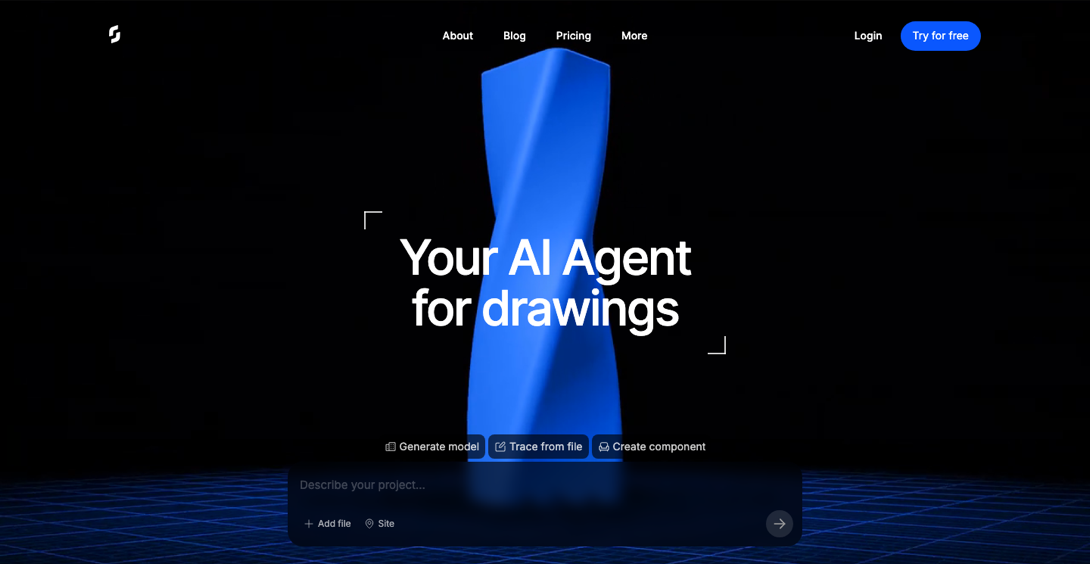
AI agent that turns prompts and drawings into editable building models

[Snaptrude homepage]

About this product

Snaptrude is an AI building design platform for architects that runs in your browser. Describe a project in words, or upload CAD files, PDFs or scans, and its AI agent builds a model you can keep editing. It is made for fast early-stage design.

Key features: text to model, such as massing and zoning for hospitals, offices and housing; drawings to model, tracing plans into walls, doors, windows and room boundaries; parametric components, including adjustable furniture, facades and libraries; plus daylight and illuminance analysis, design options and drawing sheets. Snaptrude works with Revit and Rhino, and Revit transfers go through the Snaptrude Manager add-in.

Which option to choose

  • Account: the Free plan, with 200 one-time credits (no weekly refill) and 1 project. It includes the AI design agent, but no exports and no BIM mode.
  • Pro monthly / annual: for one person, with 400 credits a month, unlimited projects, BIM mode, exports, drawing sheets to PDF, design options, and daylight and illuminance analysis.
  • Organization monthly / annual (1 seat): for teams, with 800 credits per seat a month, everything in Pro, teams and collaboration, license management, custom roles, a BIM library and custom RFAs, and 3 license transfers a year.

Credits and features follow Snaptrude's current policy.

What you can do with Snaptrude
Watch videos · 1
Concept · Beginner
Generate a building from text
Give the site, floors and uses, and the agent builds an editable model.
Drawings · Beginner
Turn plans into models
Upload a CAD file, PDF or scan and trace it into walls, doors, windows and rooms.
Components · Intermediate
Create parametric components
Build adjustable tables, facade modules or window libraries.
Delivery · Advanced
Analyze, draw and export
Pro and above add daylight analysis, design options, and model and drawing exports.

Getting started

  1. Create a project: sign in and start a new project from the dashboard.
  2. Describe or upload: give floors, area and uses in words, or upload a CAD file, PDF or scanned plan.
  3. Refine the model: edit the result yourself, or ask the agent for changes.
  4. Export your work: Pro and above can export models and drawings. The Free plan cannot export.

Tips

  • Include site size, floors, and unit or bed counts for results closer to your brief.
  • Free credits do not refill, so test with a small project first.

Sign-in guide

① Open the Snaptrude sign-in page.

② Sign in with the account email and password.

How it is delivered

🙋 Manual delivery ⏰ Working hours UTC+8 09:00–21:00 📧 Sent to your order email, also viewable once on the order page
Buy a new account
Nothing needed from you — just wait for delivery after paying.
For: Account, Pro monthly membership, Pro annual membership, Organization monthly (1 seat), Organization annual (1 seat)
Recharge my account
After paying, provide on the order page: Account, Password, Notes (optional)
For: Pro monthly membership, Pro annual membership, Organization monthly (1 seat), Organization annual (1 seat)
Good to know
The Free plan has no exports or BIM mode; choose Pro or above if you need them.
What AI services does 5buyai.com support? Can I get an invoice?

We offer accounts, subscriptions and top-ups for major AI tools such as ChatGPT, Claude, Gemini, Grok, Midjourney and Cursor, plus related services including Apple IDs, international credit cards, international SMS verification, and WhatsApp and Telegram accounts. AI orders paid in RMB can be invoiced.

How do I receive my order after paying?

Most products are delivered manually: after payment, the account or card key is sent to your order email during working hours (9:00–21:00, UTC+8). Products marked "自动发货" (automatic delivery) on their page are sent automatically right after payment. You can check order details at any time on the Order Lookup page with your order number, email or browser cache.

What payment methods are supported?

Alipay, WeChat Pay, USDT, and Credit Card payments. Credit card payments require first topping up your balance, and then using the balance to purchase products.

Do I need an account to buy?

No. You can check out as a guest and receive items by email; registering lets you manage orders, balance and invoices in one place.

Are prices shown in CNY?

All prices are listed in Chinese Yuan (¥). When paying with USDT, the payment page shows the amount due at the current rate.

Is there after-sales support?

Some products include after-sales support, handled through live chat or the order report page. Accounts are virtual goods, so once delivered, refunds are not available unless there is a problem with the product itself; see the delivery and after-sales section on each product page for its exact coverage. To request a refund, submit it on the order page.

I am a business buyer and need to make a bulk purchase. How can I get in touch?

Please click the chat widget at the bottom-right corner to reach us and leave your email or other contact details. We will get back to you as soon as possible.

What does "non-standard / no warranty" mean?

Some products (for example certain ChatGPT Pro skus) are labeled "non-standard, no warranty": they cost less and do not include account warranty or replacement, so they suit short trials where you accept that risk. For stable use and after-sales coverage, choose regular skus without that label. Exact coverage is on each product page under delivery and after-sales.

No reviews yet — be the first to review after your purchase.
Disclaimer
This is an independent third-party platform, not affiliated with, endorsed by, or authorized by any brand mentioned. We do not host any third-party login page and do not collect third-party credentials.
Related videos 1 videos
View more
Related guides
Design tools hub: all products and guides→
✓ Since 2024 ✓ 600+ buyers served ✓ 1,000+ paid orders
Need a hand?
Purchase / payment / account help — chat with us →