Microsoft Copilot is Microsoft's AI assistant for chat, writing, coding and creative generation, and integrates into Wor...
About this product
Microsoft Copilot is Microsoft's AI assistant for chat, web search, image generation and file analysis on the web, in Windows, in the mobile apps and in Edge.
Plan change: in October 2025 Microsoft launched Microsoft 365 Premium to replace Copilot Pro (existing Copilot Pro subscriptions stopped renewing after 1 August 2026). Microsoft 365 Premium combines Microsoft 365 Family — Word, Excel, PowerPoint, Outlook, OneNote and 1 TB of OneDrive — with higher Copilot usage in one plan. The Office apps can be shared with up to 6 people (shared members don't get the extra Copilot usage).
Which plan to choose
Account: free Copilot chat, search and image generation.
Monthly plan (account and password required): we activate the plan on your Microsoft account so you can use Copilot inside Word, Excel and PowerPoint for drafting, data analysis and slide decks.
If you're subscribing on your own account, it may need to be registered outside mainland China — we'll help you check. If you don't have an account or yours can't subscribe, AIFUNS will provide a working account free of charge.
Draft reports, rewrite paragraphs, summarise long documents.
Click the Copilot icon in the Word ribbon
Describe what to write, or select text to rewrite
Review and keep or refine it
Try asking
Using these meeting notes, write a one-page project update covering progress, risks and next steps.
Sheets · Intermediate
Data analysis in Excel
Formulas, charts and PivotTables in plain language.
Format your data as a table (Insert → Table)
Open Copilot and ask for the analysis
Have it add formulas, charts or a PivotTable
Try asking
Total sales by region, find the three regions with the biggest year-on-year drop and draw a bar chart.
Slides · Beginner
Slides from one sentence
Build a full deck from a topic or a Word document.
Open Copilot in PowerPoint
Enter a topic or point it to a Word document
Adjust the text and design slide by slide
Try asking
Turn this Word proposal into a 10-slide presentation with no more than 5 points per slide.
Email · Beginner
Outlook email help
Summarise threads and draft replies.
Open a long thread in Outlook
Click Summarise with Copilot for the key points
Draft your reply with Copilot and adjust the tone
Getting started
Chat on the web and app at copilot.microsoft.com or in the Copilot app: ask questions, upload files, create images.
Word: click Copilot on the ribbon to draft, rewrite or summarise.
Excel: have Copilot explain data, add formula columns, and build charts and PivotTables.
PowerPoint: create a full deck from one sentence or a Word document, then adjust the design.
Outlook: summarise long threads and draft replies.
Tips
Files must be saved in OneDrive to use Copilot in Office.
Tell Copilot the subject, length and tone for more usable results.
[Copilot pricing page]
Check before buying
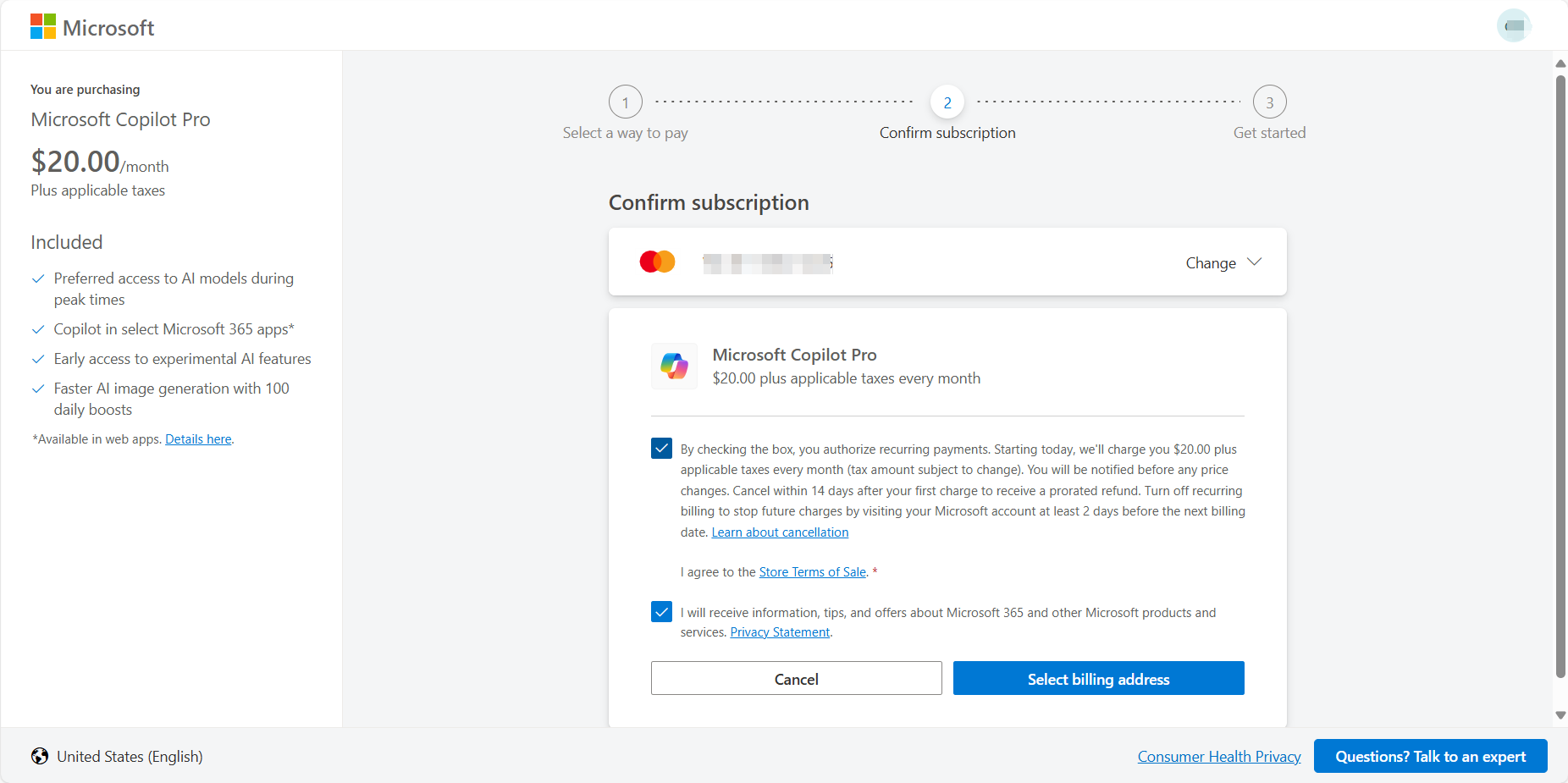
Copilot Pro has been replaced by Microsoft 365 Premium; the monthly plan needs your account and password.
Microsoft Copilot official tools
Microsoft's AI assistant. Free on the web, Windows, Mac, mobile and in Edge; with Microsoft 365 Personal, Family or Premium it also works inside Word, Excel, PowerPoint and Outlook, and Premium adds higher limits and research agents.
Remembers what you tell it; review or delete memories in settings.
See official siteWeb · Mobile · Desktop
Compiled by 5buyai from official websites, directories and GitHub repositories — not an official page; plan details follow the official terms · Plans checked 2026-10-22
② Click "Sign in" at the top right, choose "Continue with Microsoft" and enter the purchased account details. You'll be asked to set up a recovery email and phone verification (Chinese numbers work).
Note: a recovery email is standard on international platforms — like receiving SMS codes to confirm your identity — and is used for password changes and other actions.
Account format: account----password
How it is delivered
🙋 Manual delivery⏰ Working hours UTC+8 09:00–21:00📧 Sent to your order email, also viewable once on the order page
What AI services does 5buyai.com support? Can I get an invoice?
Accounts, subscriptions and top-ups for ChatGPT, Claude, Midjourney, Gemini, Grok and other major AI tools. Invoices are available for AI orders paid in Chinese yuan (CNY).
How do I receive my order after paying?
Orders are delivered manually: after successful payment, the account or card code is sent to your order email during working hours (9:00–21:00, UTC+8). You can check your order details anytime on the order lookup page by order number, email or browser cache.
What payment methods are supported?
Alipay, WeChat Pay, USDT, and Credit Card payments. Credit card payments require first topping up your balance, and then using the balance to purchase products.
Do I need an account to buy?
No. You can check out as a guest and receive items by email; registering lets you manage orders, balance and invoices in one place.
Are prices shown in CNY?
All prices are listed in Chinese Yuan (¥). When paying with USDT the amount is converted automatically at the live rate.
Is there after-sales support?
After-sales support is available for some products, handled via live chat or the order dispute page. Accounts are virtual products: once delivered, no refunds are given unless there is an after-sales issue. CNY refunds and USD refunds are only made back to the original payment method, and USDT refunds are only made on the BSC network.
I am a business buyer and need to make a bulk purchase. How can I get in touch?
Please click the chat widget at the bottom-right corner to reach us and leave your email or other contact details. We will get back to you as soon as possible.
No reviews yet — be the first to review after your purchase.
Disclaimer
This is an independent third-party platform, not affiliated with, endorsed by, or authorized by any brand mentioned. We do not host any third-party login page and do not collect third-party credentials.
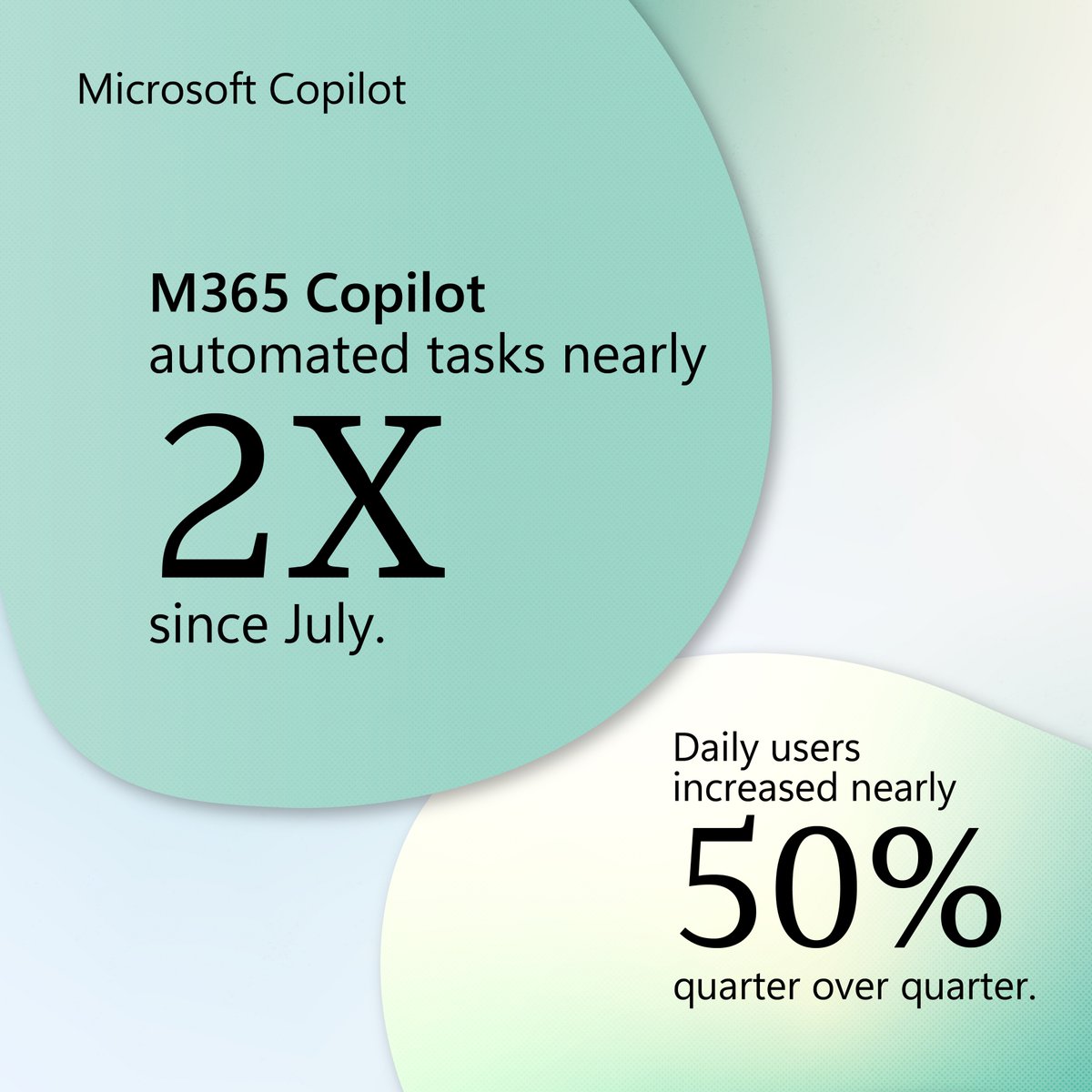
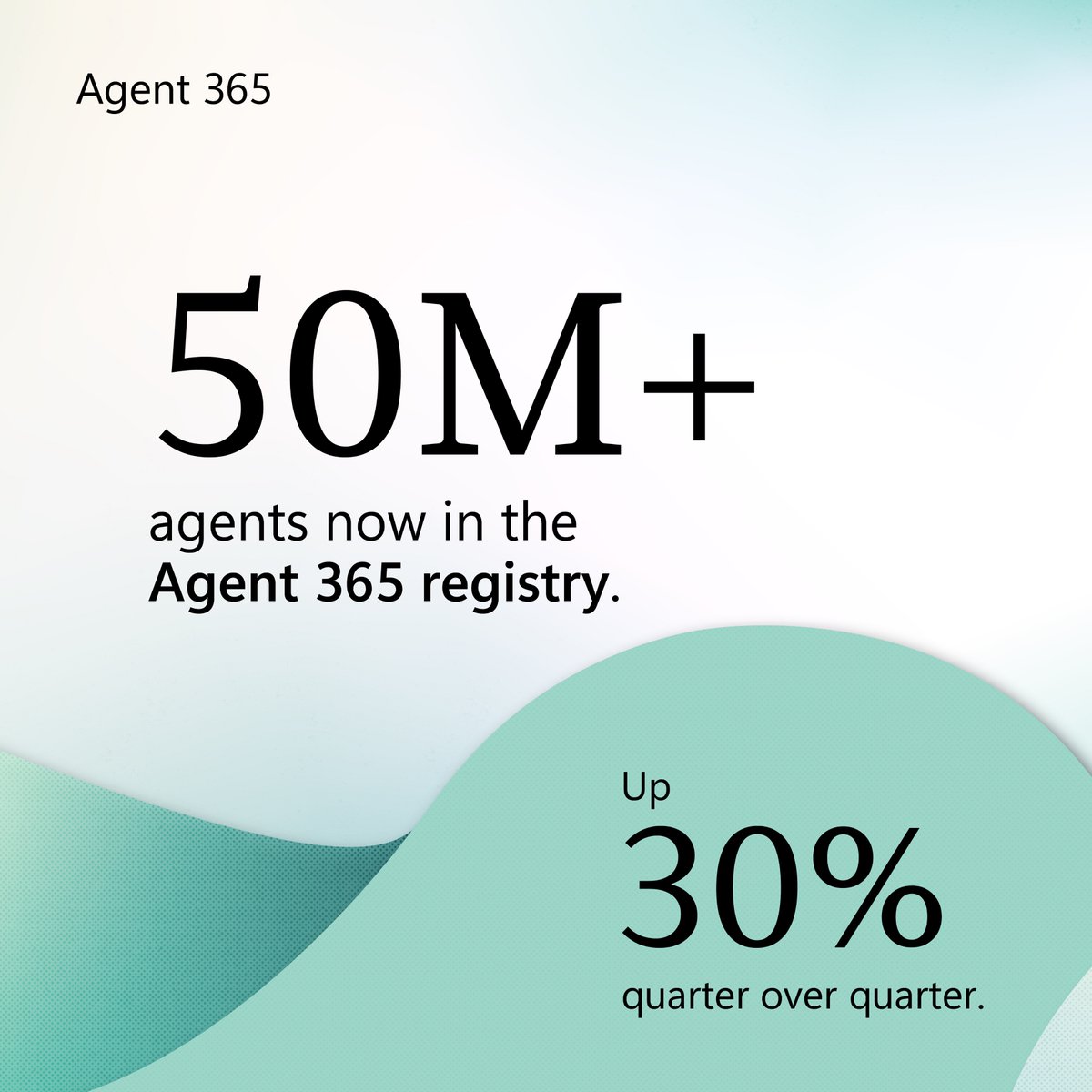
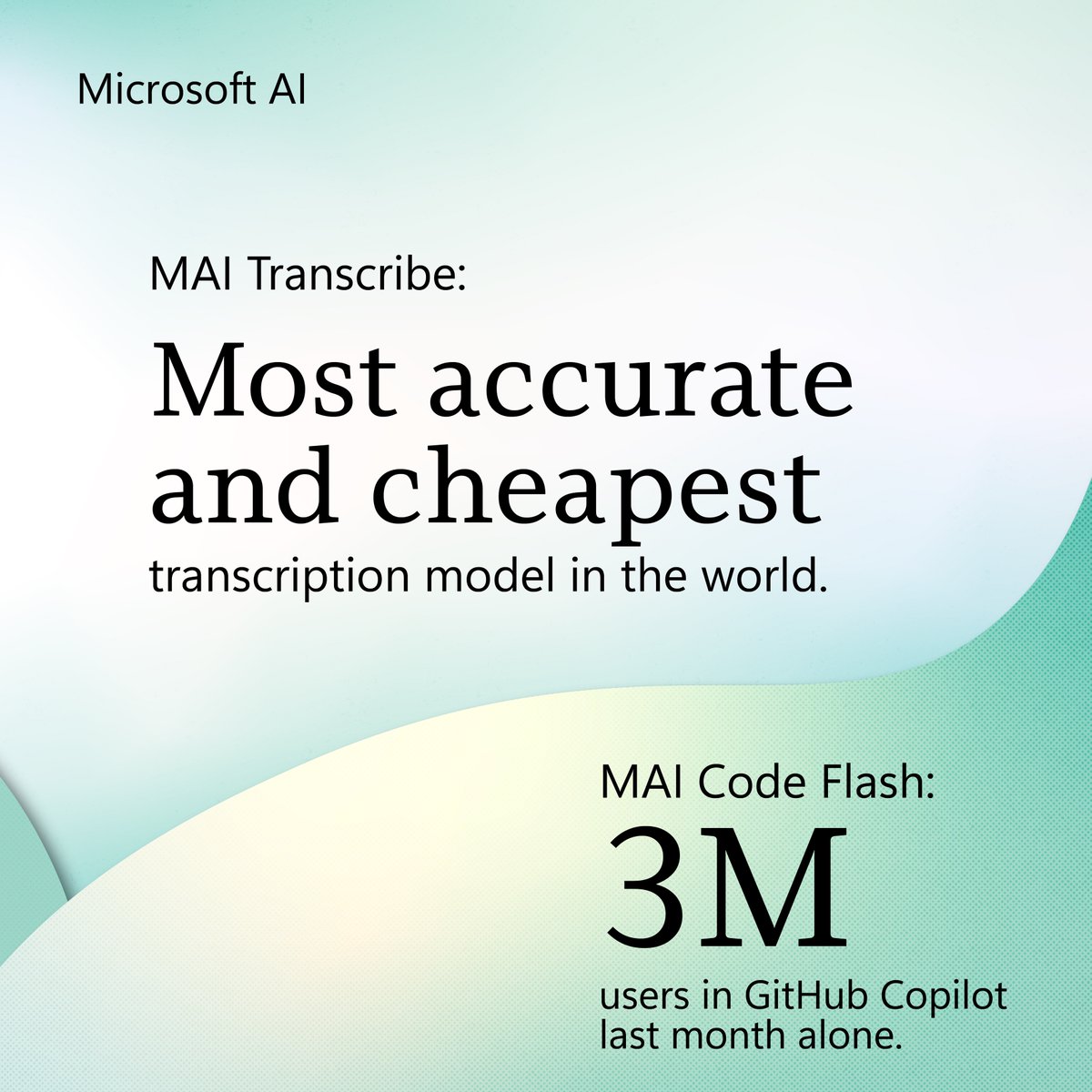
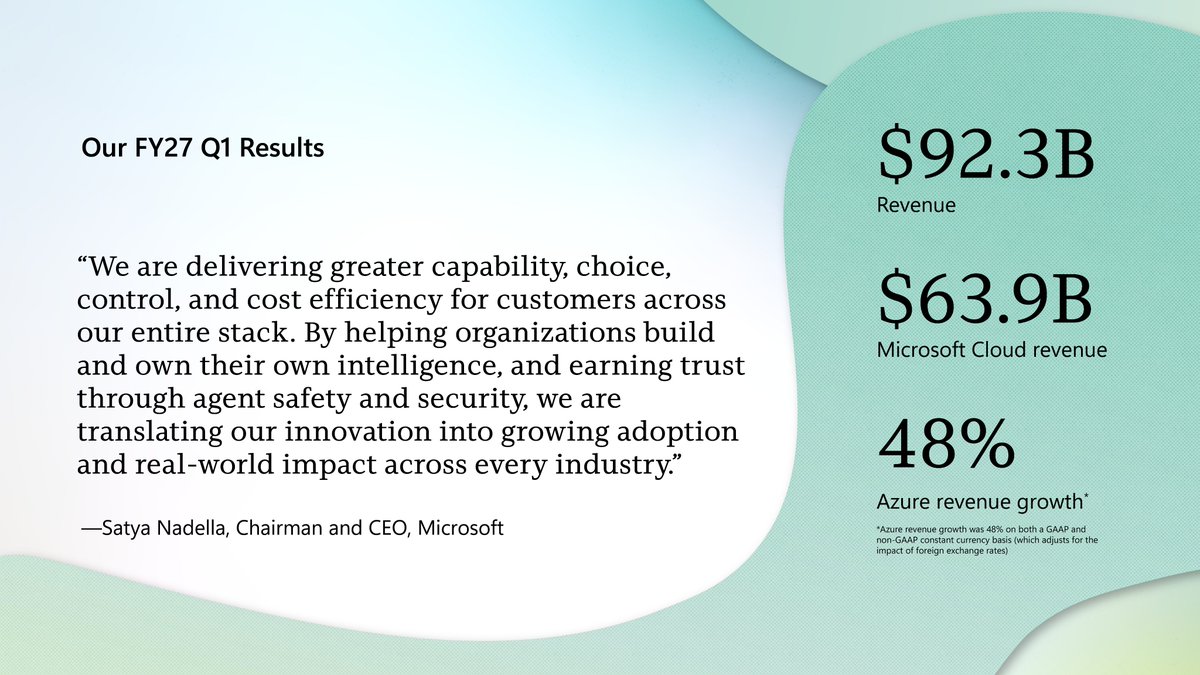
From building new models to making AI part of everyday work, it was a busy start to our fiscal year. Learn more about these advances and other highlights from our FY27 Q1 earnings: https://msft.it/6002a0dZE
We just announced our quarterly earnings results. $92.3 billion in revenue. $63.9 billion in Microsoft Cloud revenue. 48% Azure revenue growth.
See our full FY27 Q1 results here: https://msft.it/6005a0nib


 Microsoft Copilot official tools