5buyai × AIFUNS
Promoted
Cua account / subscription
Shared desktops where AI agents use your computers alongside you

About this product

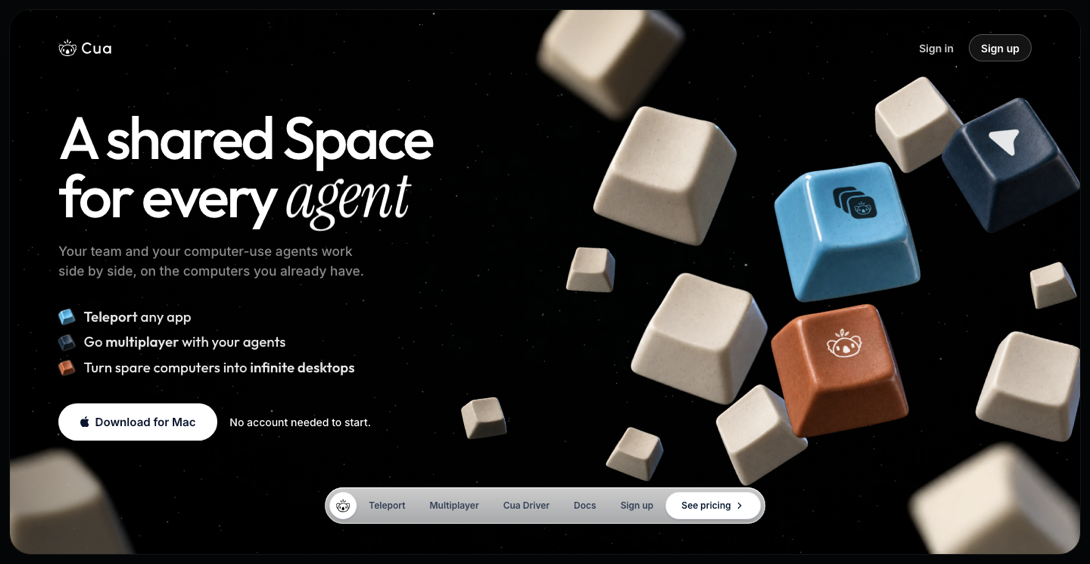
Cua is a Y Combinator company building infrastructure for computer-use agents, and its open-source code lives at trycua/cua on GitHub. Its main product, Cua Spaces, turns computers you already have (your Mac, a spare Linux box or a cloud VM) into "Spaces": desktops where AI agents open apps, browse and run commands while you watch, step in and hand control back.

Key features: Teleport moves an app's signed-in session (tabs, profile, logins) from your Mac into a Space after you approve, with Touch ID for sensitive items; multiplayer gives you and each agent your own cursor; multiple computers appear in one list; and Claude Code, Codex, Cursor, Gemini CLI, Cline, Kiro and more connect through the Cua MCP server. The open-source Cua Driver lets agents use native apps on macOS, Windows and Linux without taking over your mouse and keyboard.

Which option to choose

  • Account: the Free plan, with up to 2 live sessions and 20 remote hours a month, plus sharing a Space with named people.
  • Pro monthly / annual: for one person, with up to 5 live sessions and 200 remote hours a month.
  • Teams monthly (1 seat): each seat adds 5 sessions and 200 hours to a shared pool, with shared team computers, roles and device approval.

Remote hours only count time spent using a computer from another device; using a computer from itself is free. Spaces run on your own computers, and cloud VMs are billed by your cloud provider (subject to Cua's current policy).

What you can do with Cua
Agents · Beginner
Let agents use a whole computer
Agents open apps and browse inside a Space while you watch.
Teleport · Beginner
Move a signed-in app into a Space
No need to sign in again; sensitive items need Touch ID.
Multiplayer · Intermediate
Work side by side with agents
You and each agent get your own cursor; step in and hand back anytime.
Teams · Advanced
Shared team computers
Teams shares computers with the whole team, with roles and device approval.

Getting started

  1. Install the app: download Cua Spaces from the website (Mac stable, Windows preview, Linux). It needs macOS 26 or later, and macOS Spaces on a Mac need Apple silicon.
  2. Create a Space: pick a computer in the app and create a desktop for your task.
  3. Connect your agent: the installer can set up the Cua MCP server for Claude Code, Codex, Cursor and others.
  4. Run a task: let the agent work in the Space while you watch, and take over when needed.

Tips

  • Sign in to websites on your Mac first, then Teleport the app into a Space so you don't have to sign in again there.
  • Anonymous usage data is on by default; turn it off in settings or run cua telemetry off.

[Cua homepage]

[Cua plans (yearly billing)]

Check before buying
Spaces run on your own computers; Cua does not rent them. Memberships are non-refundable once activated.

Sign-in guide

① Open Cua Spaces, or click Sign in in the Cua app.

② Sign in with the account email and password.
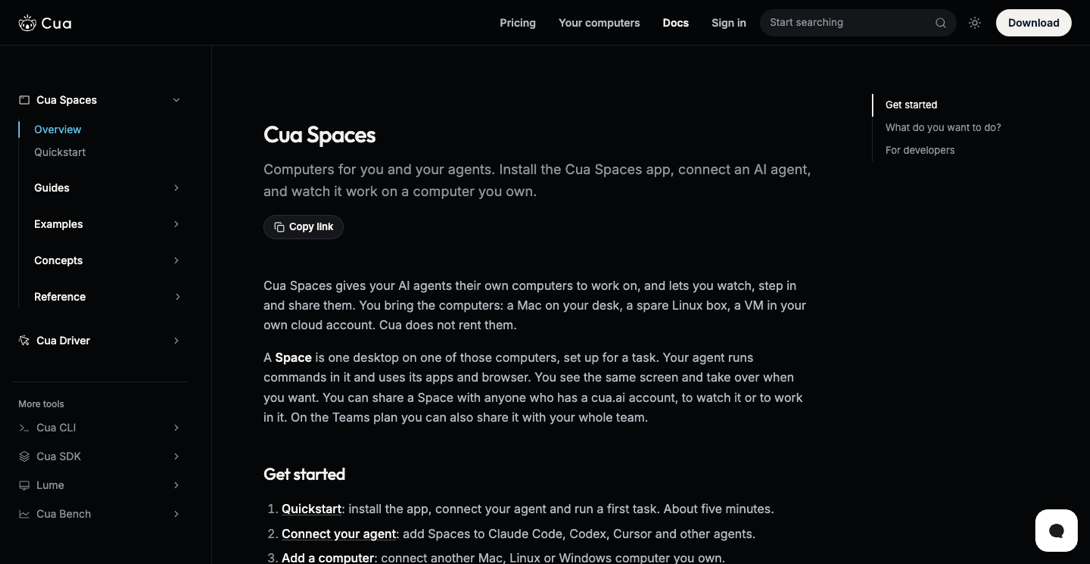
[Docs: getting started with Cua Spaces]

How it is delivered

🙋 Manual delivery ⏰ Working hours UTC+8 09:00–21:00 📧 Sent to your order email, also viewable once on the order page
What AI services does 5buyai.com support? Can I get an invoice?

Accounts, subscriptions and top-ups for ChatGPT, Claude, Midjourney, Gemini, Grok and other major AI tools. Invoices are available for AI orders paid in Chinese yuan (CNY).

How do I receive my order after paying?

Orders are delivered manually: after successful payment, the account or card code is sent to your order email during working hours (9:00–21:00, UTC+8). You can check your order details anytime on the order lookup page by order number, email or browser cache.

What payment methods are supported?

Alipay, WeChat Pay, USDT, and Credit Card payments. Credit card payments require first topping up your balance, and then using the balance to purchase products.

Do I need an account to buy?

No. You can check out as a guest and receive items by email; registering lets you manage orders, balance and invoices in one place.

Are prices shown in CNY?

All prices are listed in Chinese Yuan (¥). When paying with USDT the amount is converted automatically at the live rate.

Is there after-sales support?

After-sales support is available for some products, handled via live chat or the order dispute page. Accounts are virtual products: once delivered, no refunds are given unless there is an after-sales issue. CNY refunds and USD refunds are only made back to the original payment method, and USDT refunds are only made on the BSC network.

I am a business buyer and need to make a bulk purchase. How can I get in touch?

Please click the chat widget at the bottom-right corner to reach us and leave your email or other contact details. We will get back to you as soon as possible.

No reviews yet — be the first to review after your purchase.
Disclaimer
This is an independent third-party platform, not affiliated with, endorsed by, or authorized by any brand mentioned. We do not host any third-party login page and do not collect third-party credentials.
Related videos
View more
✓ Since 2024 ✓ 600+ buyers served ✓ 1,000+ paid orders
Need a hand?
Purchase / payment / account help — chat with us →