Checked 2026-11-10: every rule quoted here comes from Anthropic's Supported Regions Policy, Usage Policy and Consumer Terms of Service, plus the Claude Help Center and official docs. It does not target any particular seller. For account hygiene, see also How to clean device data to protect a new Claude account.
A service sold as a "Claude cloud computer" keeps showing up: someone rents a Mac mini or cloud server overseas, installs Claude Desktop, Claude Code and a browser, then sells remote-desktop access to users in mainland China by the month or hour. It sounds convenient, but before you pay you should know who owns the account, who can see your screen and what Anthropic's terms actually say. This guide covers how these services work, why people buy them, Anthropic's official rules, the real risks, and how to judge a provider or choose a safer option.
1. What a "Claude cloud computer" is and how it works
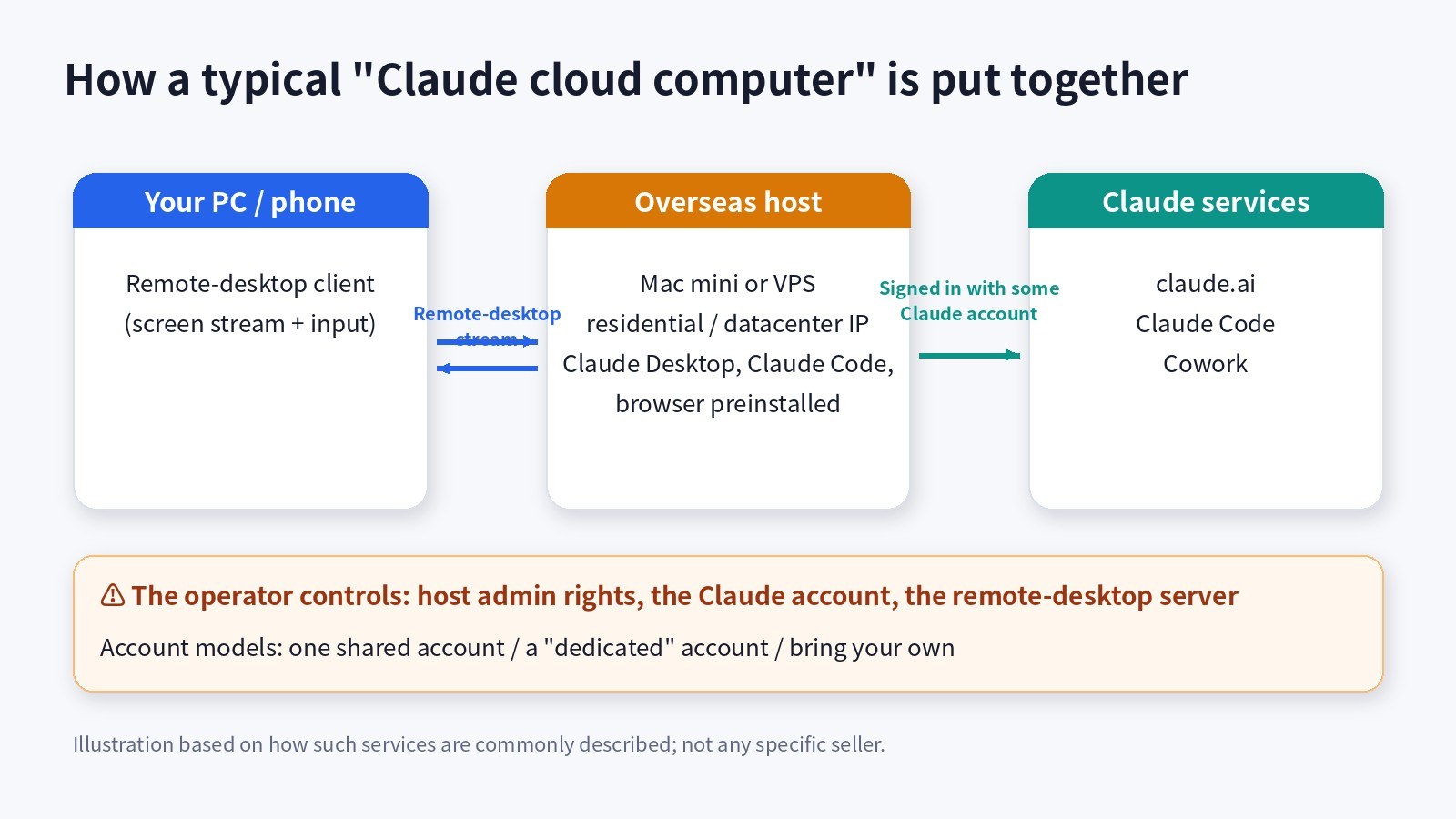
Put simply, it is remote desktop: you see the screen of a machine abroad, your keyboard and mouse input is sent over, and Claude actually runs on that machine. A typical setup has these parts:
- The host: a Mac mini in a data center or someone's home, or a Windows / Linux cloud server. Ads often stress a "residential IP" or "native IP", meaning the host's internet exit looks like ordinary home broadband.
- Preinstalled software: Claude Desktop (with Cowork), Claude Code in the terminal, a browser with the Claude in Chrome extension, and sometimes a ready-made dev environment.
- Remote desktop: macOS Screen Sharing, RDP or third-party remote-control software streams the screen to your computer or phone.
- The account: roughly three models. Several people share one seller-owned Claude account; the seller gives you a "dedicated" account that the seller still controls; or you bring your own account and sign in on their machine.
- Billing: usually a monthly or hourly fee paid to the seller, covering the host, the network and, if included, the account.
2. Why people buy it
- Region limits: Claude is only offered in countries and regions Anthropic supports; mainland China, Hong Kong and Macau are not on the list.
- Fear of bans: people who keep hitting risk checks when signing up or logging in feel an overseas machine and IP will be more stable.
- Payment hassle: without a foreign card or App Store account, paying a seller a monthly fee looks simpler.
- Needing a computer that is always on: Cowork and Claude in Chrome run on a real computer for long stretches, and leaving your own machine on is inconvenient.
- Not wanting to set things up: it works out of the box, with no proxy, terminal or dev tools to configure.
These needs are real. The problem is that remote desktop only solves the network and the device. It does not solve the rules, or the question of trust.
3. What Anthropic's official rules say
Supported Regions Policy: based on where the user is
Anthropic's Supported Regions Policy (the version marked effective November 12, 2026) says Claude.ai, Claude Code, Cowork, the API and Claude offered through cloud platforms and authorized resellers are available only in the listed countries and regions. Anything not listed is unsupported, and the first item is use by persons while physically located in an unsupported region, even if their organization is in a supported one.
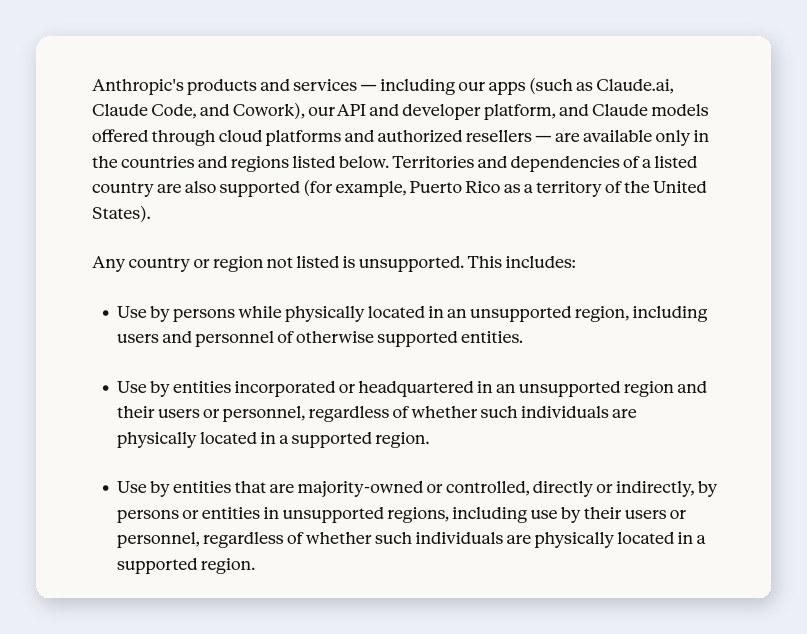
Read literally, what counts is where the user is, not where the computer or IP is. Remote desktop changes the host's internet exit; it does not change where you are. The policy also excludes entities headquartered in, or majority-owned from, unsupported regions, wherever their staff happen to be.
Usage Policy and Terms: sharing, resale and region workarounds are all covered
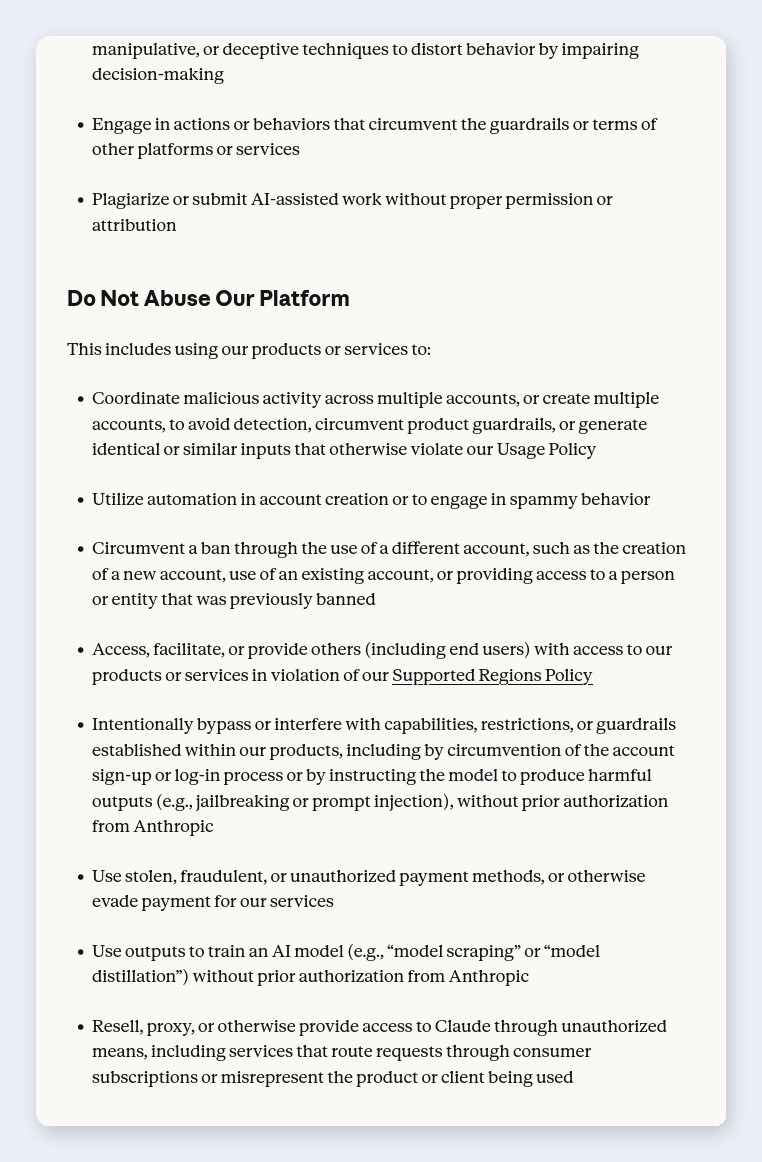
- No helping others break the region policy: the Usage Policy prohibits accessing, facilitating or providing others (including end users) with access in violation of the Supported Regions Policy.
- No resale or proxying: it prohibits reselling, proxying or otherwise providing access to Claude through unauthorized means, including services that route requests through consumer subscriptions.
- No dodging bans with other accounts: it prohibits circumventing a ban with a different account, including giving access to someone previously banned.
- No account sharing: the Consumer Terms say you may not share your login information or credentials, or make your account available to anyone else; the account holder is responsible for all activity on it.
- Consequences: if Anthropic believes you breached the Terms, it may suspend or terminate access without notice, and a subscription terminated for a violation is not refunded.
The Claude Help Center's list of ban reasons also explicitly includes "account creation from an unsupported location" and "Terms of Service violations".
4. The real risks, one by one
Account risk
- Shared accounts fail first: many people using one account from different devices with different habits already breaks the no-sharing rule. When it is banned, everyone is cut off at once.
- The account is not yours: on a seller's account you cannot appeal a ban yourself. Official appeals are submitted by signing in to claude.ai with the banned account, which only the holder can do.
- Chats and projects can vanish: chat history, Projects and memory belong to the account, so on someone else's account the data is theirs too.
- Usage gets split: Claude plan limits are per account, so on a shared account whatever others use comes out of your allowance.
Privacy and data security
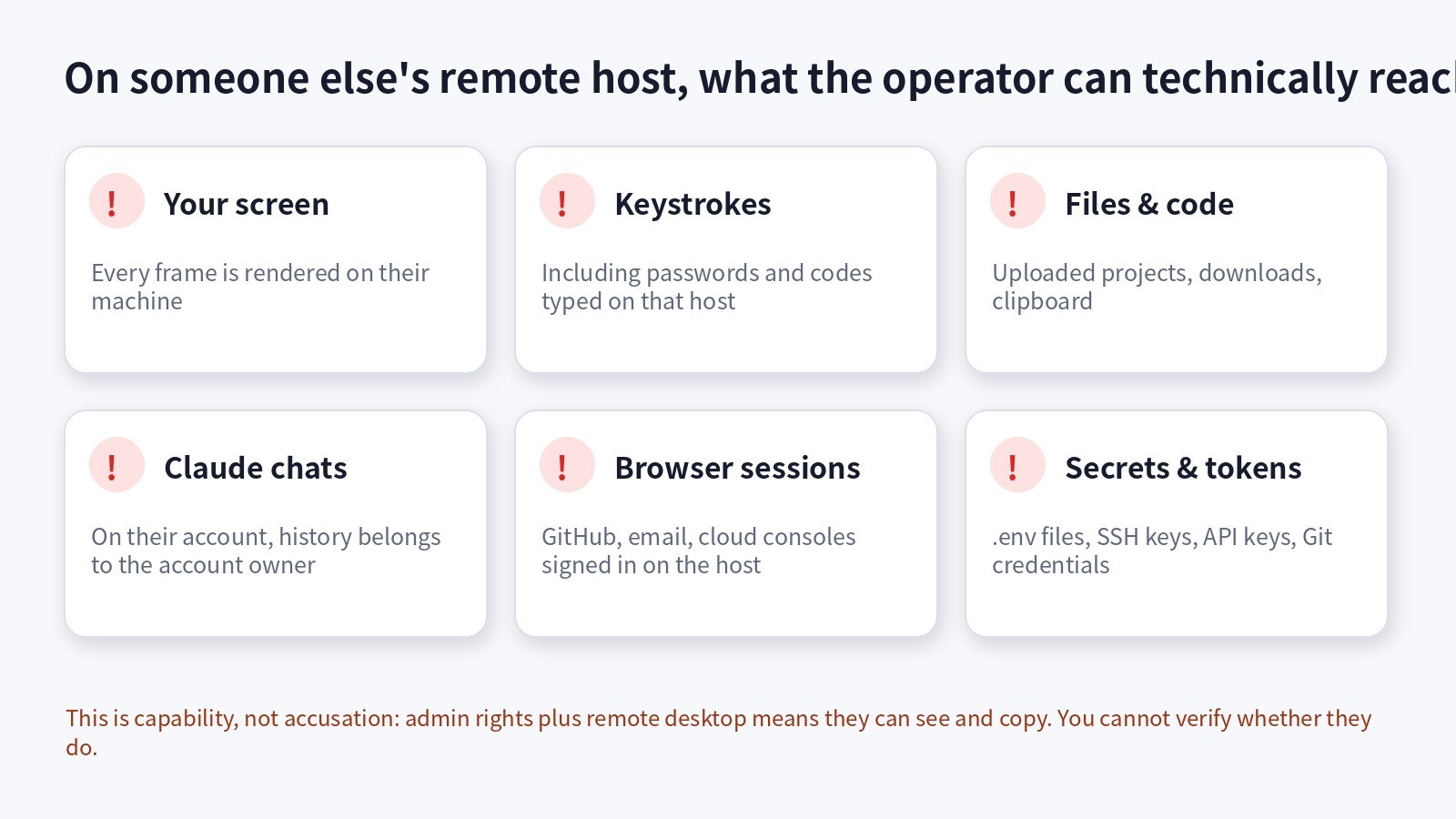
This is the part most people overlook: the host's administrator can see and copy everything on that machine. Company code you open, passwords you type, the GitHub and email accounts you sign in to, the .env files and API keys in your project: all of it is technically under their control. That does not mean they will misuse it, only that you have no way to verify they won't.
Anthropic's own Computer Use documentation recommends that when Claude operates a computer, you use a dedicated virtual machine or container with minimal privileges and avoid giving the model access to sensitive data such as account logins, because instructions in web pages or images can mislead it (prompt injection). Running Cowork or Claude in Chrome on a host you do not control stacks both risks.
Experience and reliability
- Latency: the screen is streamed across borders, so typing and scrolling lag, more so at peak hours.
- Single points of failure: if the host goes down, the line is throttled or the account is banned, the service stops.
- Prepayment risk: if you prepay for a quarter or a year and the seller disappears or the account is banned, there is often no way to get a refund.
Payment and scams
- Private transfers with no order record or after-sales terms are hard to recover if something goes wrong.
- Be especially careful with claims like "never banned", "official partner" or "guaranteed replacement": Anthropic's terms say it can terminate accounts without notice, so nobody can promise you won't be banned.
5. If you still want to use one, ask these first
- Who owns the account: is it shared, dedicated or your own? Can a dedicated account's sign-up email and password be handed over to you?
- Who can see your data: how many people have admin rights on the host? Is the system reset and wiped after you finish?
- Treat "never banned" as a red flag: anyone promising that either does not know Anthropic's terms or does not care about them.
- Start with a short trial: buy the shortest period, test latency and stability, and do not prepay a long term up front.
- Keep sensitive things off it: do not sign in to your main email or main GitHub account, and do not upload company code, SSH keys or API keys.
- Clean up afterwards: sign out of everything, revoke any GitHub / Google access you granted, change passwords you typed there and rotate any API keys you used.
6. Safer options
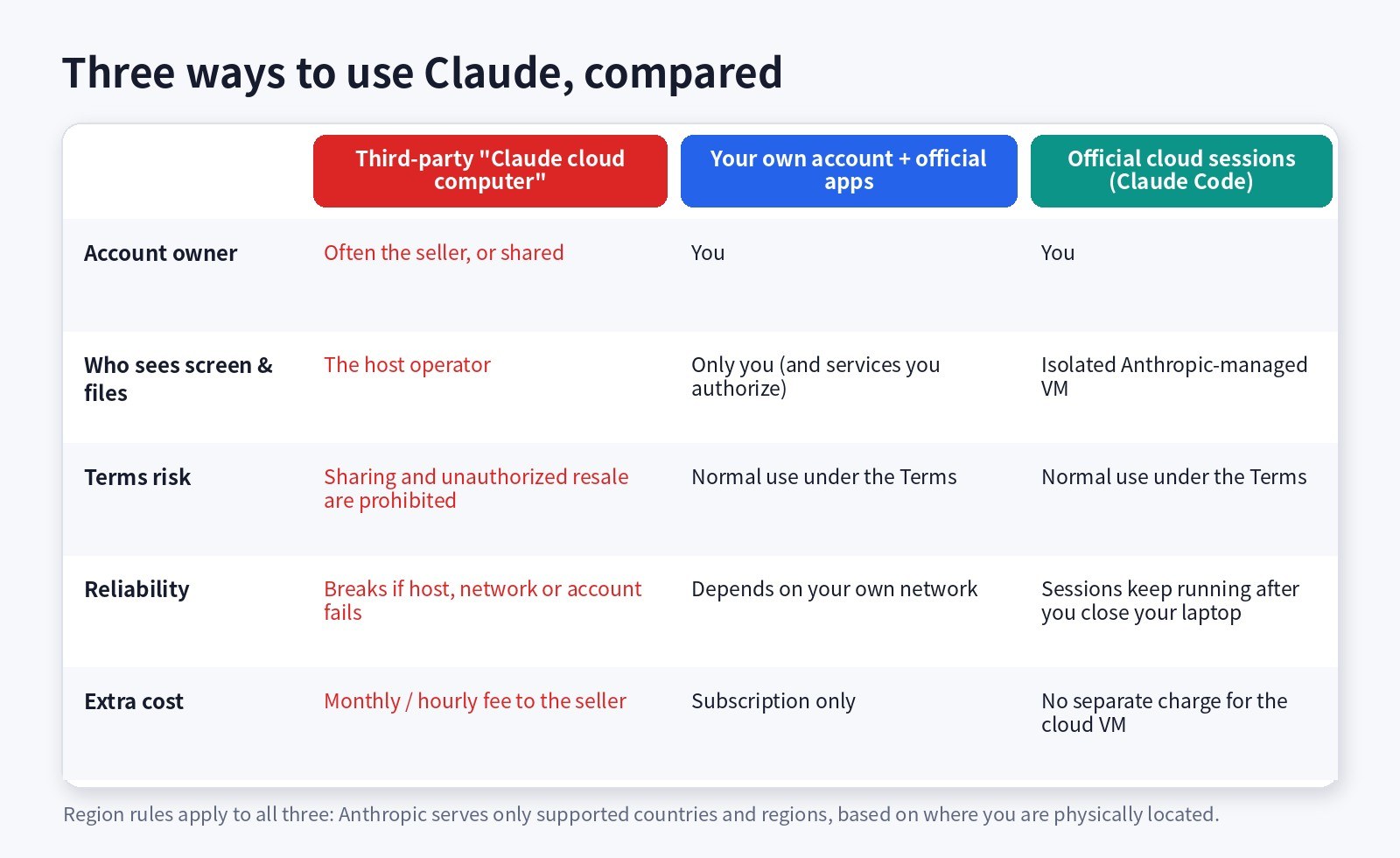
- If you are in a supported region, use your own account with the official apps: claude.ai on the web, the desktop app, the mobile apps and Claude Code all run on one account, and the account, chats and usage are yours.
- If you need an always-on "cloud computer", look at official cloud sessions first: Claude Code cloud sessions run in isolated, Anthropic-managed virtual machines and keep running after you close your laptop. You can start them from the browser (claude.ai/code), the mobile app, the desktop app or the terminal (claude --cloud). They are available on Pro, Max, Ultra and Team plans, count toward your plan's usage, and have no separate charge for the cloud VM.
- Teams and developers: use a Team / Enterprise plan or the API within the scope of their terms, instead of sharing a personal account.
- The region policy applies whichever way you connect: Anthropic only serves supported countries and regions, and changing devices or IPs does not change that.
Checked 2026-11-10. Sources: Anthropic Supported Regions Policy, Usage Policy, Consumer Terms of Service, Updating restrictions of sales to unsupported regions; Claude Help Center Where can I access Claude? and Safeguards warnings and appeals; official docs Claude Code cloud sessions and Computer Use security considerations. Anthropic's latest published terms are authoritative.
This article only explains public terms. It is not legal advice and does not provide any method to get around region restrictions. Never type your main account passwords, banking details or company secrets on a remote host you do not control. If an account you bought has a problem, go to the seller's after-sales support first; do not use a new account to get around a ban.
Want a Claude account you control? We offer Claude Pro, Max and Ultra plans and Claude Code plans that you sign in to on your own devices, with no third-party remote host in between. Before ordering, make sure your location is on Anthropic's supported list and read the notes on the product page. Prices are shown live on each product page.