5 TB, Gemini Pro, Deep Research, Flow, Antigravity; plus Home Premium, Health Premium, YouTube Premium Lite
Google AI Pro (10 TB)
$49.99/mo
US price
All Google AI Pro benefits + 10 TB storage
Google AI Ultra 5x
$99.99/mo
From 20 TB, 5x Pro usage, YouTube Premium
Google AI Ultra 20x
$200/mo
20x Pro usage, Project Genie, YouTube Premium
Official prices are list prices in USD published by each brand (before tax), for reference only; checked on 2026-10-03. We are not affiliated with these brands.
Google Antigravity account / subscription
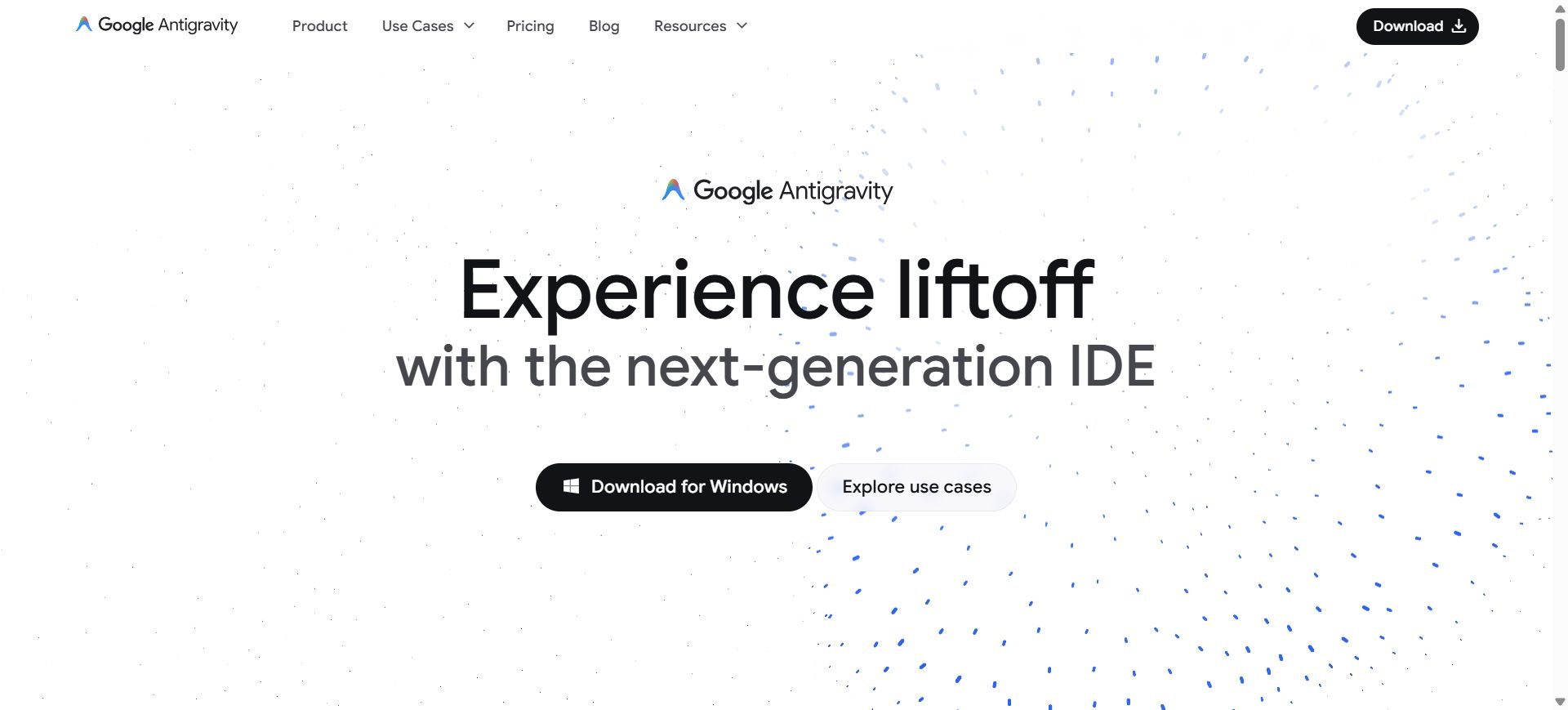
Google Antigravity is Google's agent-first development platform where autonomous AI agents plan, write, run, and verify...
About this product
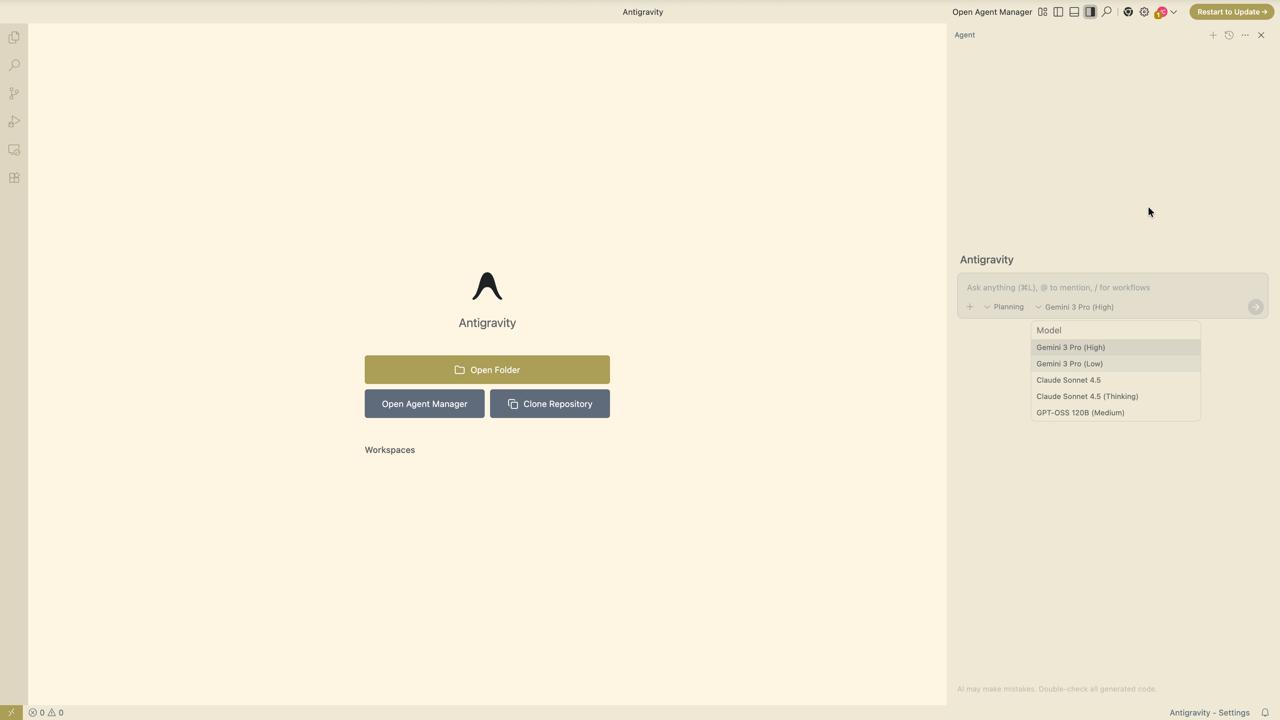
Google Antigravity is the "agent-first" AI development platform Google launched in November 2025. Describe a feature in plain language and AI agents plan it, write the code, run terminal commands, test it in a browser, and hand back plans, changes and screenshots for you to review. It is now Antigravity 2.0, which includes:
Antigravity desktop: run several local agents in parallel, group conversations into projects, work across multiple workspaces and schedule routine tasks.
Antigravity IDE: a full AI editor that understands your whole codebase.
Antigravity CLI: run autonomous coding agents and background subagents in the terminal.
Antigravity SDK: build your own agents with a few lines of Python.
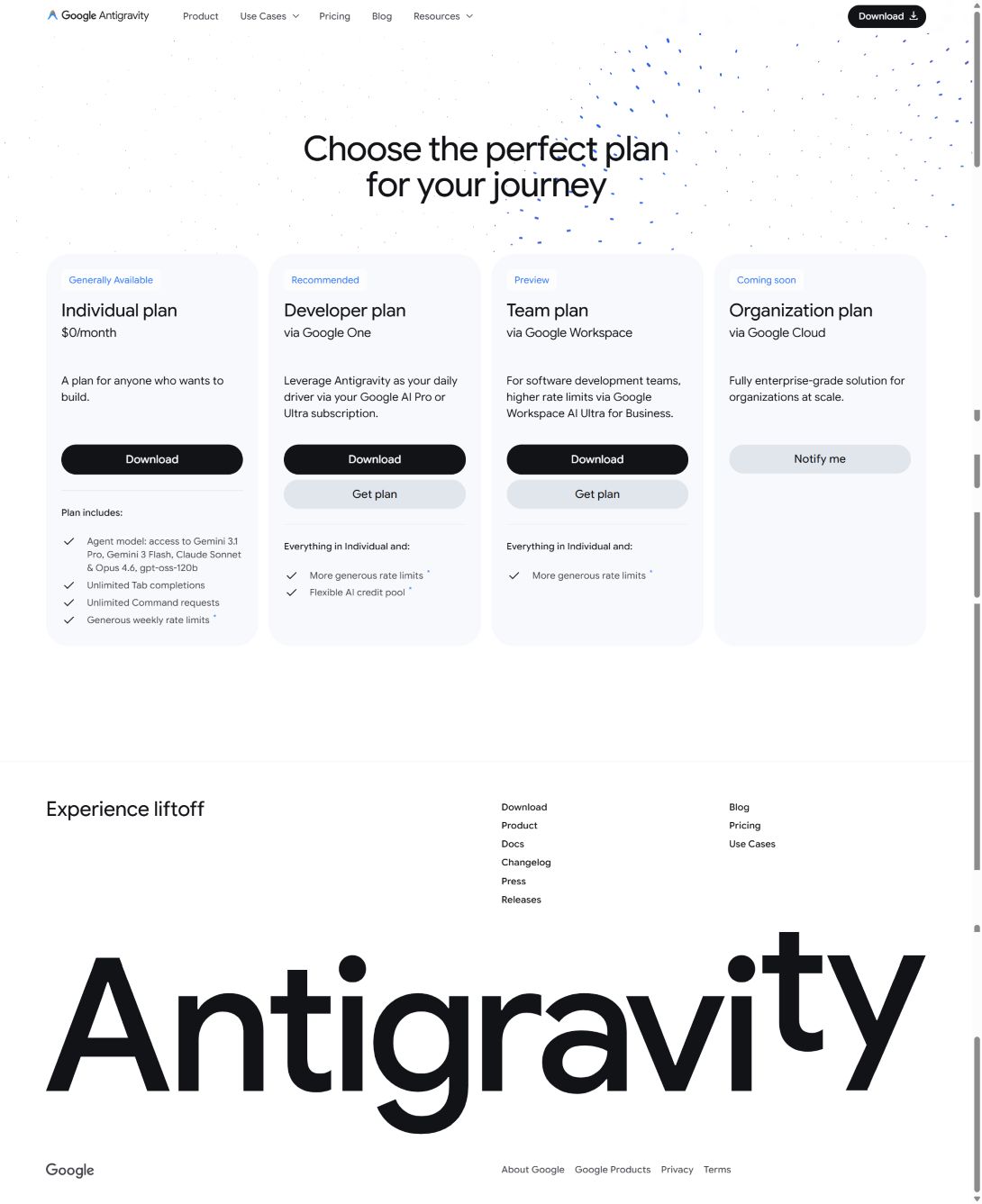
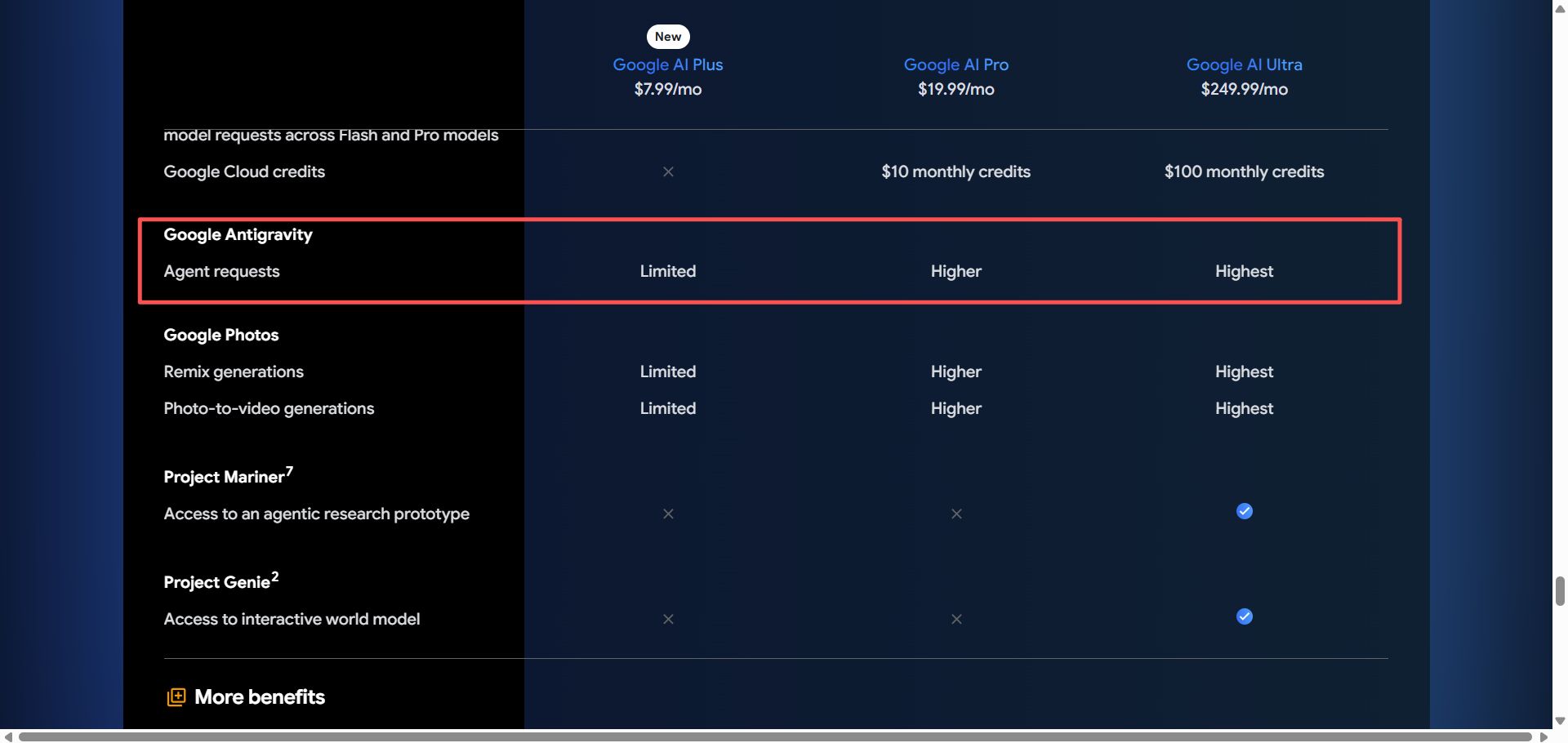
It runs on macOS, Windows and Linux. It is free for individual developers with limited usage; Google AI Pro / Ultra plans raise the limits (see "Official membership info" above).
Which plan to choose
To try it: the "Account" option signs in to the free tier.
Everyday development: Google AI Pro — much higher limits plus Gemini, Flow and all other Pro benefits.
Heavy use with many agents in parallel: Google AI Ultra 5x / 20x.
Long-term use: the 12-month education offer or 18-month redemption link is better value.
Only need more storage, no coding: Google AI Plus.
What you can build with Antigravity
Build · Beginner
Build sites and tools from a sentence
Describe it and the agent writes, runs and browser-tests the code.
Install Antigravity and sign in with Google
Create a workspace and describe the task in the agent panel
It writes code, runs it and tests in the browser for you to review
Try asking
Build a Pomodoro web page: 25-minute timer, alert sound and a count of today's sessions.
Maintain · Intermediate
Understand old code and fix bugs
Open an existing codebase and have the agent explain it and fix issues.
Open an existing code folder
Ask the agent to explain the structure first
Describe the bug and let it find, fix and verify it
Parallel · Advanced
Many agents at once
Dispatch several tasks at once and schedule routine runs.
Open the agent manager
Start a separate agent for each task
Review each one's changes when done
Terminal · Advanced
Antigravity CLI
Command-line users can run agents right in the terminal.
Install the CLI following the official instructions
Open a project: open a local code folder in Antigravity, or start from an empty folder.
Describe the task in the agent panel, e.g. "Build a budgeting web page that can export CSV".
Review the plan: the agent proposes a plan first; approve or edit it before coding starts.
Check the results: review code changes, terminal output and browser screenshots, and leave comments to request changes.
Run tasks in parallel: give different agents different jobs, e.g. one fixes a bug while another writes tests.
Commit: once you're happy, commit with Git in small steps.
Tips
Keep a project notes file (stack, conventions, how to run) so the agent understands your project.
Split big jobs into small tasks — easier to review and roll back.
Before deleting files or running deploy commands, have the agent explain what it will do.
[Google Antigravity homepage]
[Antigravity app (macOS)]
[Antigravity pricing page]
[Google One plans page: Antigravity usage]
Check before buying
Antigravity is region-restricted — use a US or Japan node.
Turn on 2-Step Verification right after signing in.
Gemini official tools
Made by Google. Besides the Gemini app on web, mobile and desktop, Gemini works inside Gmail, Docs and Chrome, alongside Flow, Gemini Notebook, Antigravity and Jules. Plans are Google AI Plus, Pro and Ultra, each with cloud storage.
Compiled by 5buyai from official websites, directories and GitHub repositories — not an official page; plan details follow the official terms · Plans checked 2026-10-21
④ Because of Google's risk controls, turn on 2-Step Verification right after signing in!
How it is delivered
🙋 Manual delivery⏰ Working hours UTC+8 09:00–21:00📧 Sent to your order email, also viewable once on the order page
Buy a new account
Nothing needed from you — just wait for delivery after paying.
For: Account, Google AI Plus (2 TB) membership, Google AI Pro (5 TB) 12-month membership (education discount), Google AI Pro (5 TB) 18-month membership (Google internal program, redemption link), Google AI Pro (5 TB) monthly membership, Google AI Pro (10 TB) monthly membership, Google AI Ultra 5x (20 TB) monthly membership, Google AI Ultra 20x (30 TB) monthly membership, Google AI Ultra 20x 1-month membership (family plan, 25,000 shared credits, Antigravity included), Google AI Plus (400 GB) monthly membership
Recharge my account
After paying, provide on the order page: Account, Password, Notes (optional)
For: Google AI Plus (2 TB) membership, Google AI Pro (5 TB) 12-month membership (education discount), Google AI Pro (5 TB) 18-month membership (Google internal program, redemption link), Google AI Pro (5 TB) monthly membership, Google AI Pro (10 TB) monthly membership, Google AI Ultra 5x (20 TB) monthly membership, Google AI Ultra 20x (30 TB) monthly membership, Google AI Ultra 20x 1-month membership (family plan, 25,000 shared credits, Antigravity included), Google AI Plus (400 GB) monthly membership
After-sales policy
① Because of Google's risk controls, if you cannot sign in or the account is banned within 24 hours of purchase, you can get a full refund or a replacement account.
② For education-offer plans, within 30 days of purchase you can get a refund (minus a ¥30 fee) or a replacement account.
③ For half-price plans, within 30 days of purchase you can get a refund (minus a ¥60 fee) or a replacement account.
What AI services does 5buyai.com support? Can I get an invoice?
Accounts, subscriptions and top-ups for ChatGPT, Claude, Midjourney, Gemini, Grok and other major AI tools. Invoices are available for AI orders paid in Chinese yuan (CNY).
How do I receive my order after paying?
Orders are delivered manually: after successful payment, the account or card code is sent to your order email during working hours (9:00–21:00, UTC+8). You can check your order details anytime on the order lookup page by order number, email or browser cache.
What payment methods are supported?
Alipay, WeChat Pay, USDT, and Credit Card payments. Credit card payments require first topping up your balance, and then using the balance to purchase products.
Do I need an account to buy?
No. You can check out as a guest and receive items by email; registering lets you manage orders, balance and invoices in one place.
Are prices shown in CNY?
All prices are listed in Chinese Yuan (¥). When paying with USDT the amount is converted automatically at the live rate.
Is there after-sales support?
After-sales support is available for some products, handled via live chat or the order dispute page. Accounts are virtual products: once delivered, no refunds are given unless there is an after-sales issue. CNY refunds and USD refunds are only made back to the original payment method, and USDT refunds are only made on the BSC network.
I am a business buyer and need to make a bulk purchase. How can I get in touch?
Please click the chat widget at the bottom-right corner to reach us and leave your email or other contact details. We will get back to you as soon as possible.
No reviews yet — be the first to review after your purchase.
Disclaimer
This is an independent third-party platform, not affiliated with, endorsed by, or authorized by any brand mentioned. We do not host any third-party login page and do not collect third-party credentials.

 Gemini official tools