Figma is a leading browser-based collaborative UI/UX design tool for interface design, interactive prototyping, componen...
About this product
Figma is the world's leading collaborative design tool. It runs in the browser, and like Google Docs several people can edit the same design file at once, so designers, developers, product managers and clients comment and hand off in one place. Figma is now a full suite:
Figma Design: interface and product design with components, auto layout and prototyping.
Figma Make: generate working web apps and interactive prototypes from a prompt (AI).
Figma Sites: design and publish websites directly.
Figma Draw: vector illustration and graphics.
Dev Mode: inspect measurements and export code and assets, with MCP to hand designs to AI coding tools.
FigJam / Slides / Buzz: whiteboarding, presentations and marketing assets at scale.
Which plan to choose
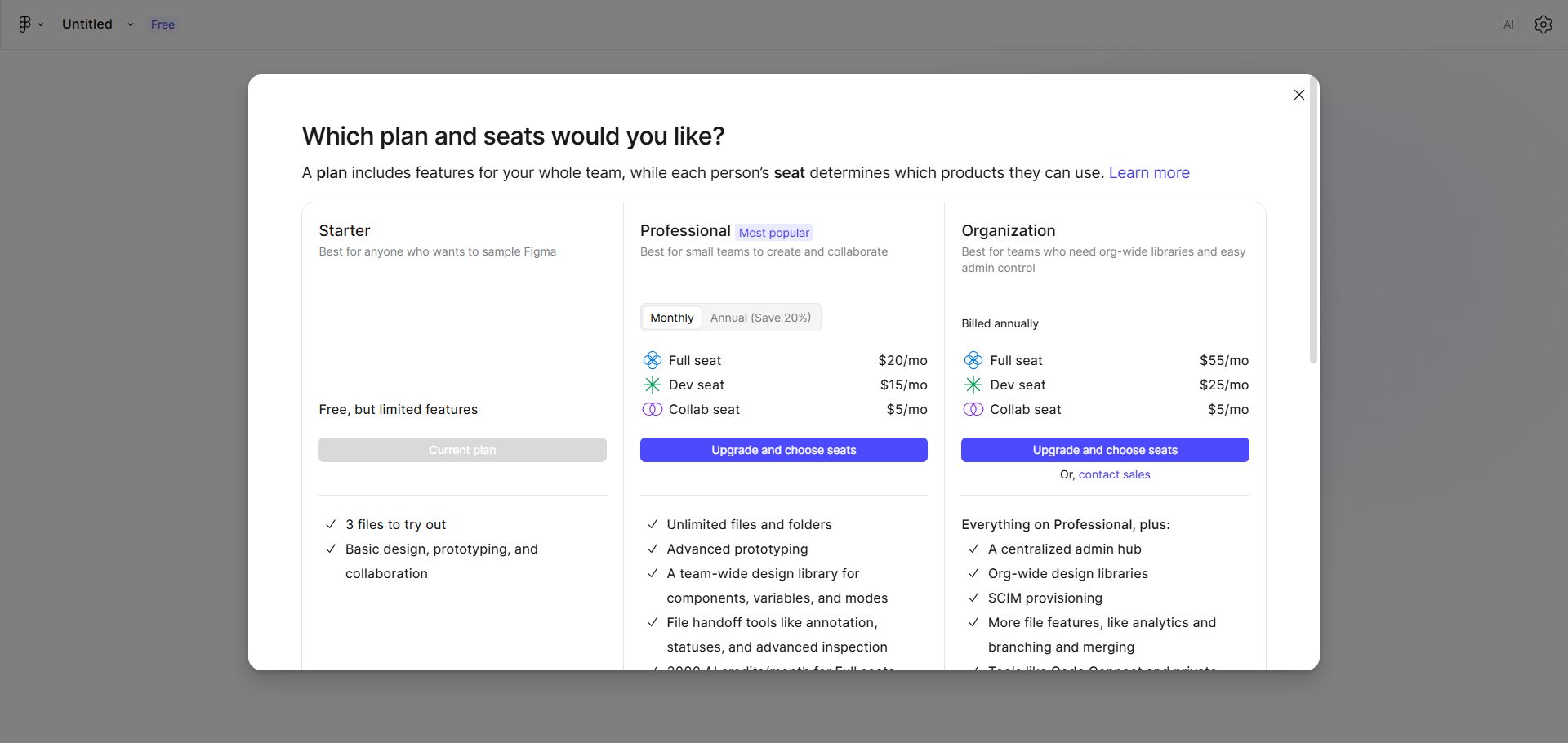
To try it: the "Account" option is the free plan with limited files and features.
Individual designers and freelancers: Professional Full seat unlocks every product (Design, Make, Sites, Draw, Dev Mode and more), monthly AI credits, and unlimited files and projects.
Long-term use: the yearly plan is better value.
What you can do with Figma
Design · Beginner
App and web UI design
Components, auto layout and prototyping in one place.
Sign in at figma.com and create a Design file
Add a frame for the device size and drop in components
Use Auto Layout and connect screens into a clickable prototype
AI · Intermediate
Apps from a prompt with Figma Make
Describe it and get a working web app.
Create a Make file
Describe the app or attach a design
Preview it, refine by chat and publish
Try asking
Build a simple budgeting app: add income and expenses, totals by category, a monthly pie chart, mobile first.
Sites · Intermediate
Design and publish websites
Publish sites straight from Figma Sites.
Create a Sites file from a template or a design
Adjust the layout for each breakpoint
Click Publish and connect your own domain
Collaboration · Beginner
Real-time collaboration
Edit, comment and hand off together.
Click Share at the top right to invite people
Set edit or view access
Leave comments on the canvas and @mention teammates
Developers · Advanced
Dev Mode and MCP
Developers inspect, export code or hand off to AI coding tools.
Switch to Dev Mode to inspect sizes, colours and code snippets
Turn on the Figma MCP server
Ask Cursor, Claude Code or similar tools to build from the design
Getting started
Create a design file: click New design file and pick a frame size such as iPhone or desktop.
Use components and auto layout: turn buttons and cards into components so one change updates everywhere; use Auto layout to keep things aligned.
Prototype: switch to Prototype, connect buttons to target screens, and press play at the top right.
Use AI: describe an app in Figma Make to generate it; in designs, use AI to rewrite copy, generate images and rename layers.
Collaborate and hand off: click Share to invite comments; developers use Dev Mode for specs and assets.
Tips
Use free templates and UI kits from the Community to save lots of time.
Name layers and components clearly for smoother hand-off to developers and AI tools.
Designs generated by AI tools such as Stitch can be pasted into Figma for polishing.
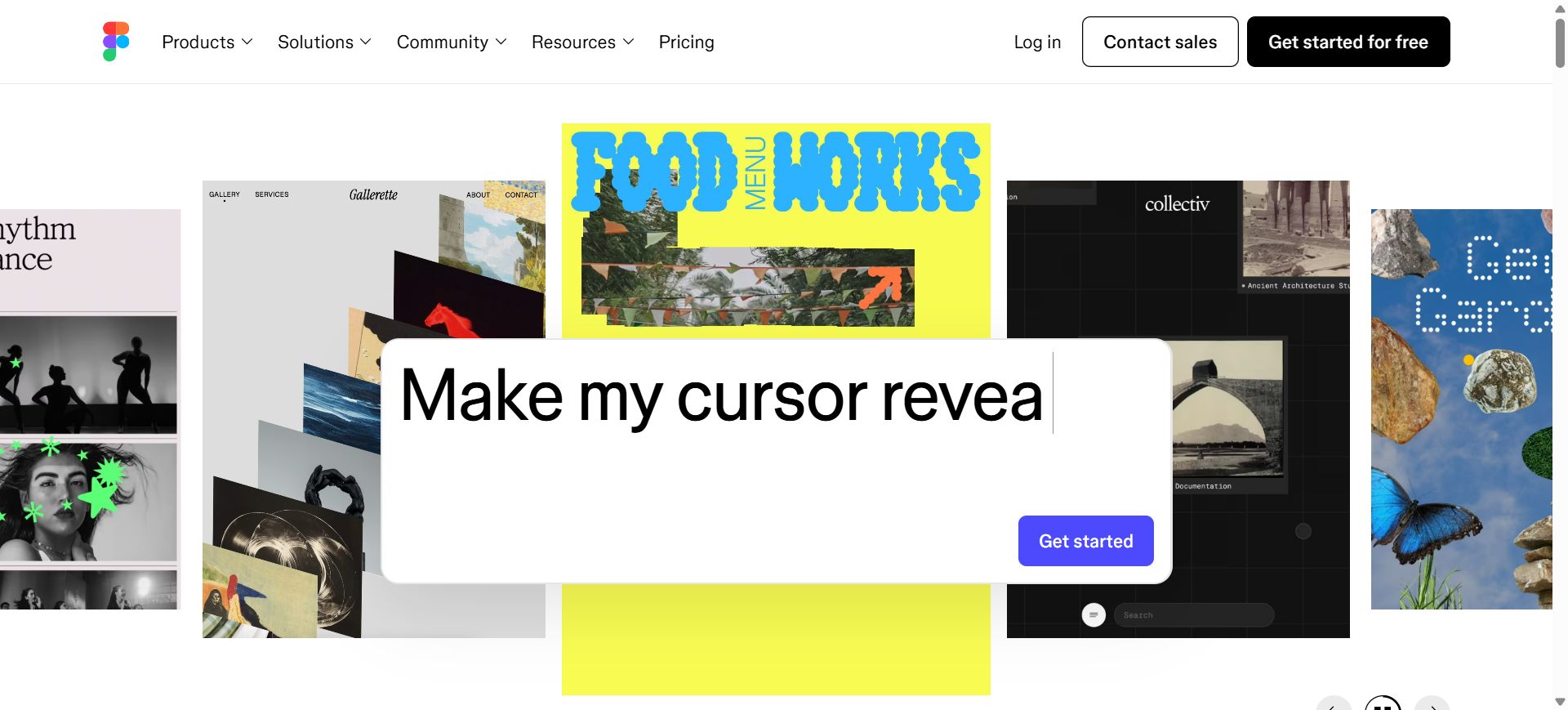
[Figma homepage]
[Figma plans and prices]
Check before buying
The free plan is limited; Figma Make, Sites and more need a Full seat.
Sign-in guide
① Open the Figma website in your browser (or download the desktop app).
② Sign in as prompted.
How it is delivered
🙋 Manual delivery⏰ Working hours UTC+8 09:00–21:00📧 Sent to your order email, also viewable once on the order page
What AI services does 5buyai.com support? Can I get an invoice?
Accounts, subscriptions and top-ups for ChatGPT, Claude, Midjourney, Gemini, Grok and other major AI tools. Invoices are available for AI orders paid in Chinese yuan (CNY).
How do I receive my order after paying?
Orders are delivered manually: after successful payment, the account or card code is sent to your order email during working hours (9:00–21:00, UTC+8). You can check your order details anytime on the order lookup page by order number, email or browser cache.
What payment methods are supported?
Alipay, WeChat Pay, USDT, and Credit Card payments. Credit card payments require first topping up your balance, and then using the balance to purchase products.
Do I need an account to buy?
No. You can check out as a guest and receive items by email; registering lets you manage orders, balance and invoices in one place.
Are prices shown in CNY?
All prices are listed in Chinese Yuan (¥). When paying with USDT the amount is converted automatically at the live rate.
Is there after-sales support?
After-sales support is available for some products, handled via live chat or the order dispute page. Accounts are virtual products: once delivered, no refunds are given unless there is an after-sales issue. CNY refunds and USD refunds are only made back to the original payment method, and USDT refunds are only made on the BSC network.
I am a business buyer and need to make a bulk purchase. How can I get in touch?
Please click the chat widget at the bottom-right corner to reach us and leave your email or other contact details. We will get back to you as soon as possible.
No reviews yet — be the first to review after your purchase.
Disclaimer
This is an independent third-party platform, not affiliated with, endorsed by, or authorized by any brand mentioned. We do not host any third-party login page and do not collect third-party credentials.