ElevenLabs is a leading AI voice platform known for remarkably natural text-to-speech and voice cloning across dozens of...
About this product
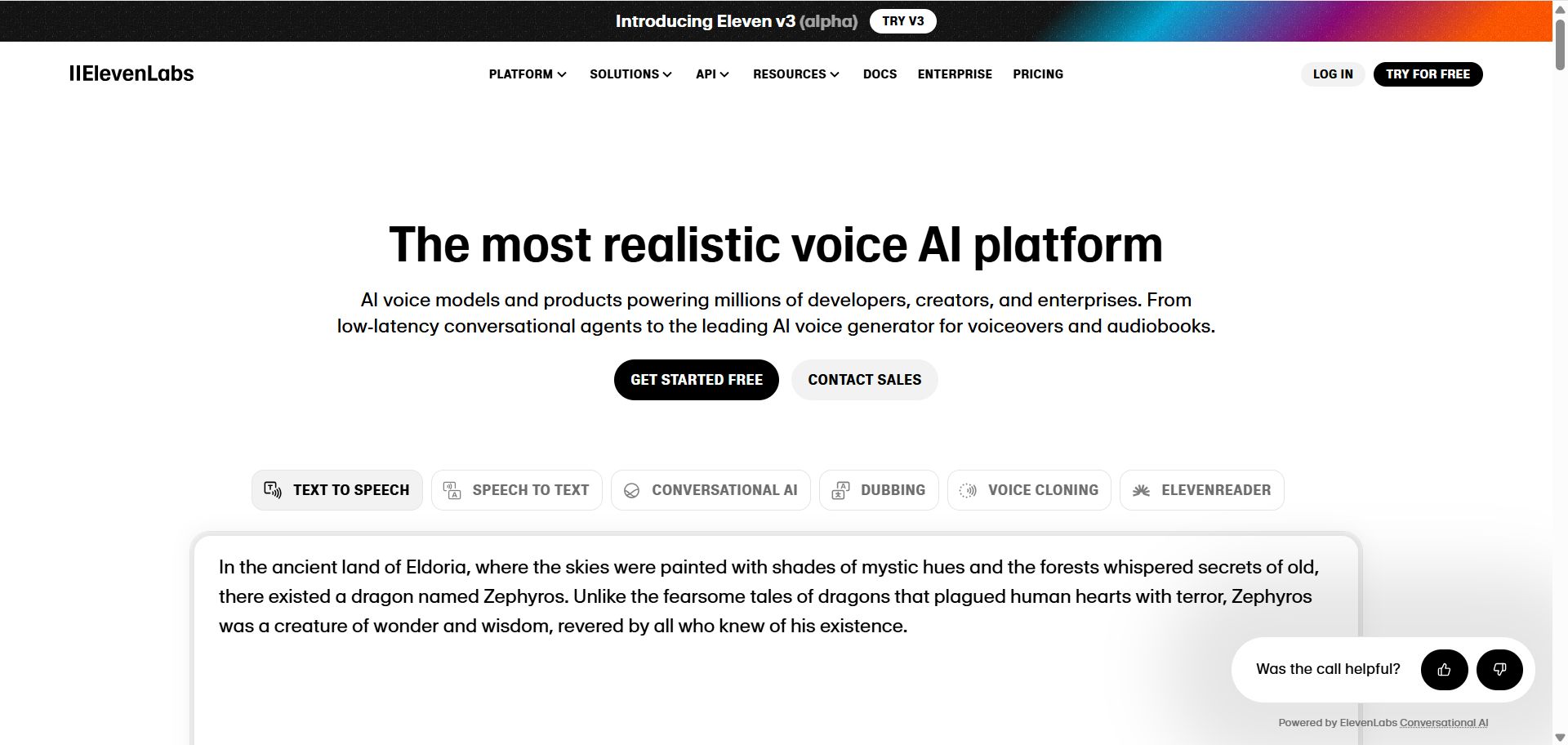
ElevenLabs is a leading AI voice platform known for lifelike, expressive speech. Turn text into natural speech in dozens of languages, clone your own voice, dub videos into other languages, generate sound effects and music, and build talking AI voice agents. The latest Eleven v3 model supports emotion tags such as [laughs] and [whispers] in the text for more expressive delivery. Read more in our blog post (ElevenLabs Eleven v3: the future of expressive AI voice).
Plan benefits
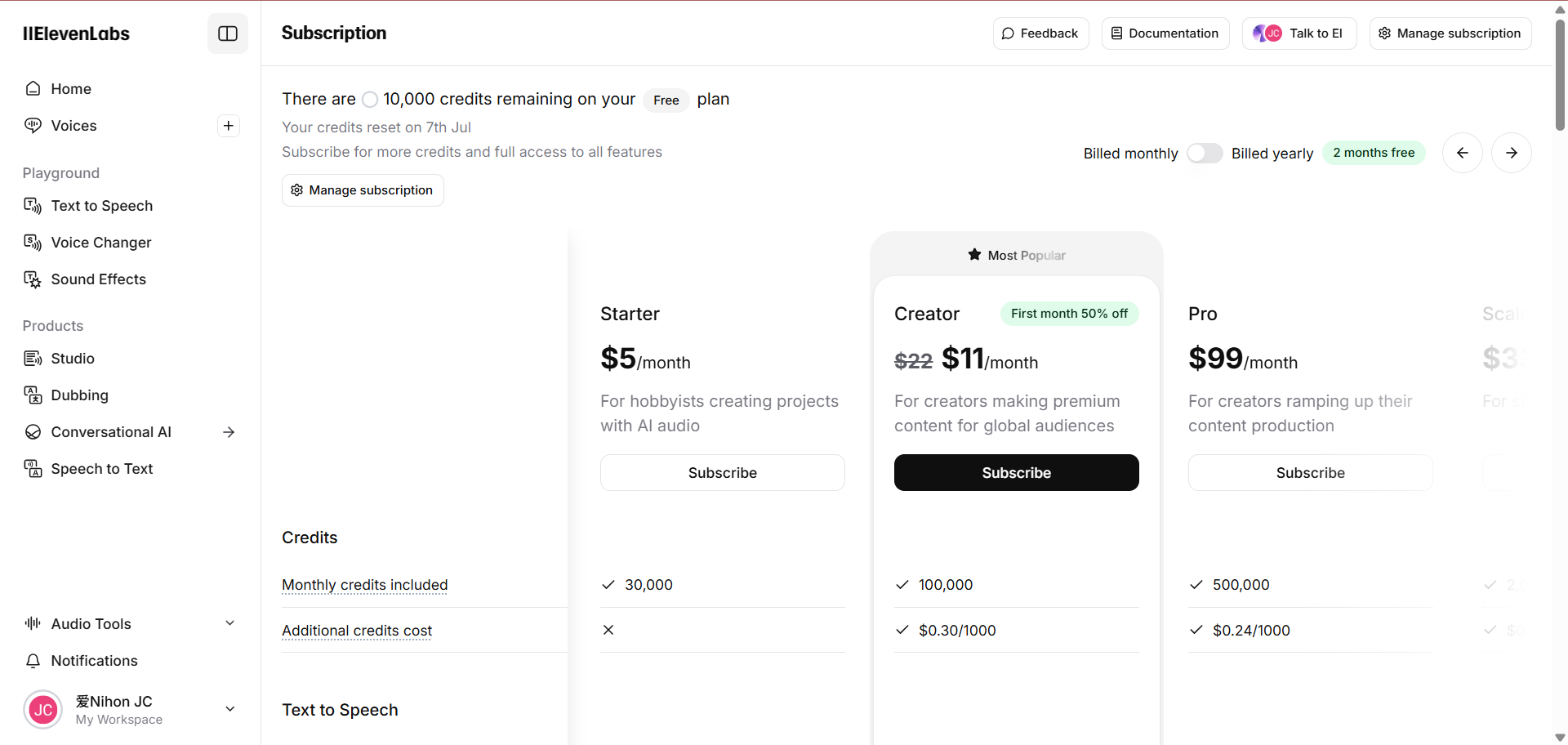
Free: a small monthly allowance to try text to speech, speech to text, sound effects, music and more; no commercial use.
Starter: commercial license, Instant Voice Cloning (from under a minute of audio) and Dubbing Studio.
Creator: more credits and Professional Voice Cloning (closer to the real voice) — for video and audiobook creators.
Pro: a large allowance and higher-quality API output (44.1 kHz PCM) for developers and volume production.
Scale / Business: team seats, more professional voice clones and low-latency speech for companies.
See the official ElevenLabs pricing page for exact credits and prices.
Which plan to choose
To try it: the free "Account".
Video voice-overs and commercial use: start with Starter.
Clone your own voice for ongoing content: Creator.
Developers / high volume: Pro and above.
Paying a price difference: choose "Price difference".
What you can do with ElevenLabs
Voice-over · Beginner
Lifelike text to speech
Voice videos, courses and audiobooks in dozens of languages.
Sign in at elevenlabs.io and open Text to Speech
Paste your text and pick a voice and language
Listen, then download the audio
For example
Welcome to this episode. Today we look at how anyone can save an hour a day with AI tools.
Cloning · Intermediate
Clone your own voice
Record a sample and have any text read in your voice.
In Voices, choose to add a voice (Voice Clone)
Upload or record a clear sample of your own voice
Read any text in the cloned voice (only clone your own or an authorised voice)
Dubbing · Intermediate
Dub videos into other languages
Translate videos while keeping the original speaker's voice.
Open Dubbing
Upload a video or paste a link and choose the target languages
Download each language version when ready
Audio · Beginner
Sound effects and music
Describe a sound or music style to generate it.
Open Sound Effects or Music
Describe the sound you want
Generate a few versions and download the best one
For example
A stormy night, distant thunder, water dripping from the eaves, 10 seconds
Developers · Advanced
Voice agents and API
Build real-time voice agents or add voice to your product via the API.
Create a voice agent on the Agents platform
Set its prompt, voice and knowledge base
Connect it to your product with the API or a web widget
Getting started
Text to speech: open Text to Speech, paste your text, pick a voice and model (Eleven v3 for emotion), generate and download.
Clone a voice: Voices → Add voice → upload or record a sample of your voice, then use it to read any text.
Dub a video: in Dubbing, upload a video or paste a link, choose the target language, and it translates and dubs in the original speaker's voice.
Sound effects and music: describe the sound or musical style you want.
Speech to text: upload a recording to get timed subtitles or meeting notes.
Tips
Add tags such as [whispers] or [laughs] to make v3 more expressive.
Use clean recordings made in a quiet room for much better clones.
Only clone your own voice or voices you have permission to use.
[ElevenLabs homepage]
[ElevenLabs pricing page]
Check before buying
Free accounts can't be used commercially — choose Starter or above.
Only clone your own voice or voices you're authorised to use.
ElevenLabs official tools
An AI audio platform: text to speech, speech to text, voice cloning, dubbing across languages, AI music and sound effects in one place, plus image and video tools and voice agents. Billed by monthly credits.
Compiled by 5buyai from official websites, directories and GitHub repositories — not an official page; plan details follow the official terms · Plans checked 2026-10-22
Nothing needed from you — just wait for delivery after paying.
For: Price difference top-up
What AI services does 5buyai.com support? Can I get an invoice?
Accounts, subscriptions and top-ups for ChatGPT, Claude, Midjourney, Gemini, Grok and other major AI tools. Invoices are available for AI orders paid in Chinese yuan (CNY).
How do I receive my order after paying?
Orders are delivered manually: after successful payment, the account or card code is sent to your order email during working hours (9:00–21:00, UTC+8). You can check your order details anytime on the order lookup page by order number, email or browser cache.
What payment methods are supported?
Alipay, WeChat Pay, USDT, and Credit Card payments. Credit card payments require first topping up your balance, and then using the balance to purchase products.
Do I need an account to buy?
No. You can check out as a guest and receive items by email; registering lets you manage orders, balance and invoices in one place.
Are prices shown in CNY?
All prices are listed in Chinese Yuan (¥). When paying with USDT the amount is converted automatically at the live rate.
Is there after-sales support?
After-sales support is available for some products, handled via live chat or the order dispute page. Accounts are virtual products: once delivered, no refunds are given unless there is an after-sales issue. CNY refunds and USD refunds are only made back to the original payment method, and USDT refunds are only made on the BSC network.
I am a business buyer and need to make a bulk purchase. How can I get in touch?
Please click the chat widget at the bottom-right corner to reach us and leave your email or other contact details. We will get back to you as soon as possible.
No reviews yet — be the first to review after your purchase.
Disclaimer
This is an independent third-party platform, not affiliated with, endorsed by, or authorized by any brand mentioned. We do not host any third-party login page and do not collect third-party credentials.
Our onboarding is now agent first.
You can set up ElevenLabs in your environment with one prompt to your coding agent.
The agent runs the ElevenLabs CLI and adds an API key to your project. Your only manual step is clicking Authorize in the browser.


 ElevenLabs official tools