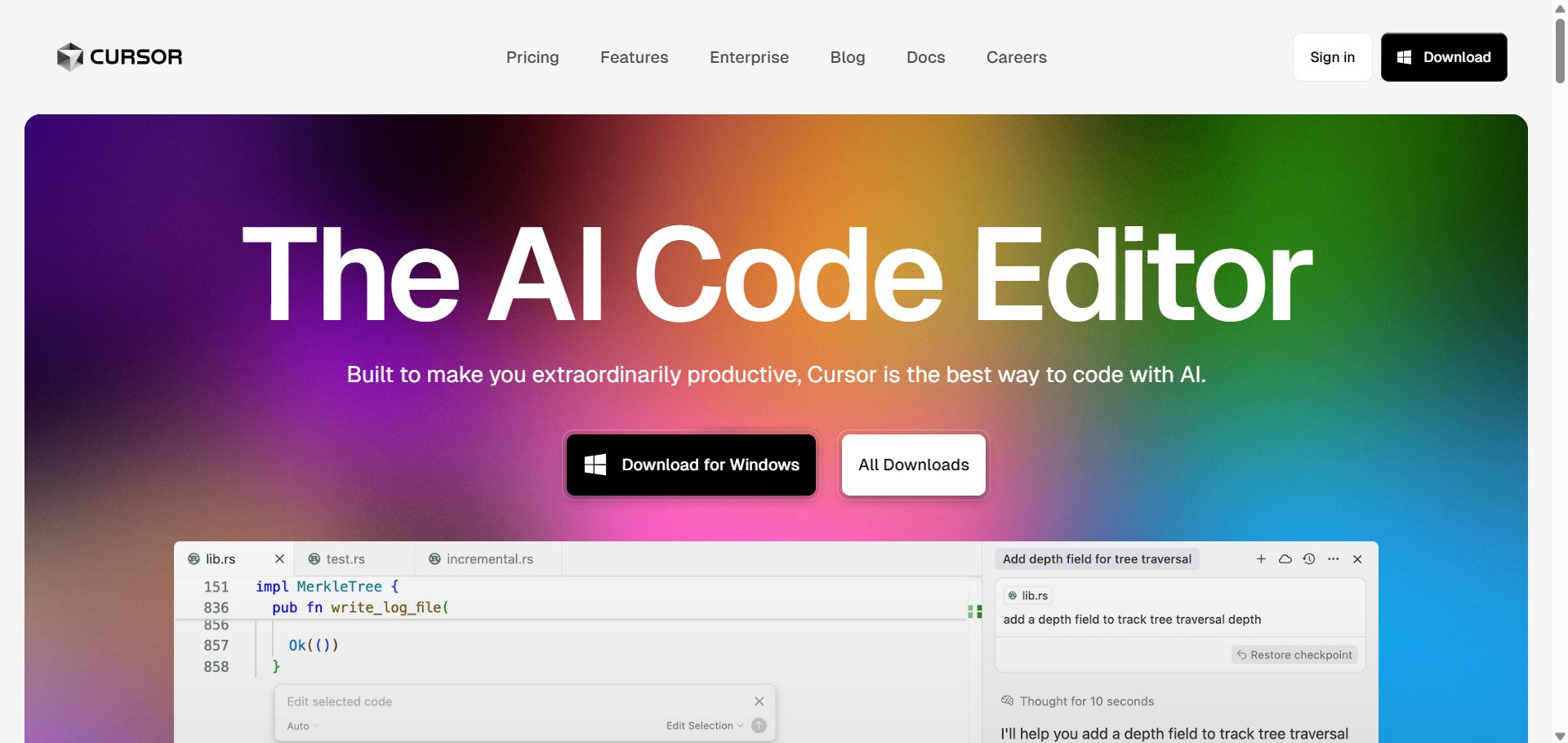
Cursor is an AI-first code editor built on VS Code, with smart completion, chat-based edits, whole-codebase understandin...
About this product
Cursor is one of the most popular AI code editors. Built on VS Code, it keeps VS Code's extensions, shortcuts and workflow while adding deep AI: Tab predicts your next edit as you type, and the Agent in the sidebar understands the whole project, edits across files and runs terminal commands. Cursor is made by Anysphere, which was acquired by SpaceX (now merged with xAI) in August 2026; plans now include Grok model usage too.
Key features
Tab: predicts the code you're about to change — just keep pressing Tab.
Agent: describe what you want and it reads the project, edits multiple files and runs commands and tests.
Choice of models: switch between frontier models from OpenAI, Anthropic, Google and xAI and Cursor's own Composer model.
Cloud agents: hand tasks to background agents in the cloud that keep running when your computer is off.
Bugbot: automatically reviews GitHub PRs for likely bugs.
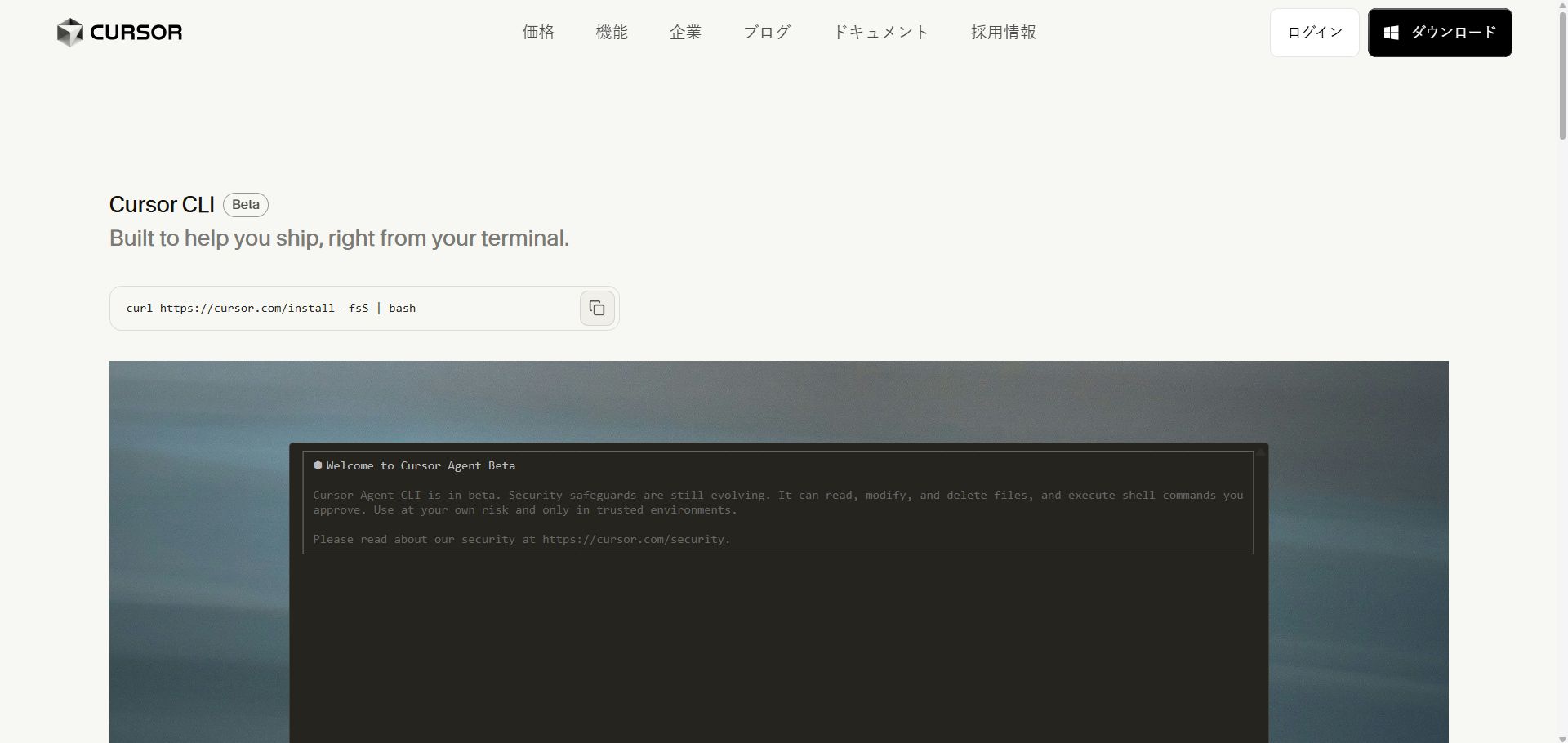
Cursor CLI: use Cursor's agent in the terminal.
MCP, skills and hooks: connect external tools and customise your workflow.
Which plan to choose
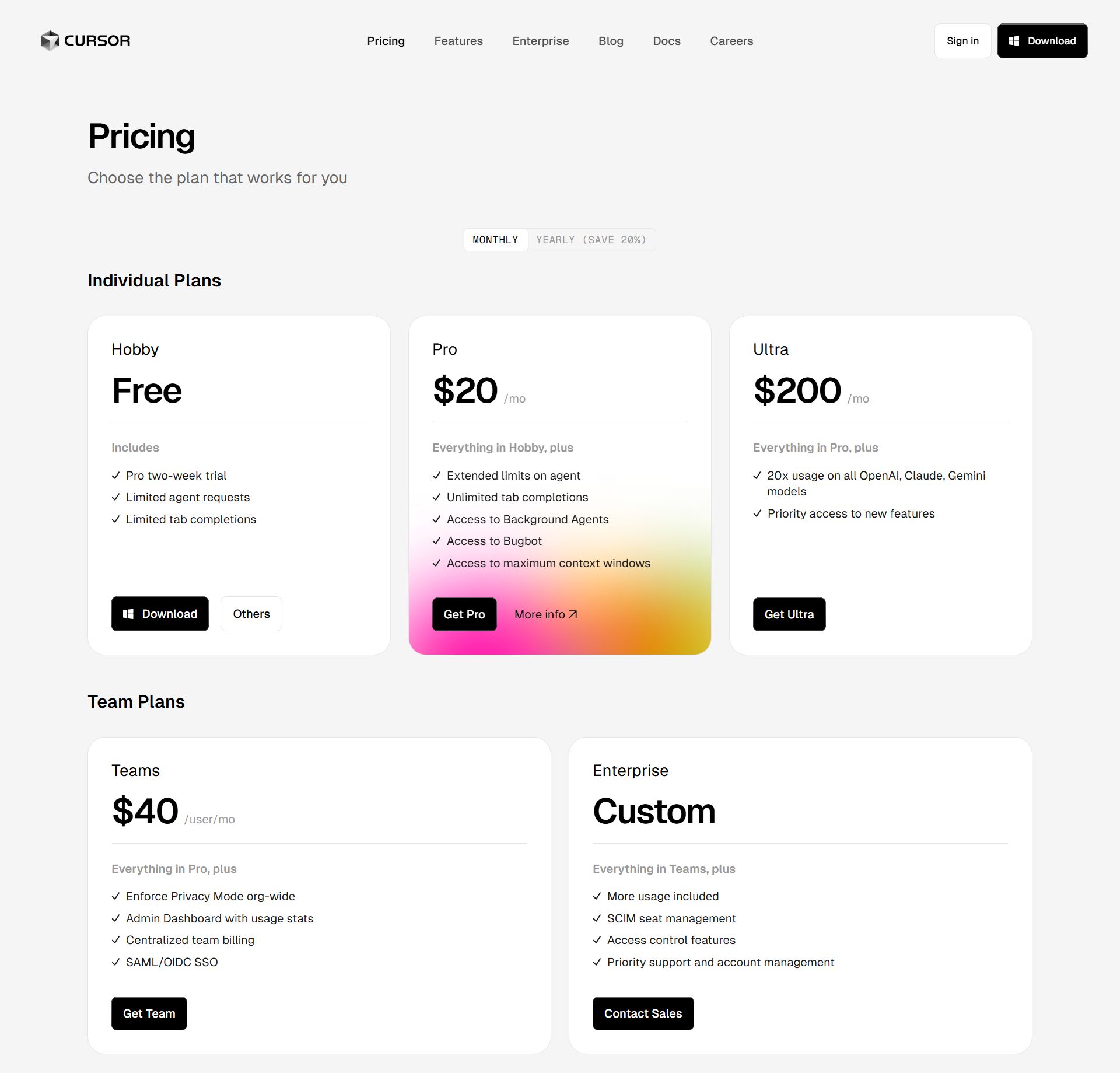
To try it: the "Account" option is the free tier with limited Agent use.
Everyday development: Pro monthly or yearly.
Heavy daily Agent use: Pro+, about 3× Pro's usage.
Full-time power users: Ultra, the highest usage and early access to new features.
Teams: Team plans with central billing and admin; Standard and Premium seats differ in usage.
Paying a price difference: choose "Price difference". See Cursor's website for exact limits.
What Cursor can do for you
Tab · Beginner
Autocomplete as you code
Predicts your next edit — just press Tab.
Download and install Cursor and sign in
Open your project and code as usual
Press Tab to accept the grey suggestions
Agent · Intermediate
Change a whole project with one request
Edits across files, runs tests and fixes errors.
Press Ctrl+I (Cmd+I on Mac) to open the agent panel
Describe the change; it edits files and runs commands
Review each change and accept or reject it
Try asking
Switch all date formatting in the project to dayjs, remove the old moment dependency and run the tests.
Cloud · Advanced
Background cloud agents
Hand long tasks to the cloud and review when they finish.
Hand the task to a cloud agent in Cursor
It keeps working even if you close your computer
Review the changes when it finishes and merge if you are happy
Try asking
Add input validation and error handling to every public endpoint and one test case for each.
Review · Advanced
Bugbot PR reviews
Reviews GitHub PRs automatically and flags likely bugs.
Connect GitHub in Cursor settings and turn on Bugbot
Bugbot reviews each PR automatically
See the issues it finds in the PR comments
Terminal · Intermediate
Cursor CLI
Use Cursor's agent in a terminal or on a server.
Install the Cursor CLI in your terminal following the official instructions
Go to the project folder and run cursor-agent
Describe the task in plain language
Try asking
Check this server's nginx config for syntax errors and explain what each server block does.
Getting started
Import VS Code settings: on first launch you can import your VS Code extensions, theme and shortcuts in one click.
Open a project: File → Open Folder.
Use Tab: write code as normal and press Tab to accept the grey suggestion.
Use Agent: press Ctrl/Cmd + I, describe what you need, then review and accept or reject each change.
Add context: type @ to reference files, folders, docs or web pages for more accurate answers.
Write project rules in .cursor/rules (stack, conventions) and the Agent follows them every time.
Tips
For complex tasks, have the Agent plan first (Plan mode) and approve before it executes.
Commit with Git before changes so you can roll back if the Agent breaks something.
Match the model to the task: a fast model for small edits, the strongest for big refactors.
Check before buying
No after-sales for accounts; membership refunds need a refund-email screenshot.
Try the free account first before choosing a plan.
Cursor official tools
An AI code editor. Besides the desktop editor there is a CLI, cloud agents you can start from a browser or phone, an iPhone app, Bugbot code review and Automations. The subscription is shared with Grok.
Compiled by 5buyai from official websites, directories and GitHub repositories — not an official page; plan details follow the official terms · Plans checked 2026-10-21
🙋 Manual delivery⏰ Working hours UTC+8 09:00–21:00📧 Sent to your order email, also viewable once on the order page
Buy a new account
Nothing needed from you — just wait for delivery after paying.
For: Account
Recharge my account
After paying, provide on the order page: Account, Password, Notes (optional)
For: Ultra monthly membership, Team monthly (Standard seat), Team monthly (Premium seat), Plus monthly, Premium monthly membership, Super monthly membership, Team monthly (Ultra seat)
Other
Nothing needed from you — just wait for delivery after paying.
For: Price-difference top-up
After-sales policy
① No after-sales support for accounts!
② For memberships, send support a screenshot of the refund email for verification; we refund the remaining days of the price paid minus a ¥10 fee. (Example: Pro monthly bought for ¥165 and banned after 7 days: (165 − 10) ÷ 30 × (30 − 7) = ¥119.)
What AI services does 5buyai.com support? Can I get an invoice?
Accounts, subscriptions and top-ups for ChatGPT, Claude, Midjourney, Gemini, Grok and other major AI tools. Invoices are available for AI orders paid in Chinese yuan (CNY).
How do I receive my order after paying?
Orders are delivered manually: after successful payment, the account or card code is sent to your order email during working hours (9:00–21:00, UTC+8). You can check your order details anytime on the order lookup page by order number, email or browser cache.
What payment methods are supported?
Alipay, WeChat Pay, USDT, and Credit Card payments. Credit card payments require first topping up your balance, and then using the balance to purchase products.
Do I need an account to buy?
No. You can check out as a guest and receive items by email; registering lets you manage orders, balance and invoices in one place.
Are prices shown in CNY?
All prices are listed in Chinese Yuan (¥). When paying with USDT the amount is converted automatically at the live rate.
Is there after-sales support?
After-sales support is available for some products, handled via live chat or the order dispute page. Accounts are virtual products: once delivered, no refunds are given unless there is an after-sales issue. CNY refunds and USD refunds are only made back to the original payment method, and USDT refunds are only made on the BSC network.
I am a business buyer and need to make a bulk purchase. How can I get in touch?
Please click the chat widget at the bottom-right corner to reach us and leave your email or other contact details. We will get back to you as soon as possible.
No reviews yet — be the first to review after your purchase.
Disclaimer
This is an independent third-party platform, not affiliated with, endorsed by, or authorized by any brand mentioned. We do not host any third-party login page and do not collect third-party credentials.
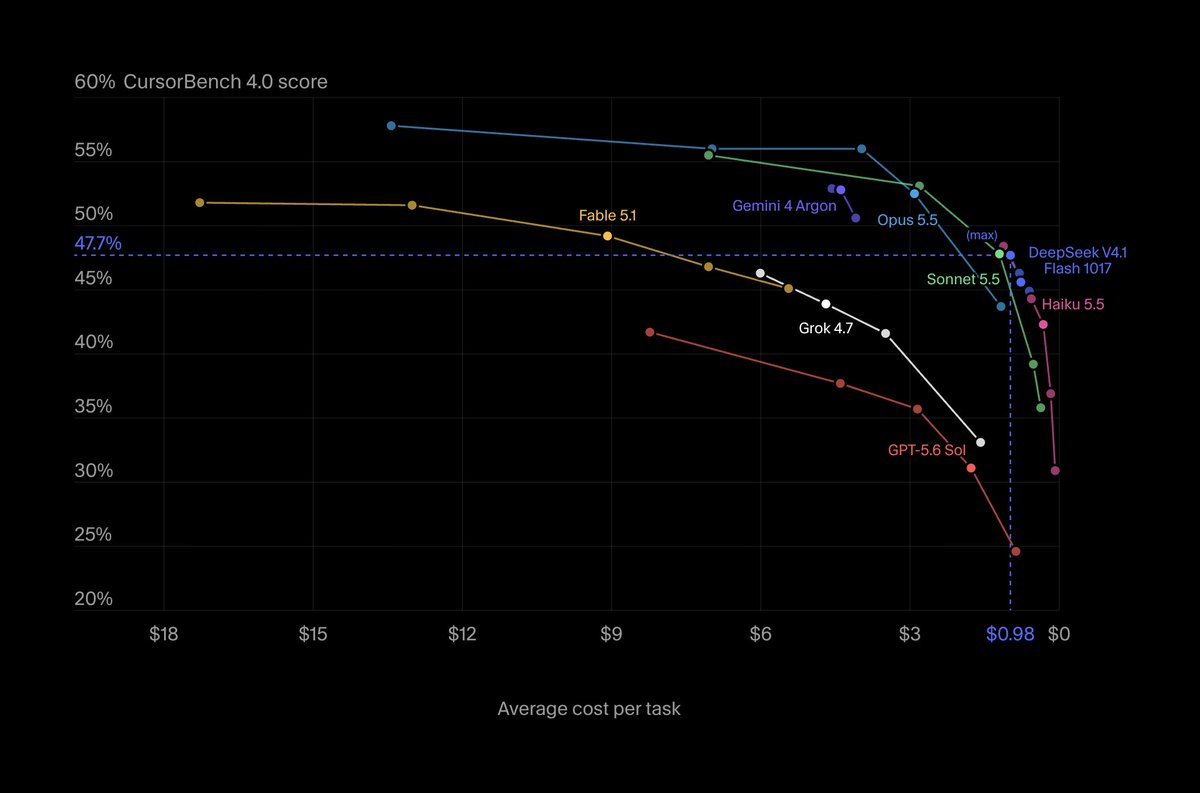
DeepSeek V4.1 Flash is now available in Cursor!
Every effort level sits on the CursorBench cost frontier: from $0.60 to $0.98 per task, no model scores higher.
Turn it on in Cursor Settings > Models.


 Cursor official tools