Canva is an online design tool with huge template libraries and drag-and-drop editing for posters, social graphics, pres...
About this product
Canva is the world's most popular online design platform, with huge numbers of templates — posters, social graphics, presentations, résumés, videos, logos, business cards — for professional results by drag and drop. Canva AI and Magic Studio generate designs from a sentence, write copy, create and edit images, remove backgrounds and resize for any platform; Canva also includes the pro design app Affinity, and teams can collaborate in real time.
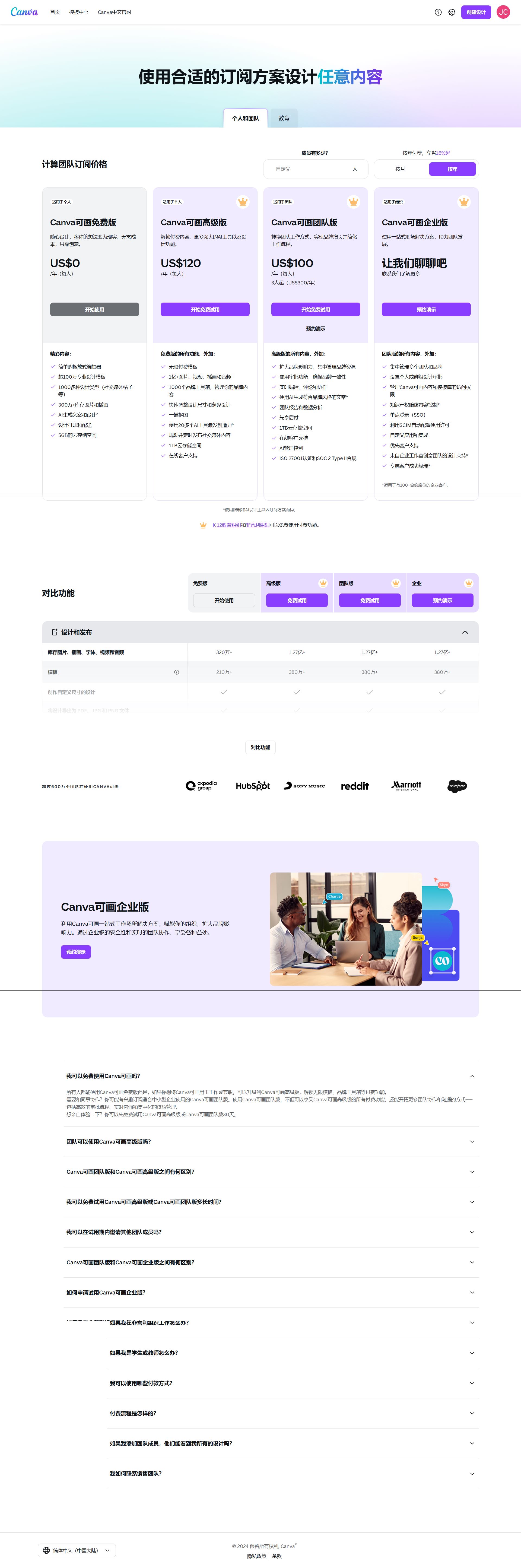
Which plan to choose
Free: lots of free templates and core features.
Canva Pro: all premium templates and assets, background remover, Magic Resize, Brand Kit, more AI usage and storage.
Design with Canva
Templates · Beginner
Drag-and-drop templates
Posters, slides, résumés and social graphics.
Sign in at canva.com and search for the design type
Pick a template and replace the text and images
Download as PNG or PDF, or share a link
AI · Beginner
AI designs and edits
Designs from a sentence, one-click cut-outs.
Open Magic Media or Canva AI in the editor
Describe the image or design to generate
Select a photo and use Background Remover
Video · Beginner
Edit short videos
Template-based video editing with captions and music.
Choose a video template
Upload clips and drag them onto the timeline
Add captions and music and export as MP4
Getting started
Pick a template: search "poster", "Instagram post", "résumé" and so on.
Edit text, images and colours, and drag things into place.
Use AI: describe a design to Canva AI, edit images with Magic Edit or remove backgrounds.
Export and share as PNG / PDF / MP4, or publish straight to social platforms.
Tips
Set your logo, colours and fonts in Brand Kit to keep every design consistent.
Use Magic Resize to turn one design into every platform size.
🙋 Manual delivery⏰ Working hours UTC+8 09:00–21:00📧 Sent to your order email, also viewable once on the order page
What AI services does 5buyai.com support? Can I get an invoice?
Accounts, subscriptions and top-ups for ChatGPT, Claude, Midjourney, Gemini, Grok and other major AI tools. Invoices are available for AI orders paid in Chinese yuan (CNY).
How do I receive my order after paying?
Orders are delivered manually: after successful payment, the account or card code is sent to your order email during working hours (9:00–21:00, UTC+8). You can check your order details anytime on the order lookup page by order number, email or browser cache.
What payment methods are supported?
Alipay, WeChat Pay, USDT, and Credit Card payments. Credit card payments require first topping up your balance, and then using the balance to purchase products.
Do I need an account to buy?
No. You can check out as a guest and receive items by email; registering lets you manage orders, balance and invoices in one place.
Are prices shown in CNY?
All prices are listed in Chinese Yuan (¥). When paying with USDT the amount is converted automatically at the live rate.
Is there after-sales support?
After-sales support is available for some products, handled via live chat or the order dispute page. Accounts are virtual products: once delivered, no refunds are given unless there is an after-sales issue. CNY refunds and USD refunds are only made back to the original payment method, and USDT refunds are only made on the BSC network.
I am a business buyer and need to make a bulk purchase. How can I get in touch?
Please click the chat widget at the bottom-right corner to reach us and leave your email or other contact details. We will get back to you as soon as possible.
No reviews yet — be the first to review after your purchase.
Disclaimer
This is an independent third-party platform, not affiliated with, endorsed by, or authorized by any brand mentioned. We do not host any third-party login page and do not collect third-party credentials.
A few ways you can start putting Brush to work for you:
🎨 Restyle an image
🪄 Make changes across a multi-page design
🔄 Remix and repurpose assets for different channels
Available for Canva Pro subscribers, with more availability coming soon.
Start working with Brush in
Great design happens in the edit. Brush is trained to support every step from draft to publish.
We started from a leading open-weights model, post-trained on real design and editing tasks using a combination of design expertise and anonymized insights from people who opted in to
With Brush, creating with Canva AI is now:
🚀 69% faster for general design editing tasks (vs. our previous agent)
🚀 46% lower cost per edit task (vs. our previous agent)
🚀 100% in your control, as every design is always editable
Remix and refine your ideas at the speed of
Introducing Brush: Our first vision-language model for design. 🖌️
Brush sees your design’s layout, layers and vibe the way you do, and edits alongside you. Fix one line of text, restyle a whole deck or build from a blank page.
See what Brush can do 👇