
You can change your ChatGPT sign-in email on the web to a long-term address such as Outlook, Gmail, QQ, or 163. Do this while the old mailbox can still receive mail.
Check these conditions first
- You must use the web (not the iOS or Android apps), can sign in to the current account, and can open both the current inbox and the new inbox.
- The new address does not already belong to another OpenAI account.
- The account is a personal account that can be changed by you: it is not in a Business, Enterprise, or Edu workspace and does not use organization SSO.
If you signed in with Google, Microsoft, or Apple and have not added an OpenAI password, add one first at Settings > Security. Adding a password does not relax the conditions above. If you registered with only a phone number, select Add under Account > Email first.
Change the email on the web, step by step
Open chatgpt.com in a computer browser and sign in. The screenshots may look slightly different from the current page; follow what you see on screen.
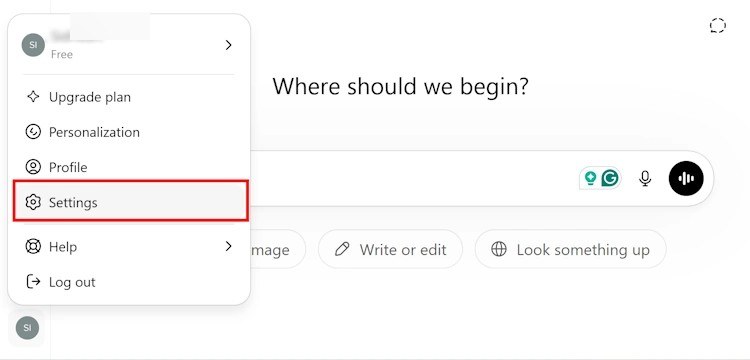
Click your profile in the lower left, then select Settings.
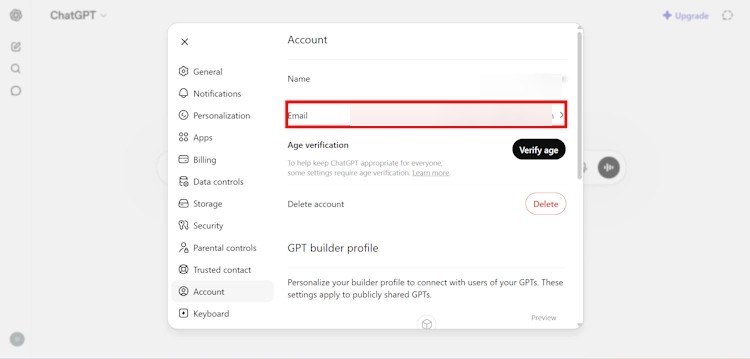
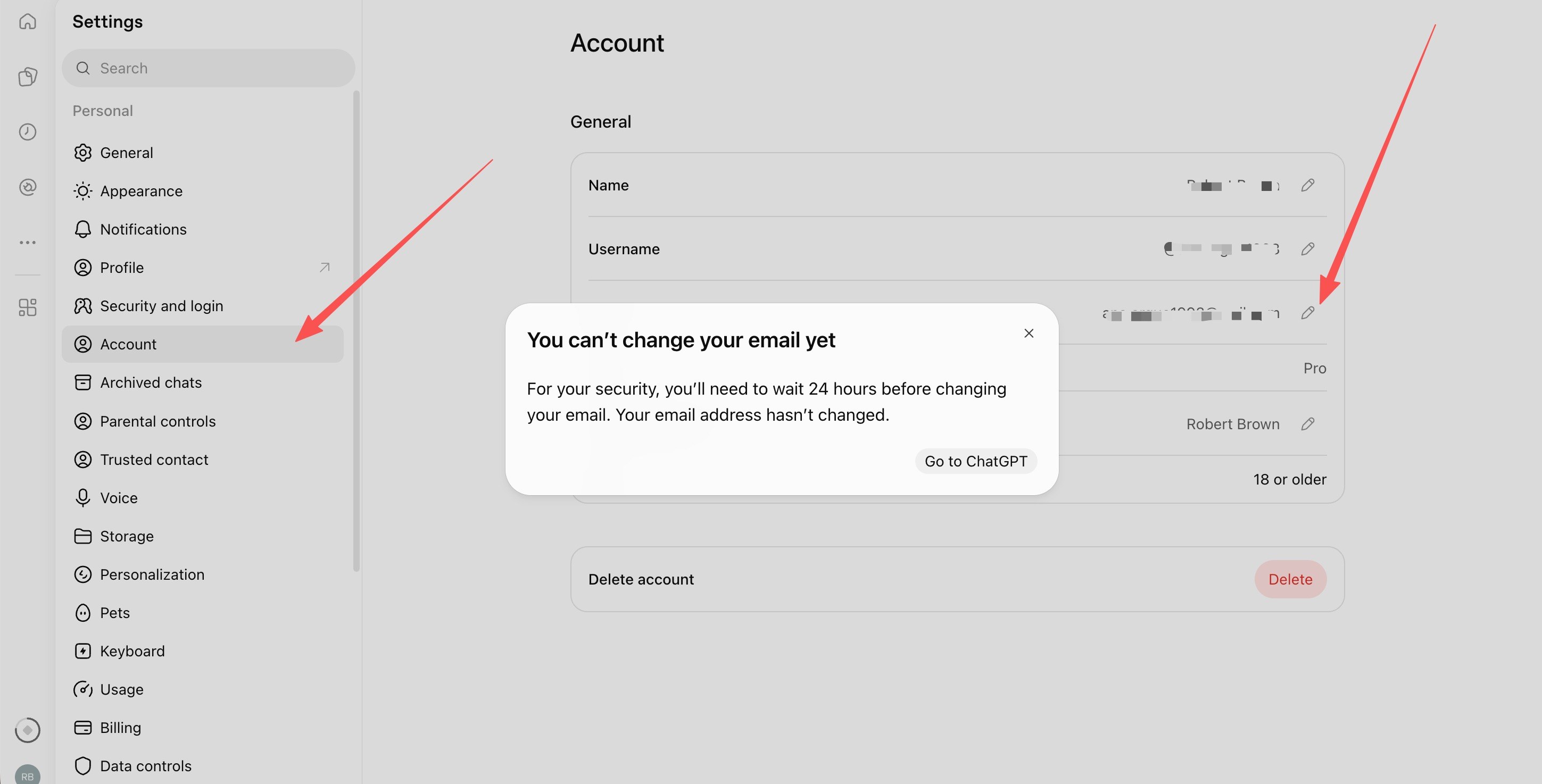
Open Account and find Email. Some pages use the arrow to the right of the address; newer full-page Settings often show an edit icon.
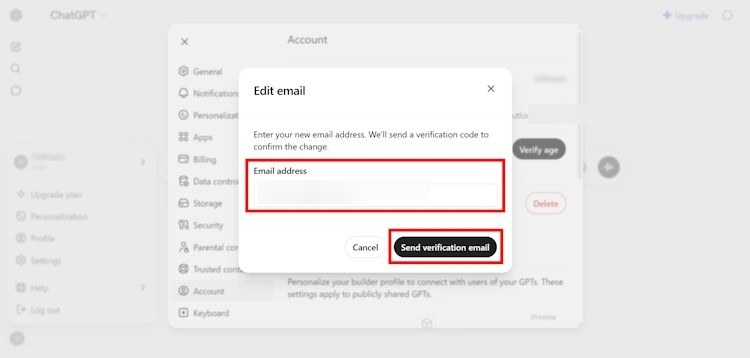
Enter the new email address and select Send verification email. If prompted, complete any sign-in verification first.
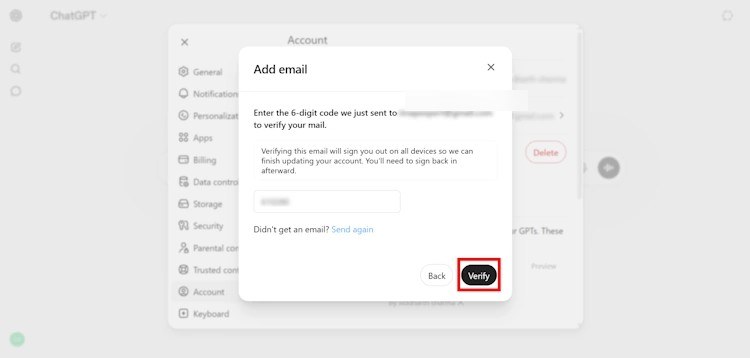
Open the new inbox, enter the 6-digit code, and select Verify; also check the spam folder if the message does not arrive. The image below is a verification-screen reference from the Add email flow, not the change-email dialog itself; changing the email likewise requires verifying the new address, after which you are signed out on all devices and should sign back in with the new email.
If the page says you cannot change the email yet and need to wait 24 hours, wait as instructed and try again; the current email has not been changed. Officially, you must also wait at least 24 hours after creating an account; you can change the email at most twice in a rolling 24-hour period and 20 times over the life of the account; and if you see a temporary security hold, wait for the time shown on the page.
FAQ
Will my history and subscription stay after I change the email?
You are changing the sign-in email on the same account. Officially, chat history, projects, settings, and a paid subscription are kept. They will not transfer if you create a new account instead.
What if I can no longer open the old mailbox?
Try to recover it through the email provider first. Once it can receive mail again, you can still follow the steps above. If it cannot be recovered, you cannot change the email yourself, and OpenAI Support cannot make an exception.
Steps and limits were checked on 2026-11-13 against the OpenAI Help Center article Changing your OpenAI account email address; follow the live help pages if they change. Figures 1 to 4 come from a SysTools Group tutorial published in June 2026 and are not from tests on this site; visible email addresses in those images were additionally redacted. Figure 5 is a user-provided Account page screenshot.