Some readers noticed that a new Claude account is sent to the Verification Portal for identity checks, while another account hitting the Max subscription checkout gets a Persona link that looks different. This article only compares what is visible in the interface and URL format. It does not cover any way to bypass verification.
We cover five things: what the two entry points look like, how the link structures compare, what language=en actually is, what really affects approval, and how to keep your verification link safe.
1. What the two entry points look like
Account verification (Verification Portal)
When an account is asked to verify, the Claude home page shows a banner reading “Some features are unavailable until you complete a verification for your account,” and a notice above the message box says replies are unavailable. Click Open Verification Portal, go to Complete verification, click Start next to Identity verification, and you reach the Verify with your camera page, where Persona collects an ID photo and a short selfie video.
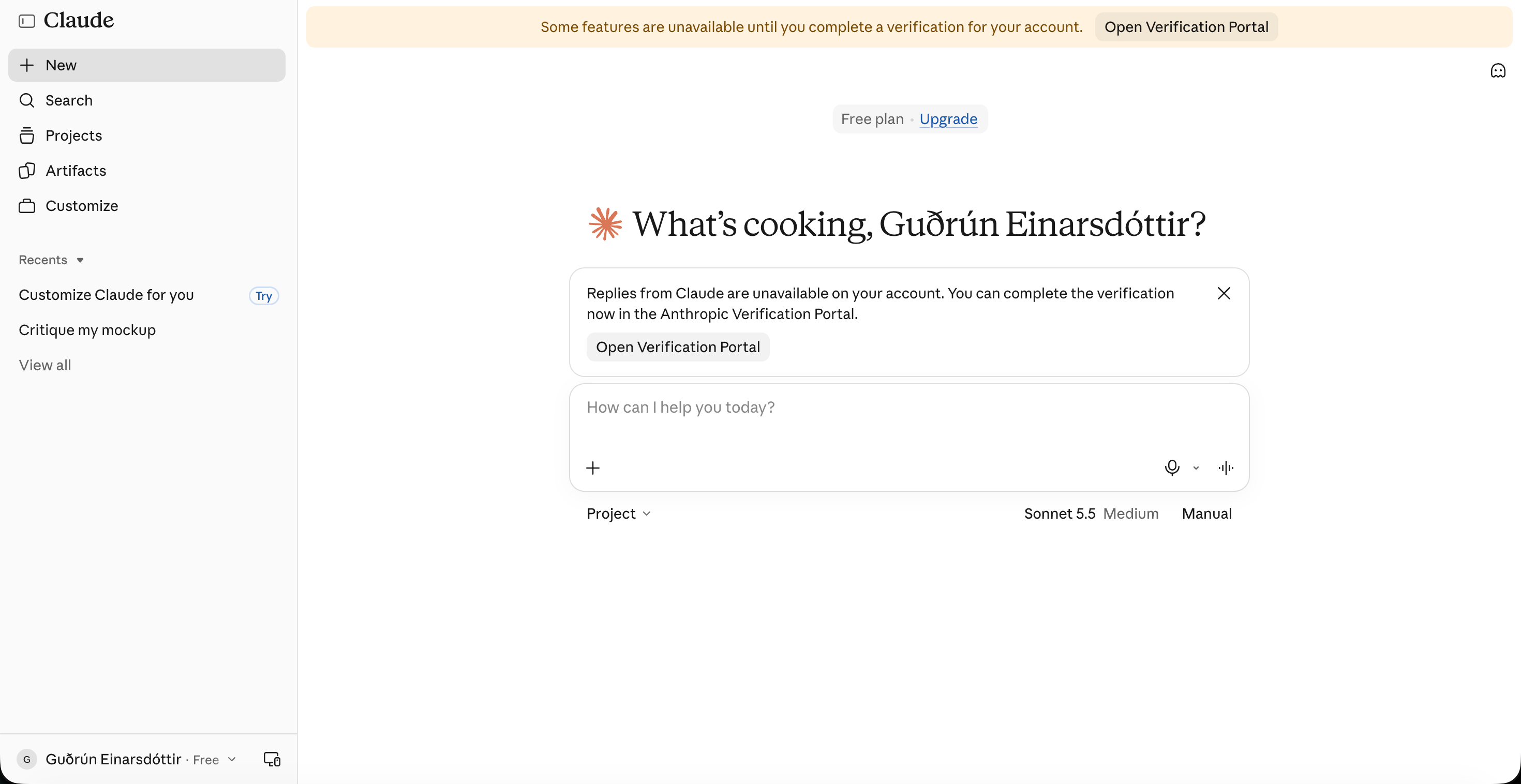
Figure: the Claude home page when an account is asked to verify
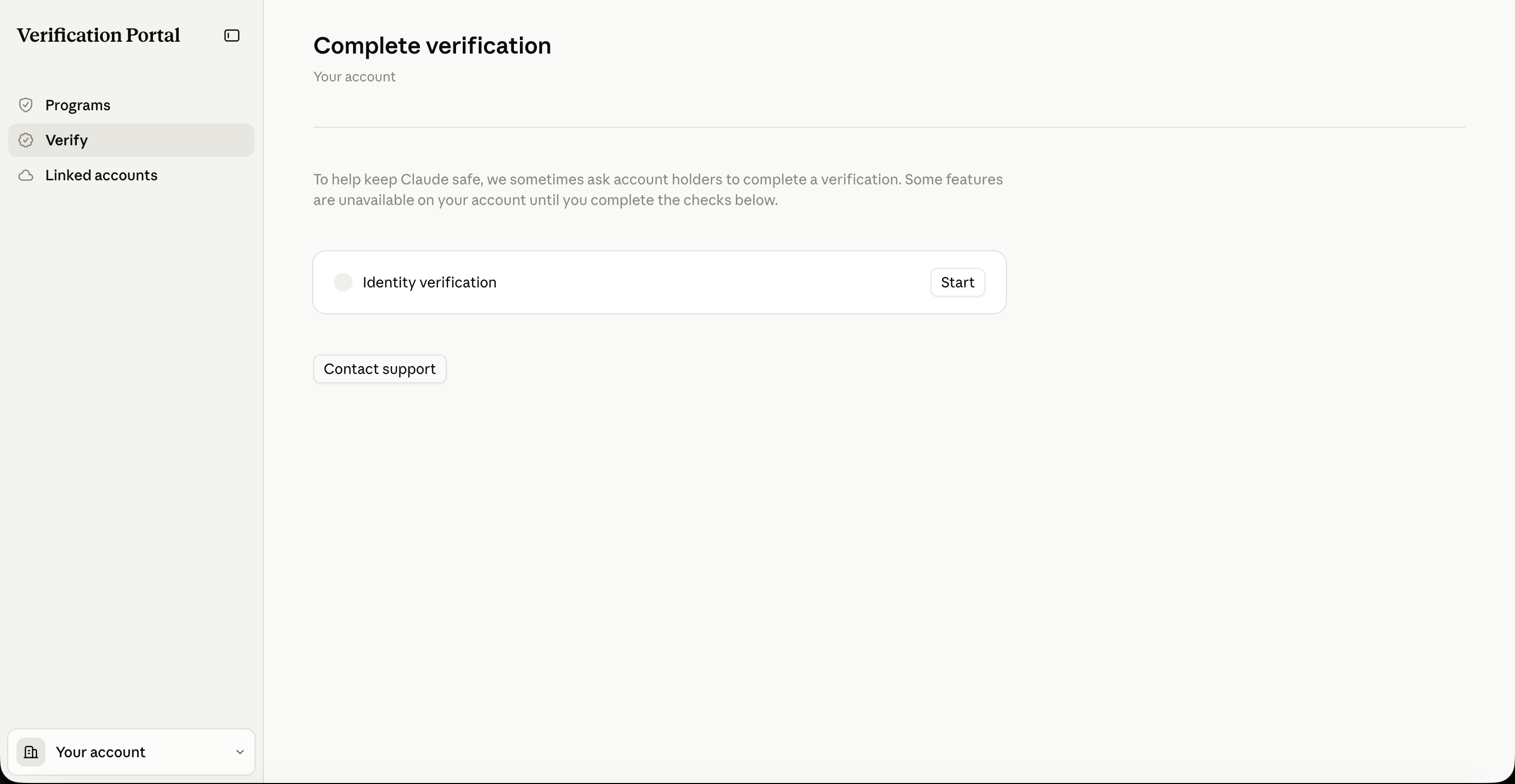
Figure: the Complete verification page in the Verification Portal
Verification during Max checkout
Another account upgrading to Max is also sent to a Persona page under inquiry.withpersona.com/verify. The vendor is the same; only the trigger differs.
2. Comparing the two link structures
Side by side, the structure is the same: both use the inquiry.withpersona.com domain, the /verify path, an inquiry-id and a session-token. Only one thing differs visibly:
| Item | Account verification link | Max checkout link |
|---|---|---|
| Domain and path | inquiry.withpersona.com/verify | inquiry.withpersona.com/verify |
| inquiry-id | Different each time | Different each time |
| session-token | Different each time, single session | Different each time, single session |
| Trailing parameter | No language parameter | Ends with &language=en |
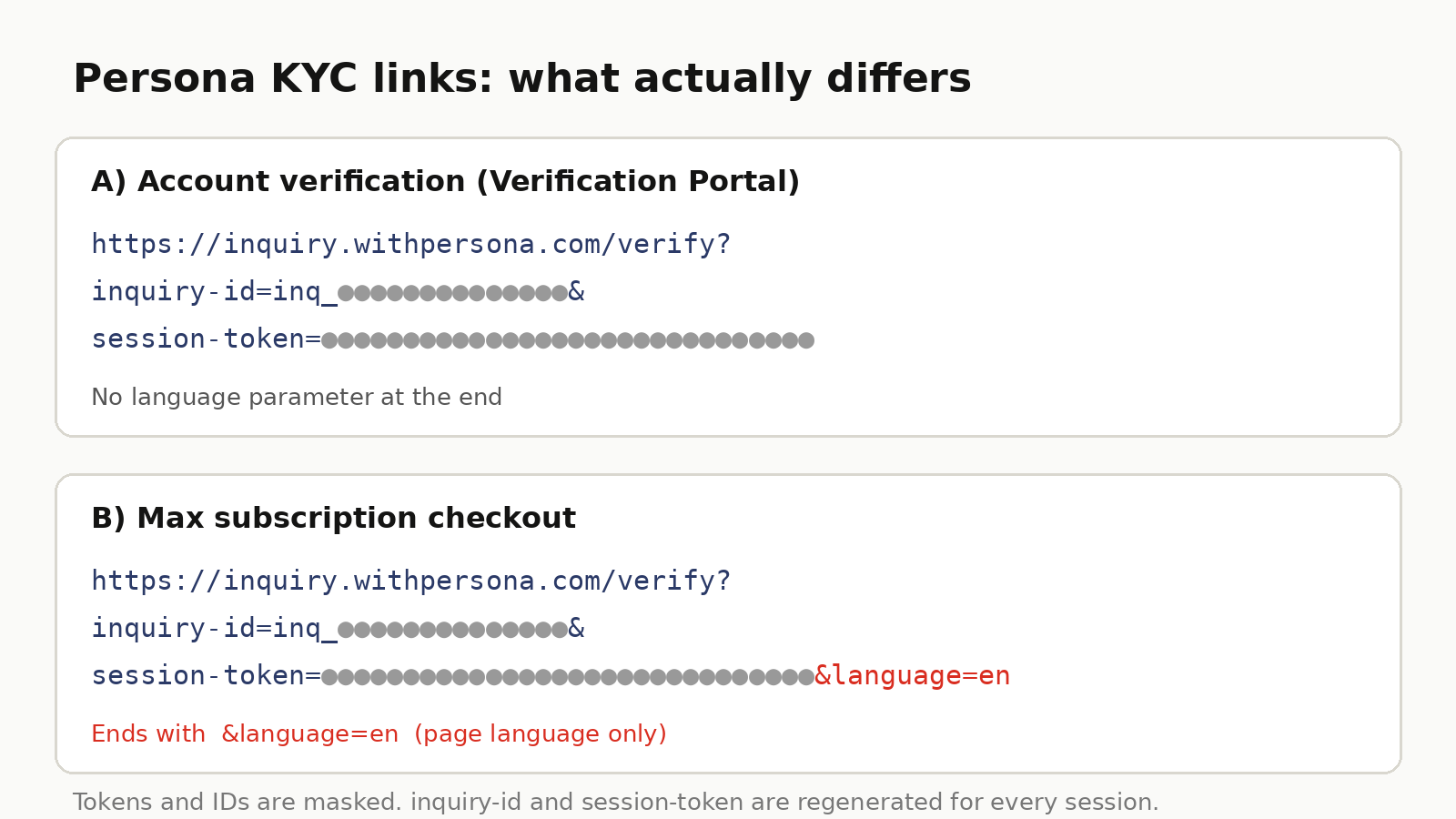
Figure: how the two links end (token masked)
3. What language=en means
By its name, language=en sets the page language to English, and nothing suggests it changes review standards. The inquiry-id and session-token are regenerated every time, so two links looking “completely different” is expected and does not mean two different rule sets.
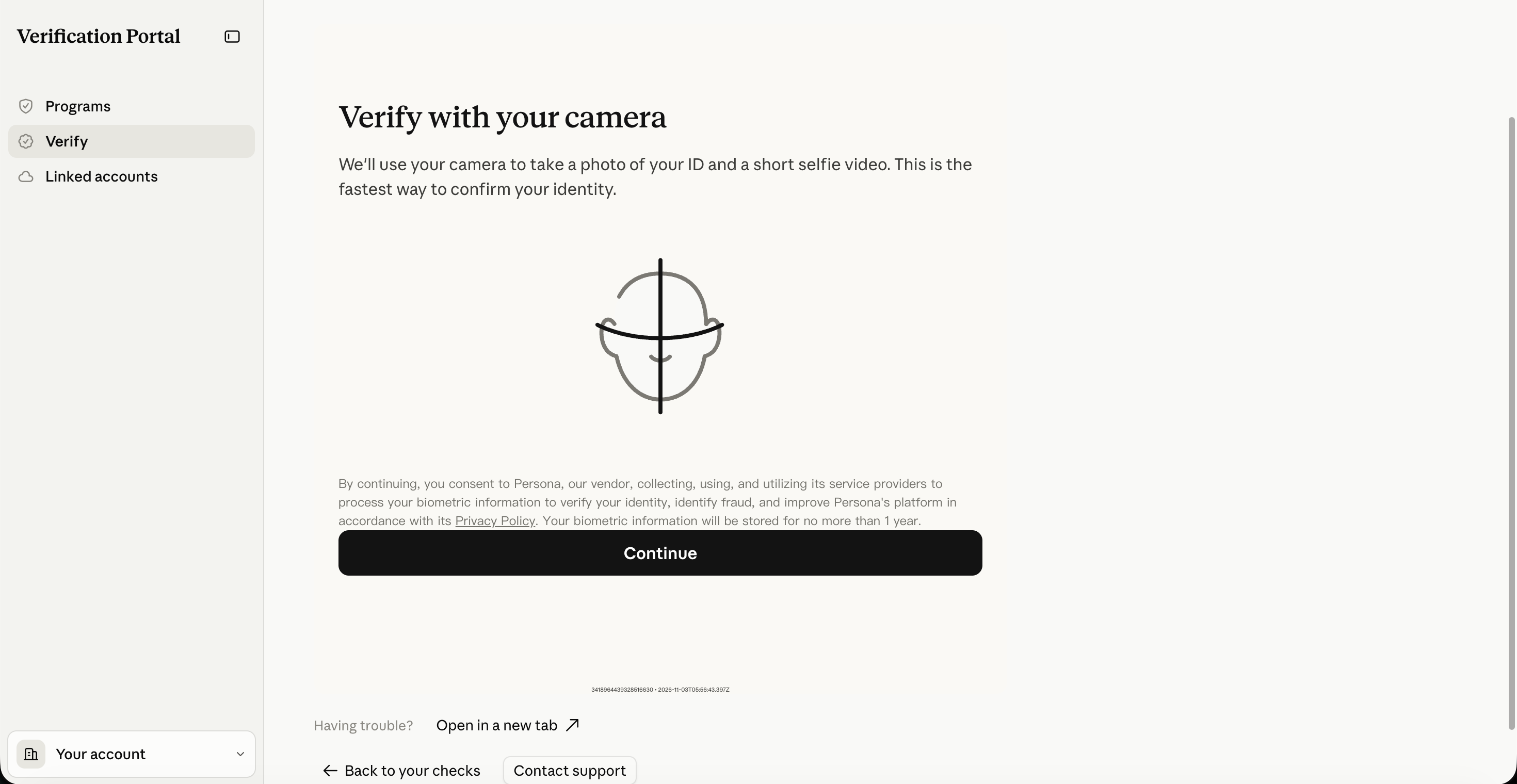
Figure: a screenshot of the Persona verification page
Some users report that the Max checkout verification feels easier to pass. That is an individual experience, not an official statement, and it cannot be inferred from the URL. Approval is decided by Anthropic and Persona, so don't treat it as a conclusion.
4. What actually affects approval
- ID document: use your own, unexpired ID with intact edges, no glare or obstruction.
- Selfie: good lighting, face the camera, and follow the on-screen prompts such as turning your head.
- Matching information: the details on the ID should match your real identity.
- Network and device: allow camera access; if the page stalls, try Open in a new tab at the bottom of the page.
Worth noting: the page says biometric information is stored for no more than one year. Read the privacy notice before you continue.
5. Security: never share your verification link
The session-token in the link belongs to one specific verification session. Sending the full link to someone else, or posting it publicly, may expose your verification flow. Blur the entire token before sharing screenshots, and never use another person's link to verify your own account.
The exact flow and requirements for both entry points follow Anthropic and Persona's official pages and may change. If you get stuck, use Contact support on the page first.
When you reach a verification page, first confirm the address is inquiry.withpersona.com or Claude's own Verification Portal, then complete it with your own ID as prompted. For more Claude account tutorials, browse the other articles on 5buyai.com.