
OpenAI recently sent ChatGPT Pro users an email sharing real conversations from 10 experts across very different fields: a race car driver, a demolition contractor, a geneticist, a rapper, a mathematician, a sake brewer, and even a Buddhist monk. What they have in common: none of them treat ChatGPT as a chatbot. They use it as an assistant in their professional work.
This article groups the 10 cases into four types of use, breaks down how each expert asked their question, and ends with prompting techniques and a general-purpose template you can copy directly.
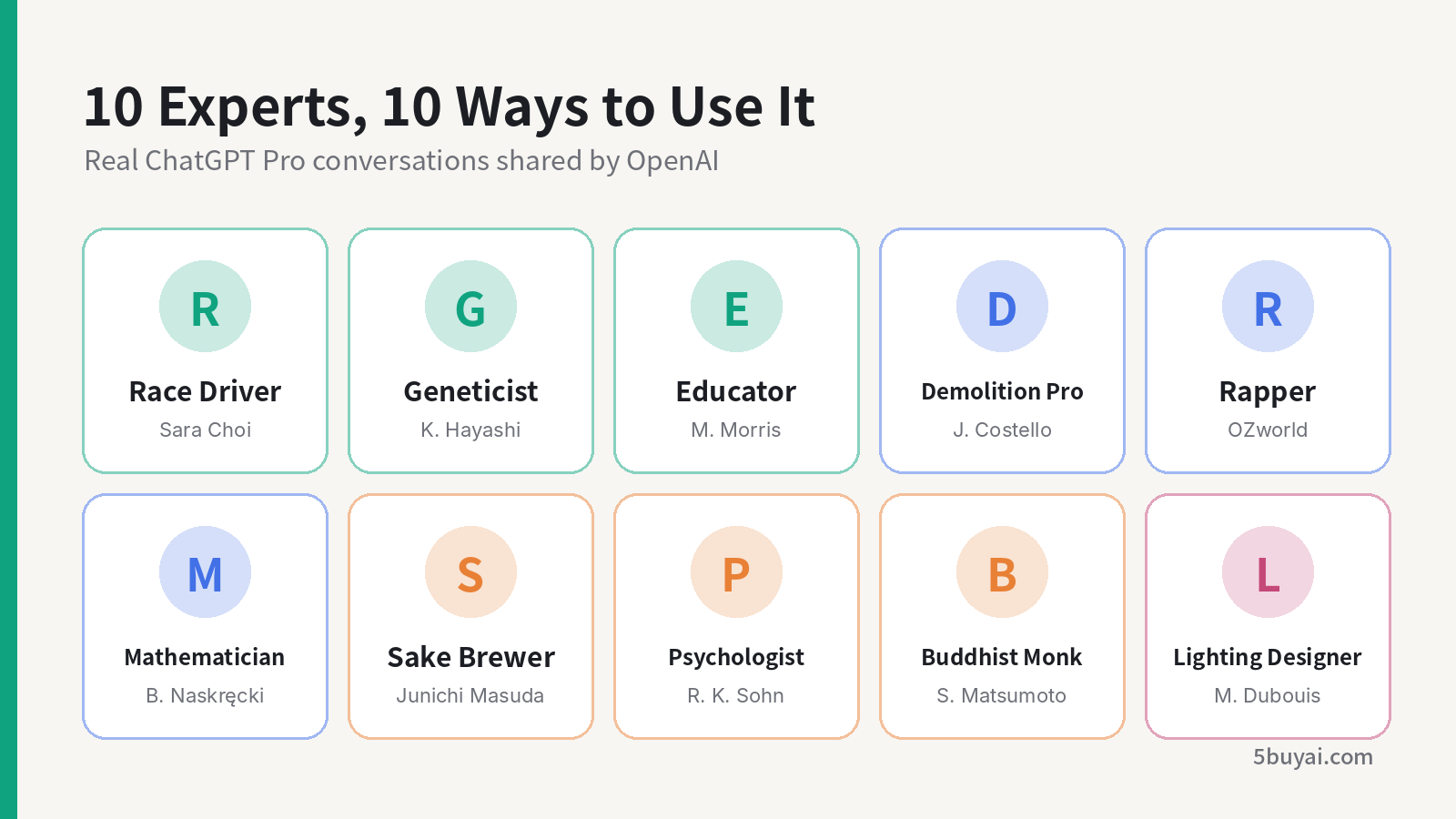
The 10 experts grouped into four types of use
1. Getting Up to Speed in an Unfamiliar Field
The first type of use is the most common: when you hit a problem you don't know well, ask ChatGPT to explain it in terms of the experience you already have.
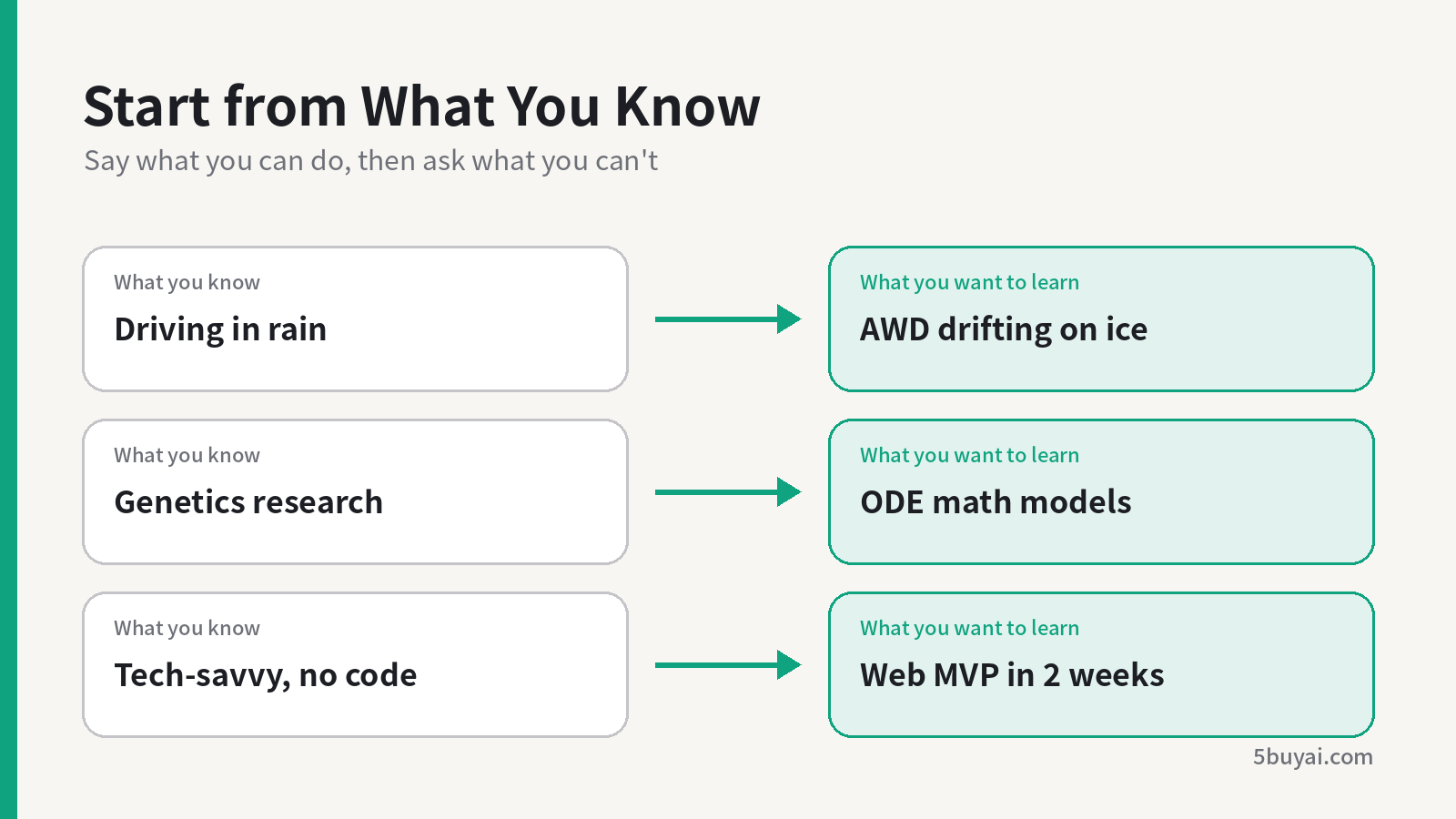
Starting from what you know to understand an unfamiliar field
Race Car Driver Sara Choi: From Rain to Ice
Having grown up in Hawaii, Sara is used to driving in the rain, but this time she was heading to Montana to drive a Lancia Delta Integrale in an ice race. She asked ChatGPT: how should she control this all-wheel-drive car when drifting on ice, and how does the correct technique differ from a rear-wheel-drive drift car?
Geneticist Dr. Katsuhiko Hayashi: Bringing Math Models into Research
Dr. Hayashi asked ChatGPT to explain ordinary differential equation (ODE) models and how they can be used to predict oocyte depletion in the ovaries. It's a classic case of borrowing tools across disciplines: a biologist using mathematical methods to make predictions.
Educator Dr. Muhsinah Morris: Building a Digital Tutor Without Code
Dr. Morris wanted to build a conversational tutor for her online learning academy that teaches in her own style. She made clear that she is tech-savvy but can't code, and asked ChatGPT for specific, concrete steps plus a two-week task breakdown to help her build a minimum viable product (MVP) of a web app.
Takeaway: State your starting point first ("I'm used to driving in the rain," "tech-savvy but can't code"), then ask ChatGPT to compare the new knowledge with what you already know. The explanation you get won't be too shallow, and it won't go beyond what you can handle.
2. Handing Files and Data to ChatGPT for Analysis
The second type of use is uploading drawings, spreadsheets, or source files directly, and letting ChatGPT handle sorting and calculations that would otherwise take hours.
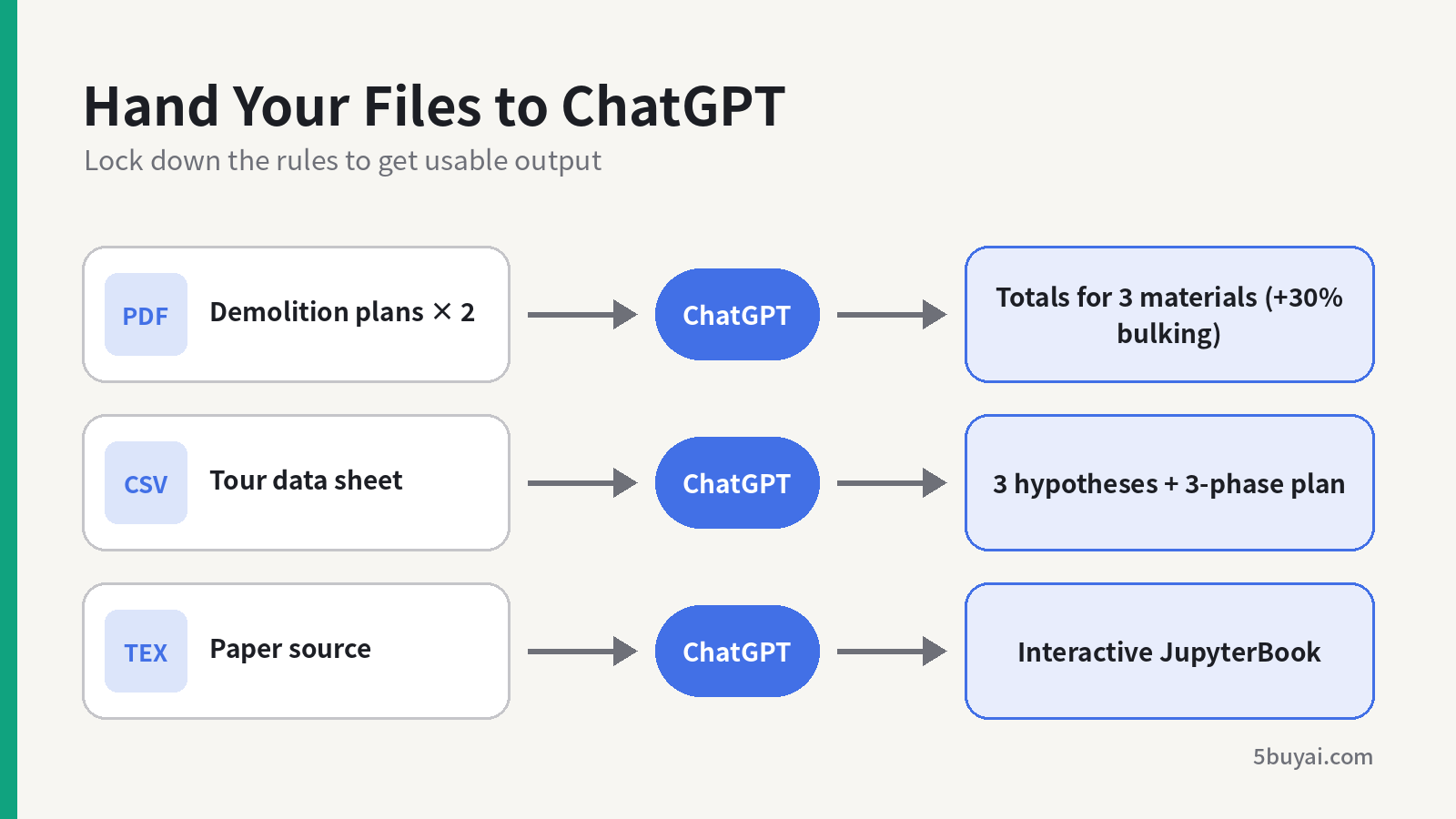
Input files and outputs from three cases
Demolition Contractor James Costello: Calculating Quantities Before a Bid
Costello uploaded two PDFs, an architectural plan and a civil removals plan, and asked ChatGPT to summarize the scope of demolition and haul-off work and estimate the volume of debris. He spelled out the calculation rules clearly: calculate concrete, pavers, and stone separately; use the larger thickness; treat the existing concrete slab as 6 inches thick; then add a 30% bulking factor, and report totals only.
Rapper OZworld: Finding Out Why Tickets Weren't Selling
OZworld uploaded a tour data sheet covering venue capacity, the ticket sales timeline, the promotion schedule, budget, and creative assets. He asked ChatGPT to first propose 3 hypotheses for weak ticket sales, then give action recommendations in three phases (72 hours, two weeks, two months), set KPIs to track improvement, and point out common risks and how to avoid them.
Mathematician Dr. Bartosz Naskręcki: Turning a Paper into an Interactive Book
Dr. Naskręcki uploaded the LaTeX source of a math paper along with its bibliography, and asked ChatGPT to convert it into an interactive JupyterBook. The requirements: keep the original text unchanged while adding commentary, explanations, missing definitions, and background alongside it; keep a consistent style throughout, with colored boxes highlighting theorems, definitions, propositions, and lemmas; and move the code from the original into an appendix with explanations.
Takeaway: Lock down the calculation rules (use the larger thickness, 6 inches, add 30%) and lock down the output structure (3 hypotheses, three phases, totals only). The clearer the rules, the more usable the result, and the easier it is to check for mistakes.
3. Professional Writing and Cross-Language Expression
The third type of use is writing and translation, where the point isn't just "translating correctly" but sounding natural and keeping the meaning intact.
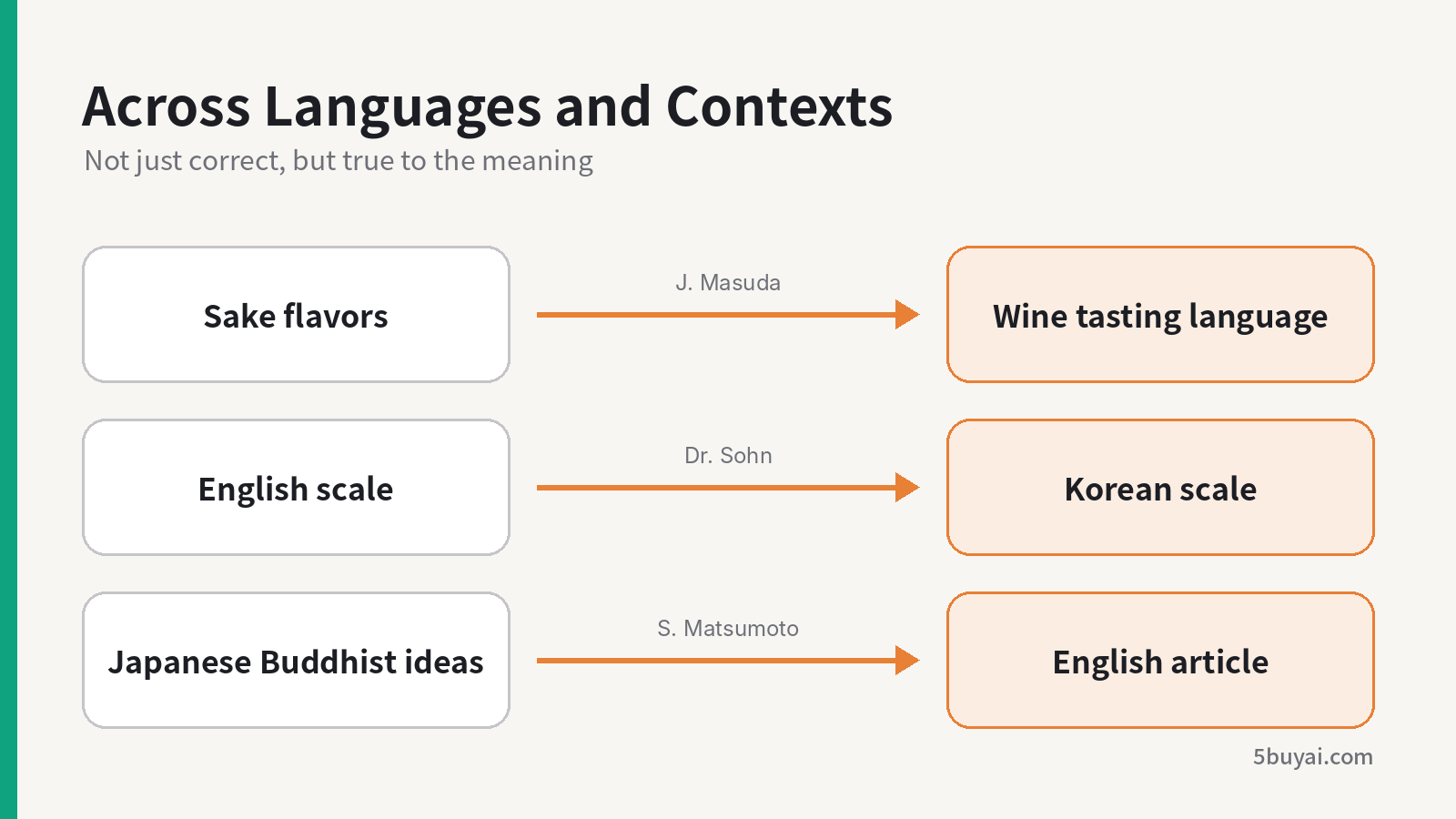
Three cases of expression across languages and contexts
15th-Generation Sake Brewer Junichi Masuda: Describing Sake in the Language of Wine
Mr. Masuda asked ChatGPT to act as a wine sommelier and, using the product PDF for the new sake, write tasting notes in the vocabulary commonly used for wine for a junmai daiginjo named "Yanagi." Borrowing wine's vocabulary makes it easier for overseas consumers to understand the flavors of sake.
Psychologist Dr. Richard K. Sohn: Building a Bilingual Anxiety Scale
Dr. Sohn wanted to build a 1-to-10 anxiety scale for bilingual patients, divided into five bands: 1–2 no anxiety, 3–4 mild, 5–6 moderate, 7–8 high, and 9–10 extreme anxiety (unable to think about anything other than the anxiety). He asked ChatGPT to define each level in English, then translate it into Korean.
Buddhist Monk Shoukei Matsumoto: Finding What Gets Lost in Translation
Matsumoto was writing an English article explaining Buddhist concepts. He uploaded the Japanese original and the English translation, but specifically asked ChatGPT not to translate yet. Instead, it should first point out the three areas where meaning is most likely to be lost or distorted when going from Japanese to English, then ask him questions about those distortions.
Takeaway: "Don't start yet; point out the problems first, then ask me" is an extremely useful line. Having ChatGPT ask you questions before it starts writing keeps it from filling in gaps on its own when information is missing.
4. Comparing Product Specs Across Markets
The fourth type of use is comparison and selection, which fits procurement, overseas expansion, or switching suppliers.
Lighting Designer Mickael Dubouis: Finding Replacement Fixtures in China
Dubouis was working in China on a live musical and needed suitable fixtures. He asked ChatGPT to compare the Robe Spiider he usually uses with the locally available Acme Neozone, listing lumens, power consumption, size, weight, beam angle, and field angle in a side-by-side table.
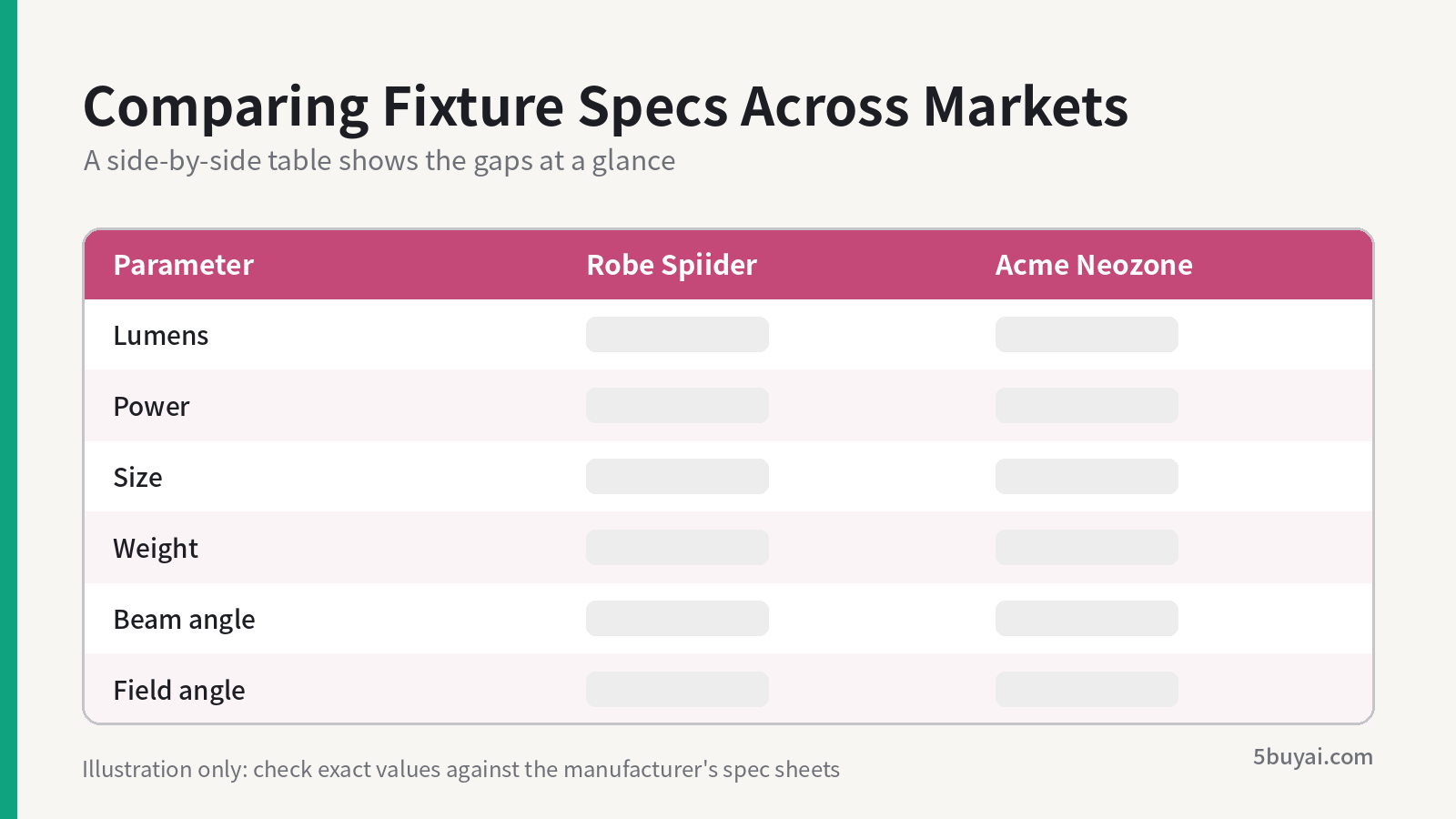
Illustration of a side-by-side fixture spec table
Spec comparisons and quantity estimates both involve specific numbers. Parameters and calculations from ChatGPT should still be checked against the manufacturer's official spec sheets or the original drawings, especially for procurement, quotes, and bids.
5. 5 Prompting Techniques from the 10 Cases
Looking at these cases together, good prompts clearly share some common traits:
| Technique | How to write it | Example case |
|---|---|---|
| State your role and background | "I'm a demolition contractor," "tech-savvy but can't code" | Costello, Morris |
| Assign a role | "You are a wine sommelier" | Junichi Masuda |
| Lock down rules and assumptions | Use the larger thickness, add a 30% bulking factor | Costello |
| Specify the output structure | 3 hypotheses + three-phase actions + KPIs; side-by-side table | OZworld, Dubouis |
| Ask questions before acting | "Don't translate yet; point out the problems first, then ask me" | Shoukei Matsumoto |
Combine these 5 techniques and you get a general-purpose prompt template that works for most work scenarios:
I am [role / background], working on [the task to complete].
Attachments: [file names and what they contain]

Please act as [role] and do the following:
1. [Task one]
2. [Task two]

Rules:
- [Calculation rules / constraints]
- [Things not to do]

Output format: [table / phased list / totals only]
Before you start, if any information is missing, ask me first.
6. About ChatGPT Pro
According to the email, the Pro plan includes GPT-5.4 Pro and more Codex usage. OpenAI says GPT-5.4 Pro is stronger at reasoning, instruction following, and long-context handling, and is built for complex multi-step work such as deep research, data analysis, and building and executing across tools. Codex is OpenAI's coding agent, which can build features from scratch or carry out automated workflows on your behalf.
The above reflects OpenAI's official description in the email. For plan pricing and usage limits, refer to the ChatGPT website.
That said, judging from these 10 cases, what really makes the difference is usually not the model version but how you ask. The techniques above work just as well in the standard version of ChatGPT and in other AI tools.
If these cases gave you ideas, like and bookmark this article, and check your next prompt against the template.