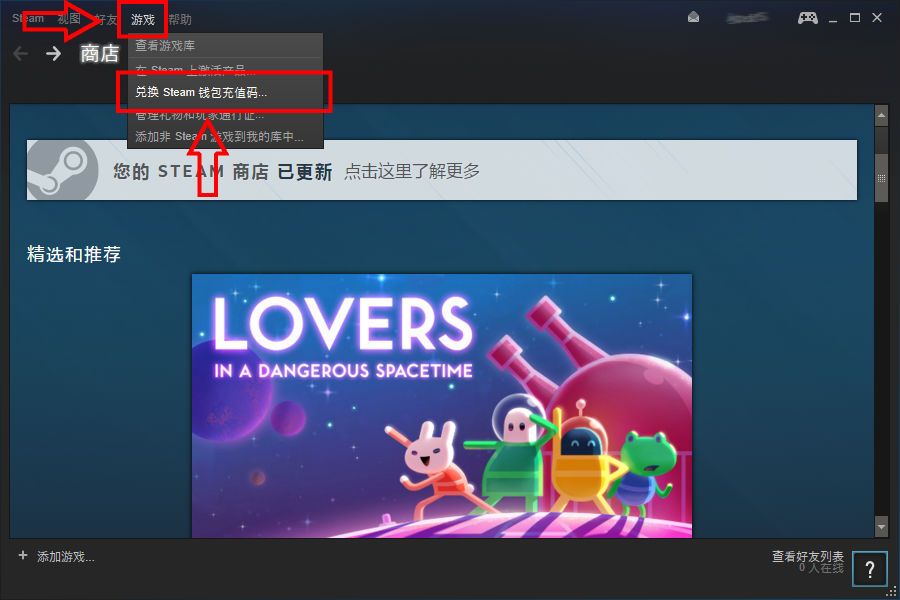
1. Log in to the Steam client and click Games in the top left, then Activate a Product on Steam (Redeem a Steam Wallet code)
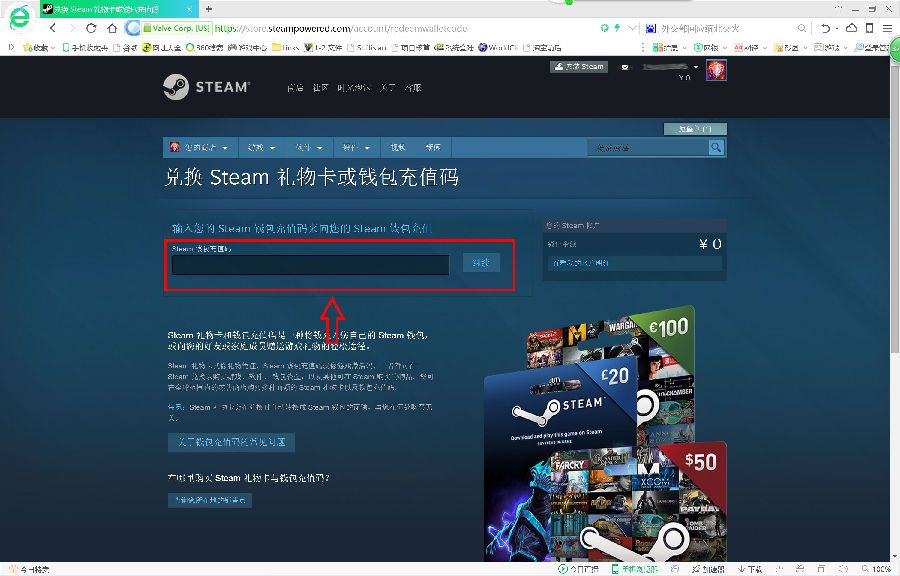
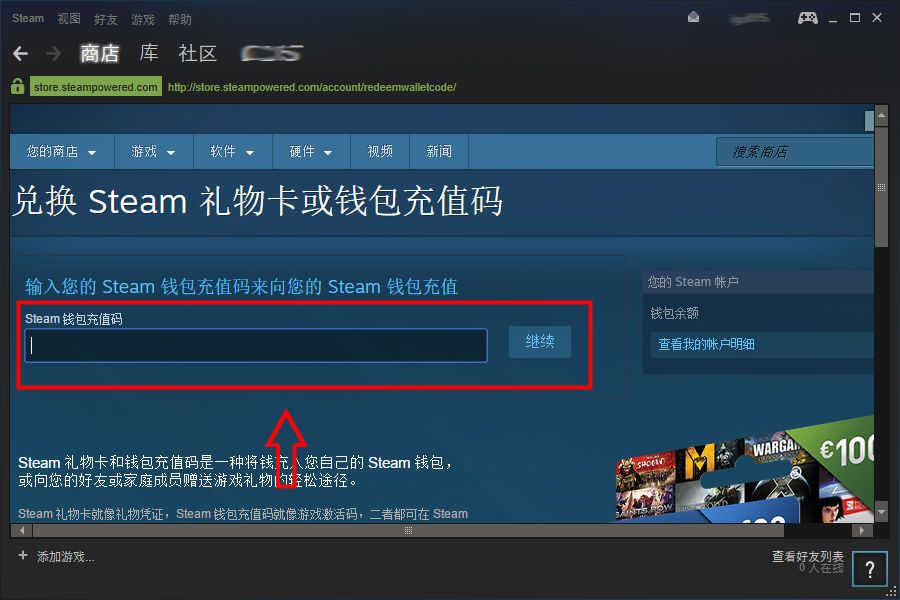
2. Enter the recharge code in the box, then click Continue. It will automatically be converted into the equivalent currency available in your region.
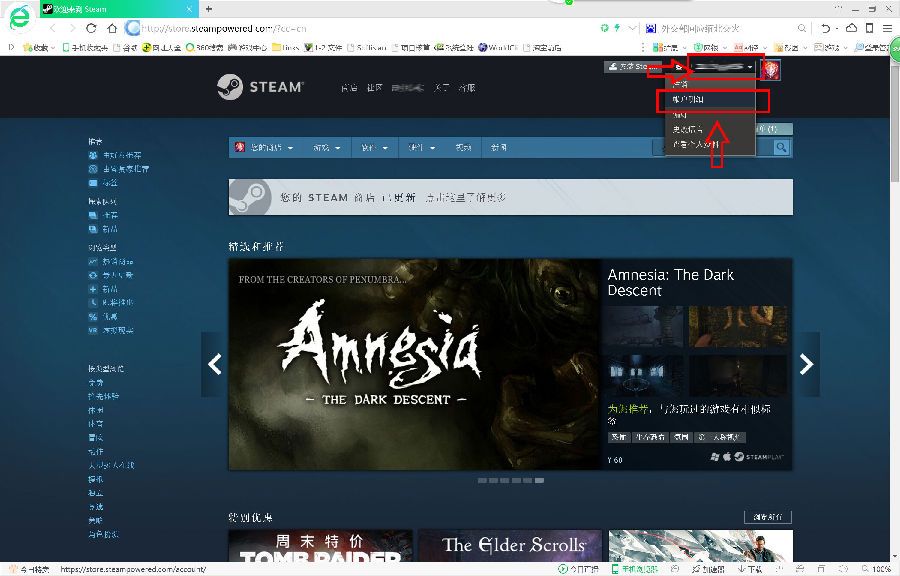
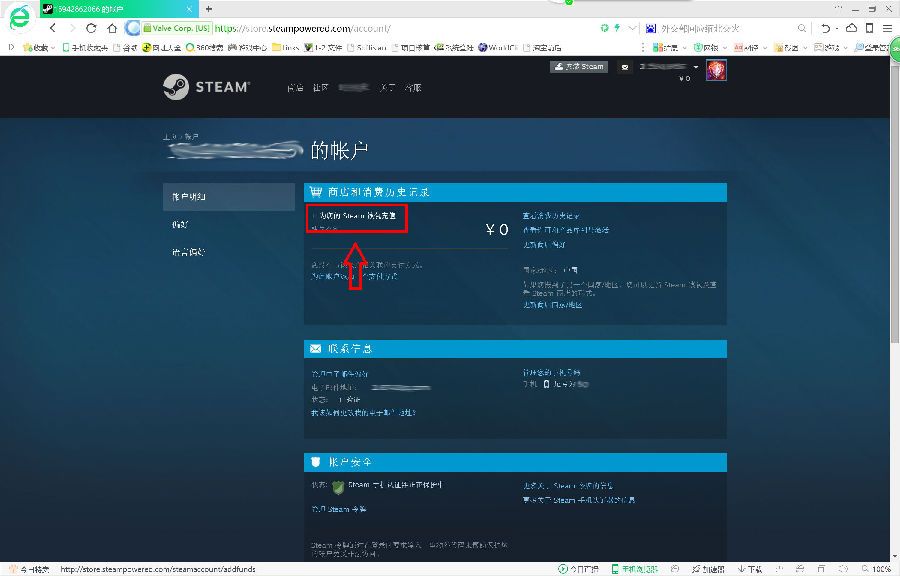
3. Or log in to the Steam website, click the drop-down arrow under your account name in the top right, and click Account details
4. Click Add funds to your Steam Wallet
5. On the right, redeem a Steam Gift Card or Wallet code
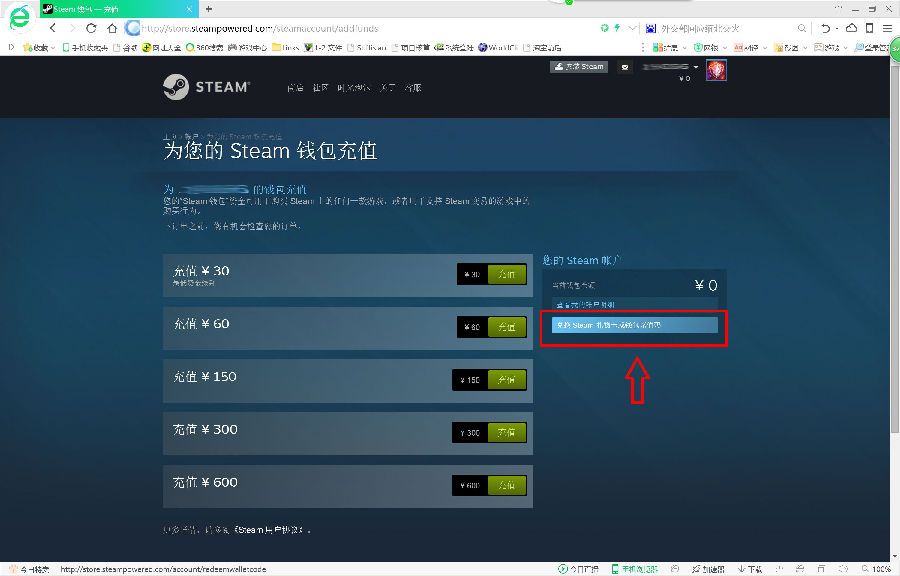
6. Enter the recharge code in the box, then click Continue. It will automatically be converted into the equivalent currency available in your region.